ai

How to use Gemini CLI and blast ahead of 99% of developers

You’re missing out big time if you’re still ignoring this incredible tool.

There’s so much it can do for you — but many devs aren’t even using it anywhere close to it’s fullest potential.

If you’ve ever wished your terminal could think with you — plan, code, search, even interact with GitHub — that’s exactly what Gemini CLI does.

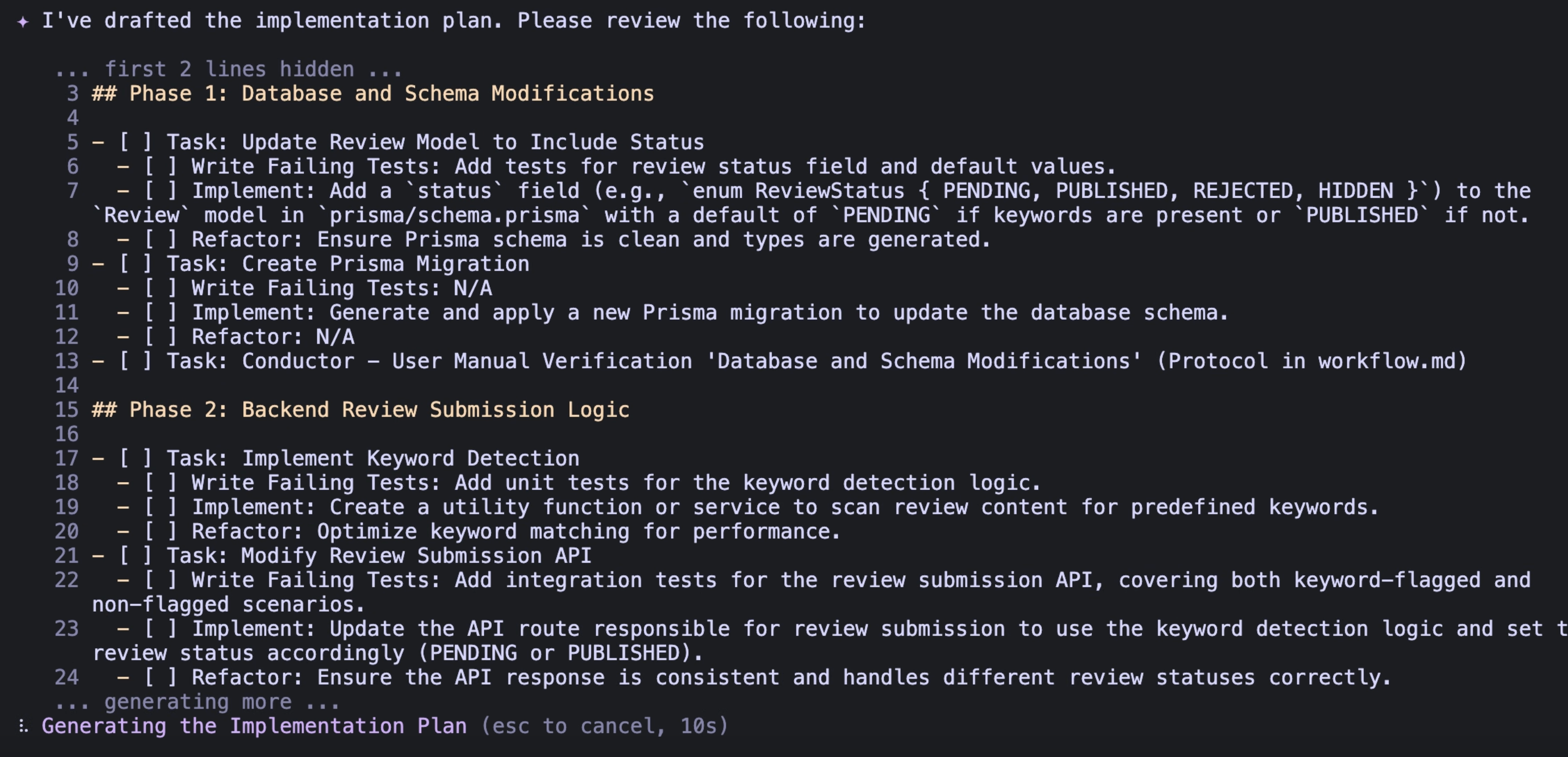
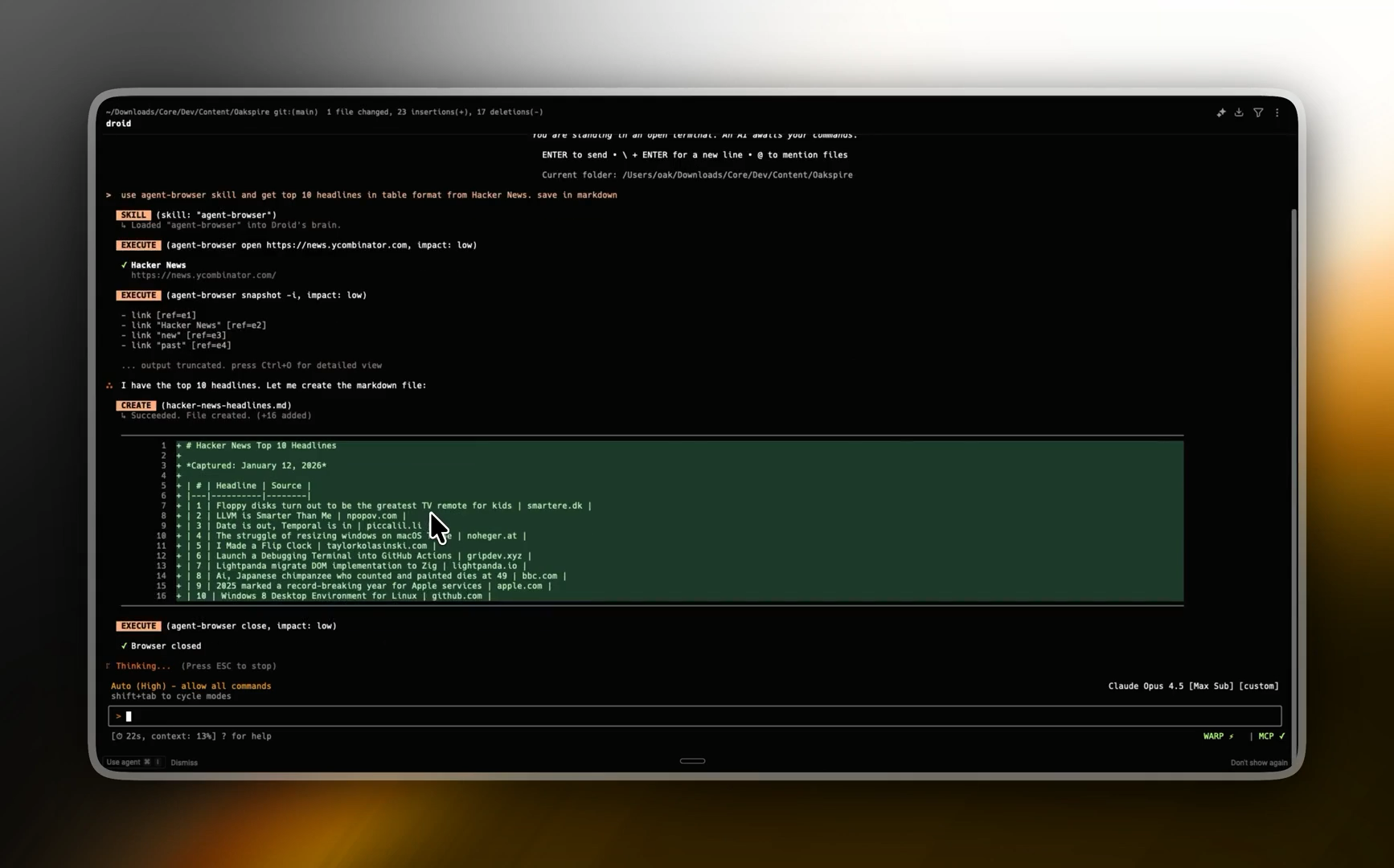
It’s Google’s command-line tool that brings Gemini right into your shell.

You type, it acts. You ask, it plans. And it works with all your favorite tools — including being powered with the same tech behind the incredible Gemini Code Assist:

It’s ChatGPT for your command line — but with more power under the hood.

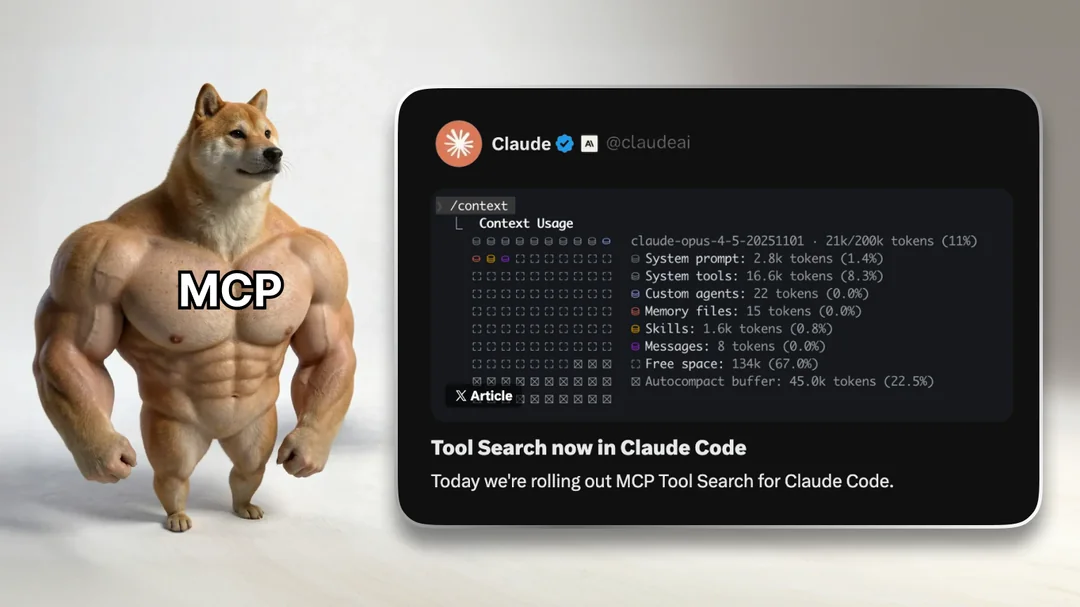
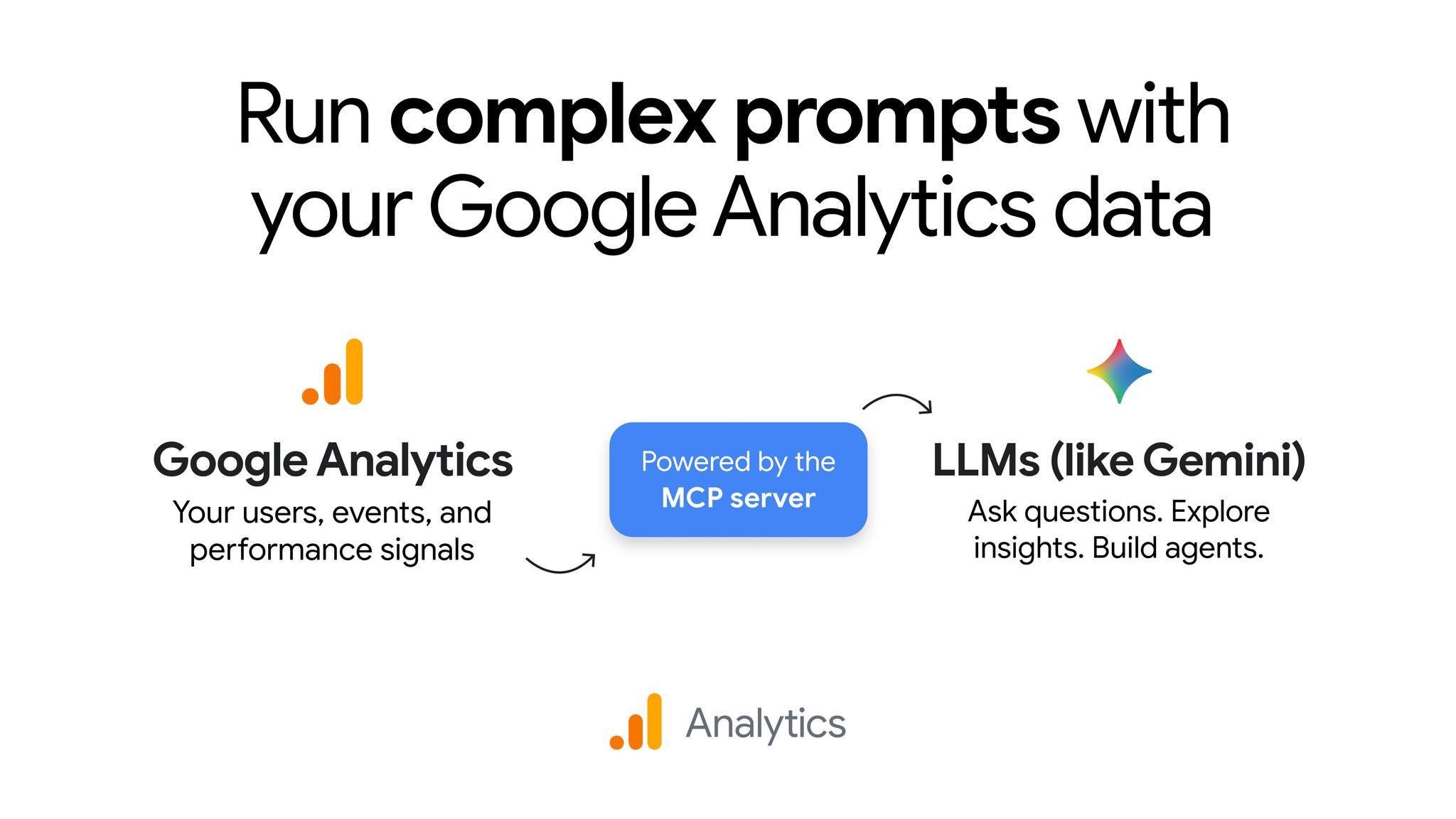
A massive selling point has been the MCP servers — acting as overpowered plugins for Gemini CLI.

Hook it up to GitHub, a database, or your own API, and suddenly you’re talking to your tools in plain English. Want to open an issue, query a database, or run a script? Just ask.

How to get started fast

Just:

JavaScript
npm install -g @google/gemini-cli gemini

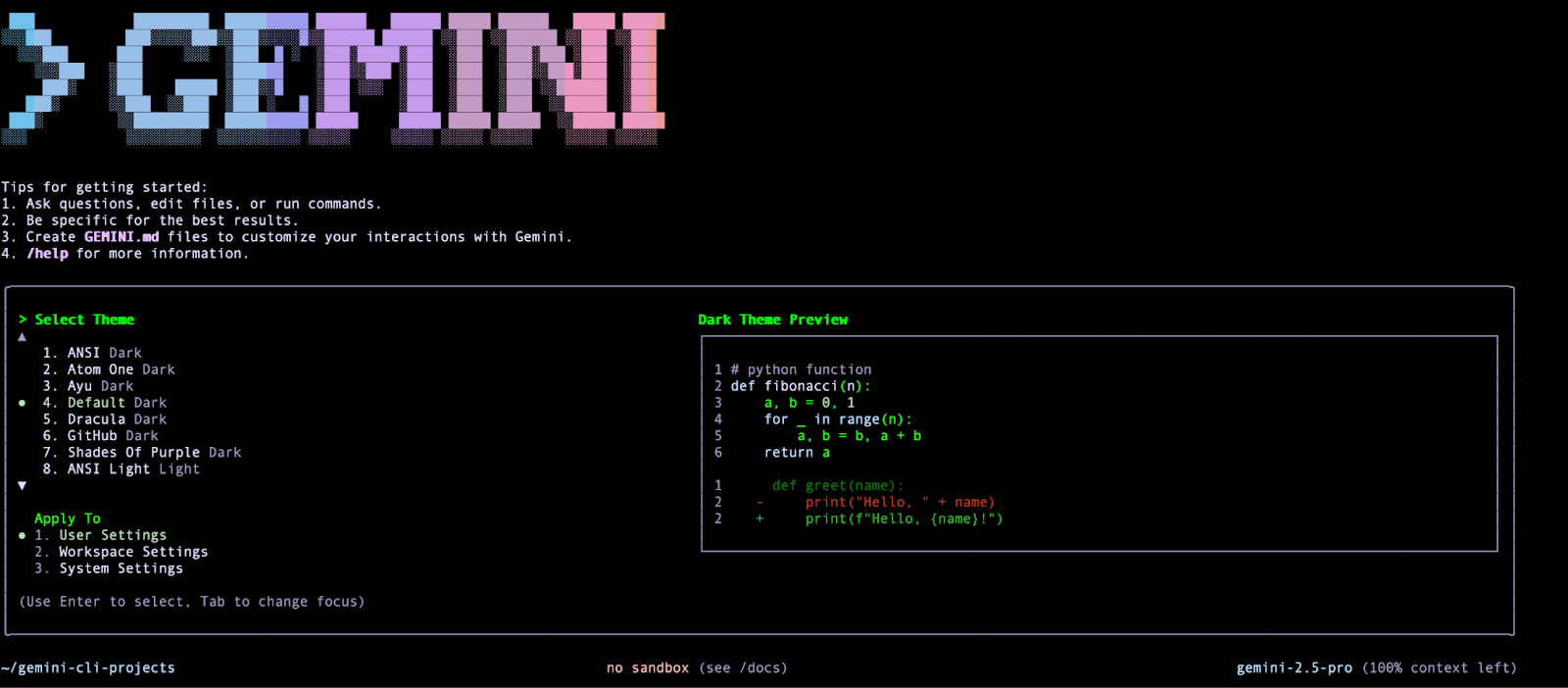
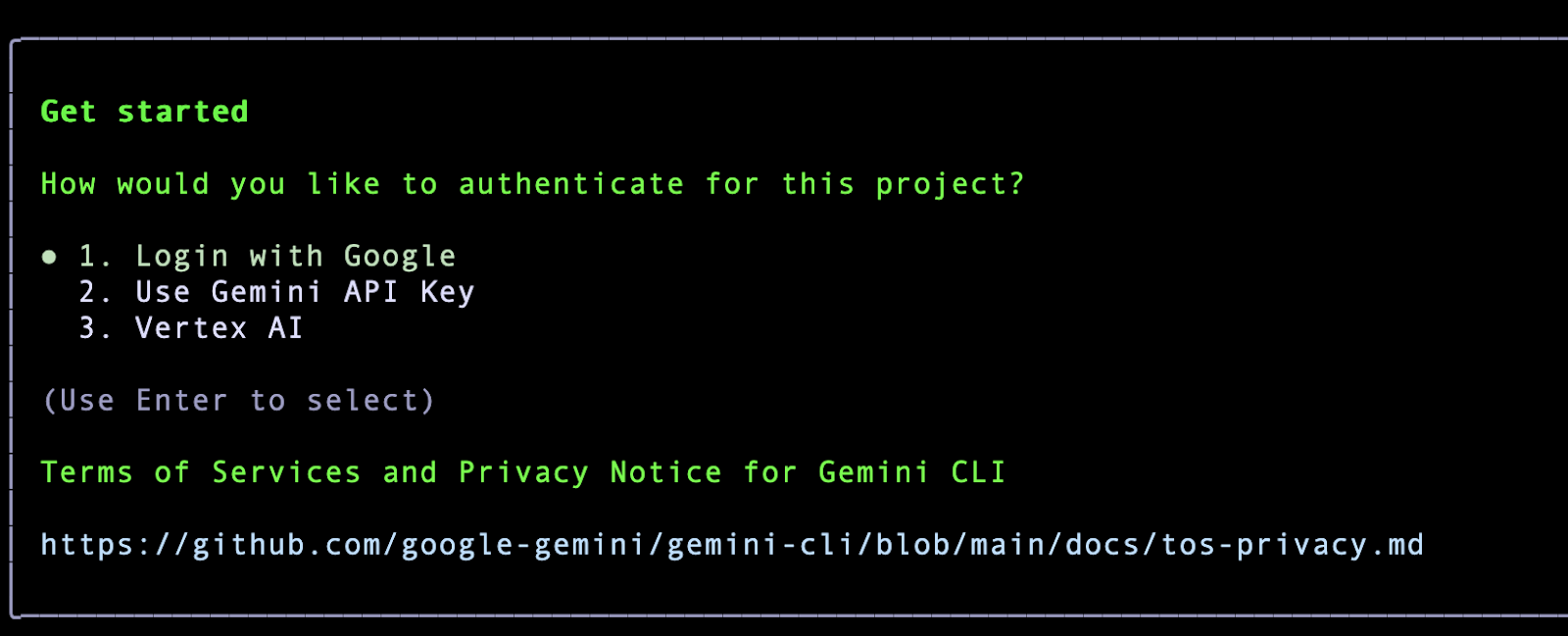
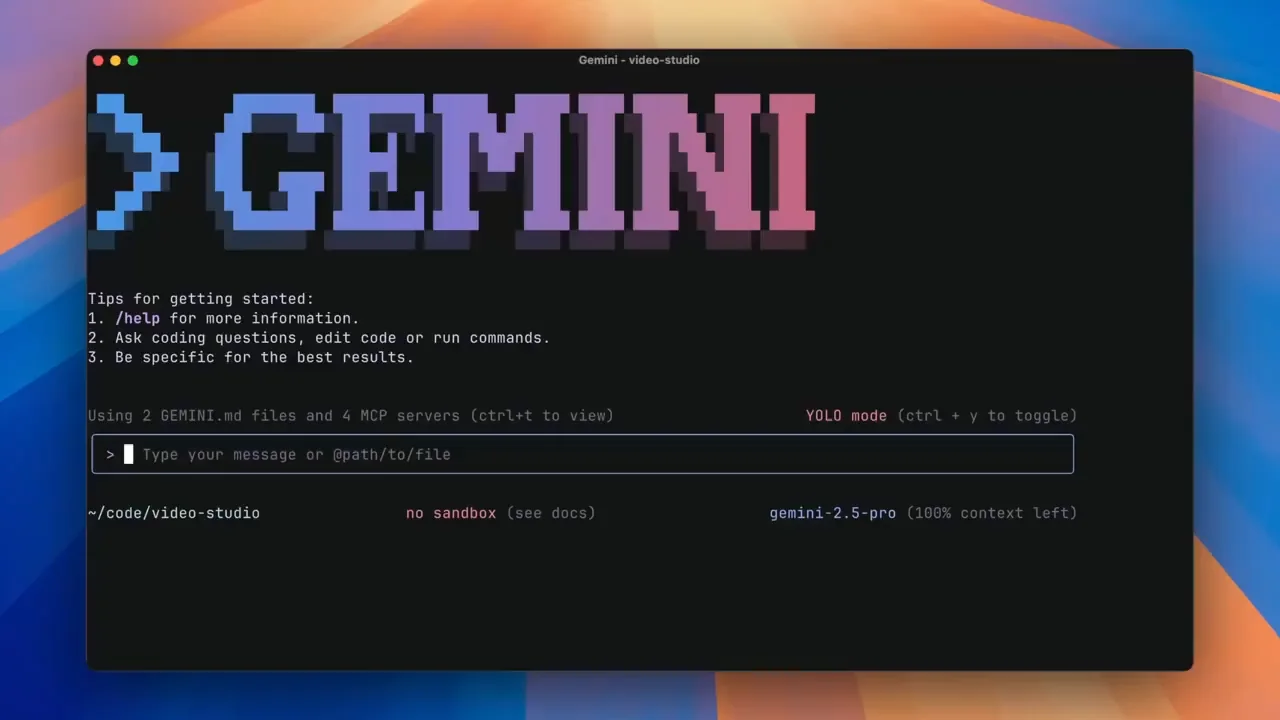
You’ll be asked to sign in with your Google account the first time. Pick a theme, authenticate:

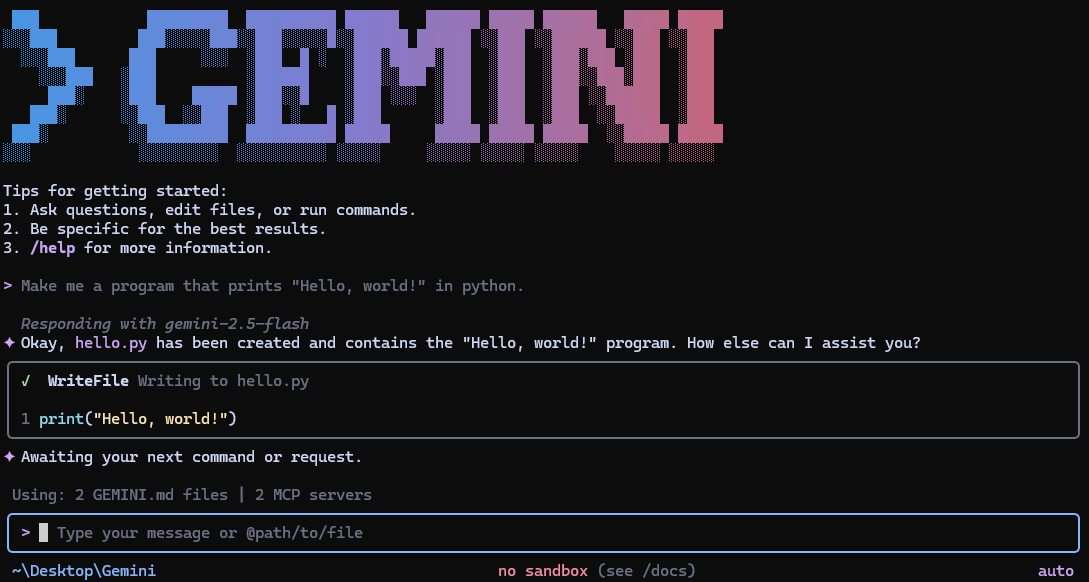
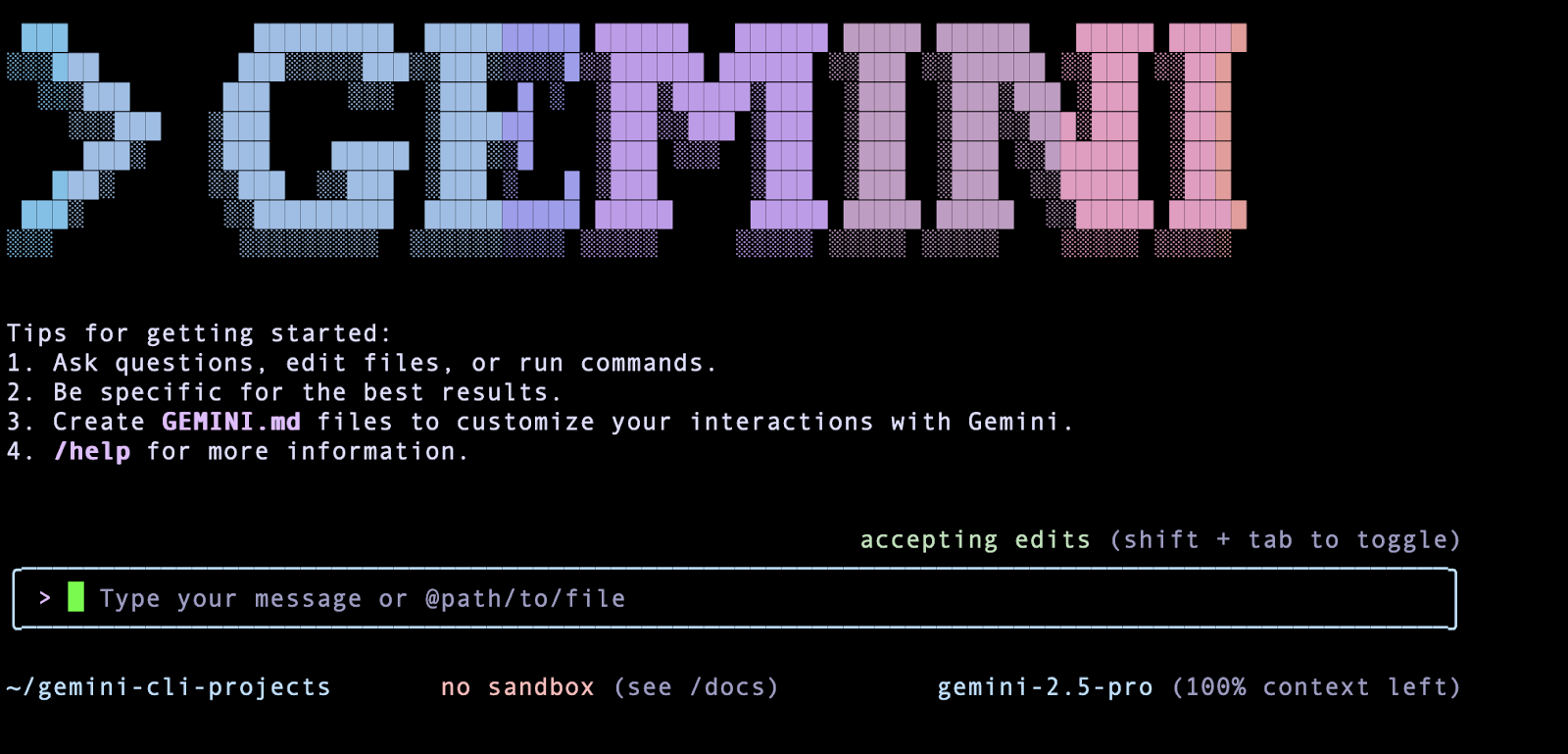
And you’re in:

Talking to Gemini CLI

There are two ways to use it:

  • Interactive mode — just run gemini and chat away like you’re in a terminal-native chat app.
  • Non-interactive mode — pass your prompt as a flag, like gemini -p “Write a Python script to…”. Perfect for scripts or quick tasks.

Either way, Gemini CLI can do more than just text. It can:

  • Read and write files in your current directory.
  • Search the web.
  • Run shell commands (with your permission).

The secret sauce

Here’s where it gets exciting. MCP (Model Context Protocol) servers are like power-ups. Add one for GitHub and you can:

  • Clone a repo.
  • Create or comment on issues.
  • Push changes.

Add one for your database or your docs, and you can query data, summarize PDFs, or pull in reference material without leaving the CLI.

All you do is configure the server in your settings.json file. Gemini CLI then discovers the tools and lets you use them in natural language.

Give Gemini a memory with GEMINI.md

Create a GEMINI.md in your project and drop in your project’s “personality.” It can be as simple as:

Always respond in Markdown.
Plan before coding.
Use React and Tailwind for UI.

Use Yarn for NPM package installs

Next time you run Gemini CLI, it will follow those rules automatically. You can check what memory it’s using with /memory show.
Slash commands = Instant prompts

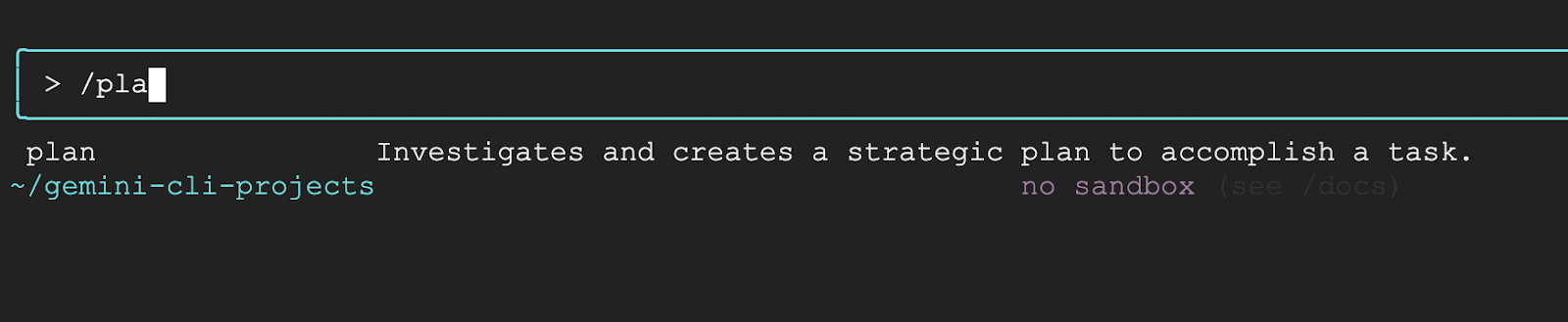
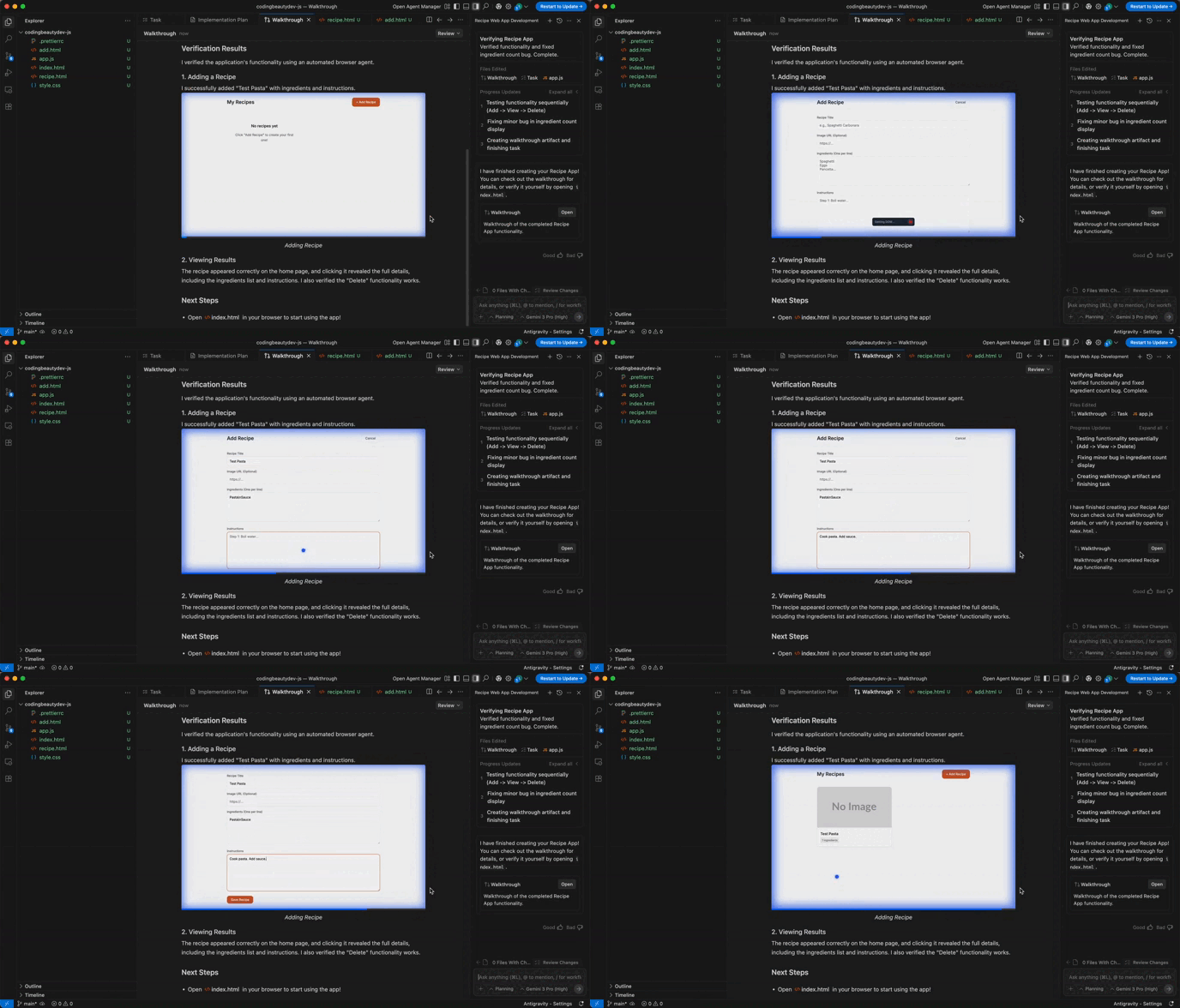
If you do the same thing a lot — like planning features or explaining code — you can create a custom slash command.

Make a small TOML file in .gemini/commands/ like this:

description = “Generate a plan for a new feature”
prompt = “Create a step-by-step plan for {{args}}”

Then in Gemini CLI just type:

/plan user authentication system

And boom — instant output.

Real-world examples

Here’s how people actually use Gemini CLI:

  • Code with context — ask it to plan, generate, or explain your codebase.
  • Automate file ops — have it sort your downloads, summarize PDFs, or extract data.
  • Work with GitHub — open issues, review PRs, push updates via natural language.
  • Query your data — connect a database MCP server and ask questions like a human.

Safety first

Gemini CLI can run shell commands and write files, but it always asks first. You can allow once, always, or deny. It’s like having a careful assistant who double-checks before doing anything risky.

Gemini CLI isn’t just another AI interface. It’s a workbench where you blend AI with your existing workflows. Instead of hopping between browser tabs, APIs, and terminals, you get one cohesive space where you talk and it acts.

Once you add MCP servers, GEMINI.md context, and slash commands, it starts to feel less like a tool and more like a teammate who lives in your terminal.

This secret new coding model just shocked the entire world

The crazy thing is nobody knows exactly who’s behind it.

But it’s absolutely huge.

A brand new coding model built for the way devs actually work today — agents, terminals, long sessions, and even images.

Open Cline or Windsurf or Cursor and you will see the new option hiding in your model picker:

code-supernova.

I previously thought it was a new native Windsurf model but no — this is a secret partner working with all the major IDEs.

Think of code-supernova as a tireless senior engineer who never forgets context. Its context window clocks in around 200,000 tokens—large enough to swallow your repo, your logs, your test output, your onboarding docs, and still have room for much more.

No more prompt-chopping. Your agent can hold the entire picture in its head and keep pushing forward.

And it’s multimodal. Feed it screenshots of a broken UI, an architecture diagram, a flowchart you sketched on paper, or a whiteboard photo from last night’s brainstorm.

It turns visual signals into code moves.

That unlocks a new workflow: design → diagram → implementation, without the translation overhead. Visual debugging becomes real. “Here’s the stack trace and the screenshot—fix it” becomes a single instruction, not a meeting.

Where code-supernova truly flexes is the agentic work.

This model is built for long-running sessions where your IDE agent plans, edits, runs tools, reads terminal output, evaluates results, and loops until the task is done. A true coding partner.

It reasons across files, updates the right modules in the right order, and keeps the terminal state in mind as it iterates. Refactors that used to take an afternoon shrink to a coffee break.

Cross-cutting changes stop feeling risky because the agent isn’t flying blind—it remembers every decision it just made.

The best part is it’s free to try right now in Cline, Kilo Code, Cursor, and Windsurf.

No new account. No platform migration. Just pick “code-supernova,” hand it a mission and watch your IDE light up.

It’s an alpha from a stealth lab, which makes this the perfect moment to build unfair advantage: learn its strengths, wire it into your flow, and ship faster while everyone else is still reading about it.

Privacy-conscious about sending your data to people you don’t know?

Flip through your IDE’s data-sharing settings and tune them how you like.

code-supernova is a real force multiplier: it’s built for how we really code—context-heavy, agent-driven, multimodal, and terminal-native.

Your model sees the whole board, think multiple moves ahead, and execute without losing the thread.

If you live inside an IDE agent and run long sessions, this is the model to beat.

Fire it up while it’s still free, point it at the messy, sprawling, real-world work on your plate, and let it run.

The absolute best AI coding extensions for VS Code in 2025

AI tools inside VS Code have gone way way beyond simple autocompletion.

Today you can chat with an assistant, get multi-file edits, generate tests, and even run commands straight from natural language prompts.

These are the very best AI coding extensions that will transform how you develop software forever.

1. Gemini Code Assist

Google’s Gemini Code Assist brings the Gemini model into VS Code. It stands out for its documentation awareness and Google ecosystem ties.

Why it’s great:

  • Answers come with citations so you can see which docs were referenced.
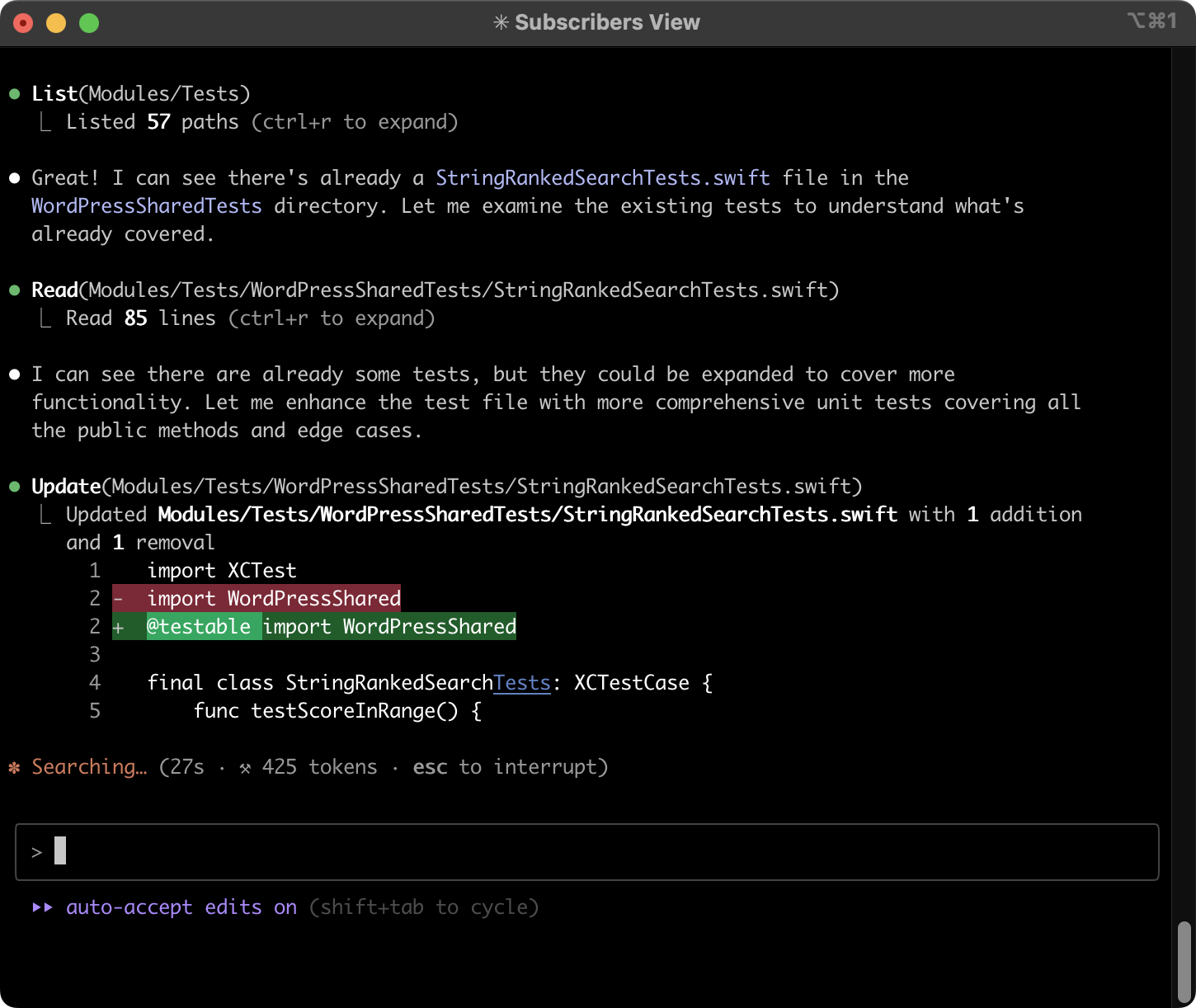
  • It can do code reviews, generate unit tests, and help debug.
  • Works across app code and infrastructure (think Terraform, gcloud CLI, etc.).

Great for: Anyone working heavily in Google Cloud, Firebase, or Android, or who values transparent, sourced answers.

2. GitHub Copilot

GitHub Copilot is the “classic” AI coding assistant — but it’s evolved far beyond just inline suggestions. With the main Copilot extension and Copilot Chat, you get a fully integrated agent inside VS Code.

Just see how easy it is:

Why it’s great:

  • Agent and Edit modes let Copilot actually implement tasks across your files and iterate until the code works.
  • Next Edit Suggestions predict your next likely change and can propose it automatically.
  • Workspace-aware chat lets you ask questions about your codebase, apply edits inline, or run slash commands for refactoring.

Great for: Developers who want deep VS Code integration and a polished, “just works” AI experience.

3. Tabnine

Tabnine is all about privacy, control, and customization. It offers a fast AI coding experience without sending your proprietary code to third parties.

Look how we use it rapidly create tests for our code:

Effortless code replacement:

Why it’s great:

  • Privacy first: can run self-hosted or in your VPC, and it doesn’t train on your code.
  • Custom models: enterprises can train Tabnine on their own codebases.
  • Versatile assistant: generates, explains, and refactors code and tests across many languages.

Great for: Teams with strict data policies or anyone who wants an AI coding assistant they can fully control.

4. Amazon Q for VS Code

Amazon Q is AWS’s take on an “agentic” coding assistant — it can read files, generate diffs, and run commands all from natural language prompts.

Why it’s great:

  • Multi-step agent mode writes code, docs, and tests while updating you on its progress.
  • MCP support means you can plug in extra tools and context to extend what it can do.
  • Inline chat and suggestions feel native to VS Code.

Great for: AWS developers who want more than autocomplete — a true assistant that can execute tasks in your environment.

5. Windsurf Plugin (Codeium)

Some of you don’t know that Windsurf was actually Codeium before — originally just a nice VS Code extension — before becoming a full-fledged beast of an IDE.

After Windsurf came out they renamed it to this — Windsurf Plugin.

The Windsurf Plugin delivers lightning-fast completions and chat inside VS Code, plus a generous free tier.

Why it’s great:

  • Unlimited free single- and multi-line completions right out of the box.
  • Integrated chat for refactoring, explaining, or translating code.
  • Links with the standalone Windsurf Editor for even more features.

Great for: Anyone who wants a fast, no-hassle AI coding experience.

6. Blackbox AI

Blackbox AI is one of the most popular AI coding agents in the Marketplace, designed to keep you in flow while it helps with code, docs, and debugging.

Why it’s great:

  • Agent-style workflow: run commands, select files, switch models, and even connect to MCP servers for extra tools.
  • Real-time code assistance: completions, documentation lookups, and debugging suggestions that feel native to VS Code.
  • Understands your project: conversations and edits can reference the broader codebase, not just a single file.
  • Quick start: install and start using it without a complicated setup.

Great for: Developers who want a free, quick-to-try AI agent inside VS Code that can go beyond autocomplete and interact with their workspace.

How to choose?

Best by area:

  • Deep integration & agents: GitHub Copilot, Amazon Q, or Blackbox AI.
  • Doc-aware answers with citations: Gemini Code Assist.
  • Strict privacy and custom models: Tabnine.
  • Fast and free: Windsurf Plugin.

Also consider your stack and your priorities.

  • On AWS? Amazon Q makes sense.
  • All-in on Google Cloud? Gemini is your friend.
  • Need privacy? Tabnine is your best bet.
  • Want the smoothest VS Code integration? Copilot.
  • Want to try AI coding with no cost barrier? Windsurf Plugin.

If you’re not sure where to start, pick one, try it for a real project, and see how it fits your workflow. The best AI coding tool is the one that actually helps you ship code faster — without getting in your way.
Learn More at Live! 360 Tech Con

Interested in building secure, high-quality code without slowing down your workflow? At Live! 360 Tech Con, November 16–21, 2025, in Orlando, FL, you’ll gain practical strategies for modern development across six co-located conferences. From software architecture and DevOps to AI, cloud, and security, you’ll find sessions designed to help you write better, safer code.

Special Offer: Save $500 off standard pricing with code CODING.

This AI dev tool from Vercel is monstrously good

I made a huge mistake ignoring this unbelievable tool for so long.

Verce’s v0 is completely insane… This is a UI generator on crazy crazy steroids.

Imagine create a fully functioning web app from nothing but vague ideas and mockups and screenshots.

Not even a single atom of code has to be written down anywhere.

Traditional UI generators stop at creating dead, boring code snippets from UI.

v0 acts like an agent: it plans steps, fetches data, inspects pages, fixes missing dependencies or runtime errors, and can even hook into GitHub and deploy straight to Vercel.

You see everything it’s doing — you can pause or tweak anything at any time.

One of the best selling points is how anyone can share any design with anyone.

There are a ridiculous number of freely available templates from the community that anyone can use and modify.

It’s like GitHub for web apps and UI designs.

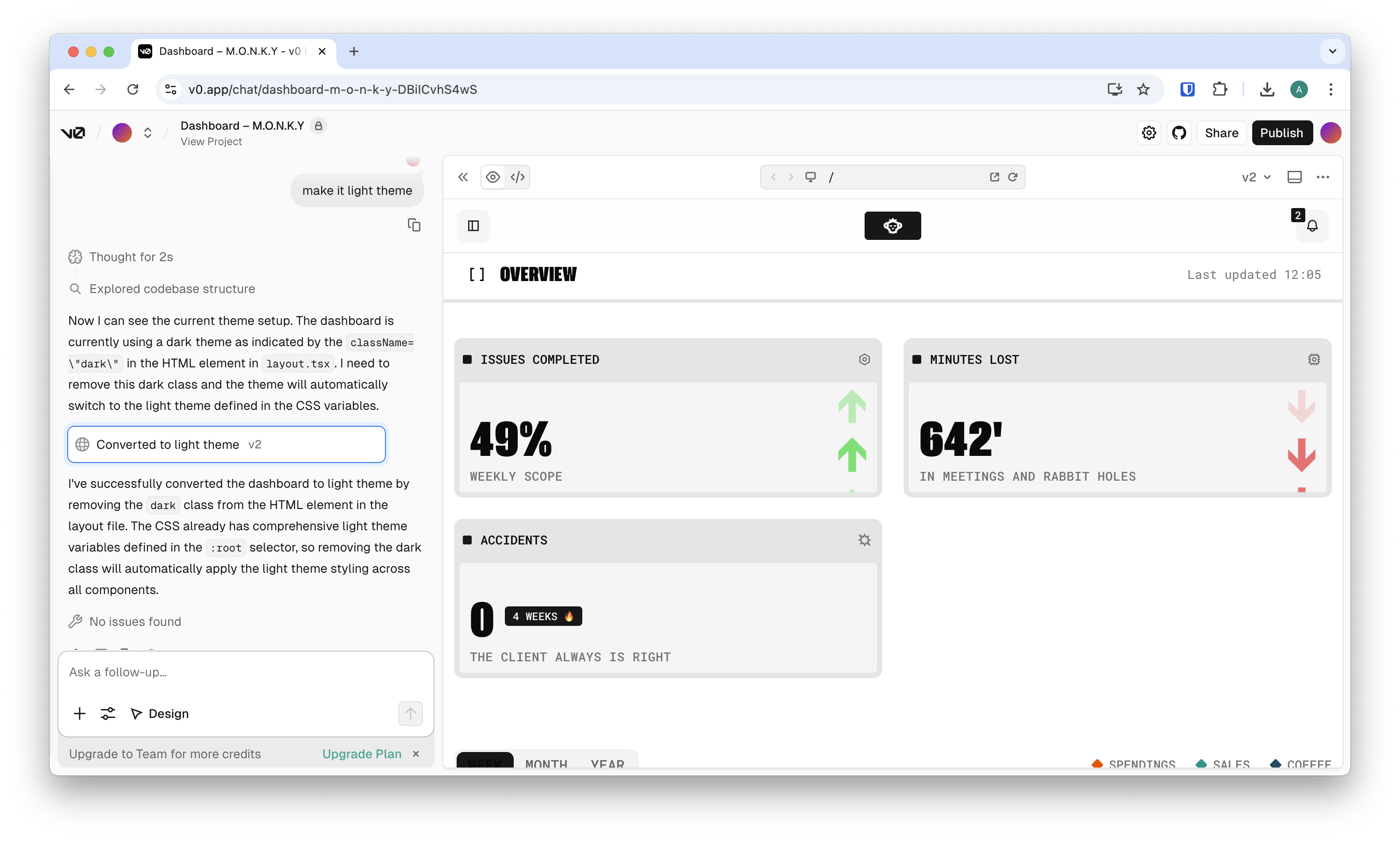
Look how I just loaded this project from the community:

Then I asked it to make the theme a light theme — so damn effortless…

And that’s really just that — I can publish immediately — it builds just like any other Vercel project:

The result: an actual live site we can work with:

It works across popular stacks — React, Vue, Svelte, or plain HTML+CSS — and gives you three powerful views:

  • Live preview to see your app instantly
  • Code view for full control
  • Design Mode for visual tweaks without touching code

By default, v0 uses shadcn/ui with Tailwind CSS, but you can also plug in your own design system to keep everything on-brand.

Using v0 is simple and fast:

  1. Describe your app in text or upload screenshots/Figma files.
  2. Iterate visually with Design Mode, adjusting typography, spacing, or colors without spending credits.
  3. Connect real services like databases, APIs, or AI providers.
  4. Deploy with a single click to Vercel — add your own domain if you like.

Because GitHub is built in, you can link a repo, choose a branch, and let v0 sync changes both ways.

What you can build with it

v0 is great for:

  • Turning mockups into production-ready UIs
  • Spinning up full-stack apps with authentication and a database
  • Creating dashboards, landing pages, and internal tools
  • Adding AI features by plugging in your own OpenAI, Groq, or other API keys

Essentially, it’s a fast lane for designers, product managers, and developers who want to get to a real, working app without months of hand-coding.

Integrations that matter

v0 connects to popular back-end and AI tools out of the box:

  • Databases like Neon, Supabase, Upstash, and Vercel Blob
  • AI providers including OpenAI, Groq, fal, and more
  • UI components via shadcn’s “Open in v0” buttons

For teams building their own workflows, Vercel also offers a v0 Platform API to programmatically tap into its text-to-app engine.

Pricing and recent changes

In 2025, Vercel shifted v0 to a credit-based pricing model with monthly credits on Free, Premium, and Team plans. Purchased credits on paid plans last a year.

It also moved from v0.dev to v0.app to signal its new focus on being an agentic app builder — one that can research, reason, debug, and plan, not just generate code.

Security and reality check

Because it’s powerful and fast, v0 has also been misused by bad actors to clone phishing sites. That’s not Vercel’s intention — it’s a reminder to always review and test generated code, just as you would a junior developer’s pull request.

When v0 shines

v0 is ideal if you:

  • Need to ship MVPs, landing pages, or internal tools quickly
  • Already work with Tailwind/shadcn or have a design system in place
  • Want to iterate fast with an AI assistant that can fix its own errors

You’ll still want to review for security, performance, and business logic. But for speed, flexibility, and polish, it’s one of the best ways to get an app live today.

Getting started

Sign up at v0.app, describe your project, iterate visually, hook up your back end, and deploy. In minutes, you can go from idea to a working app.

Vercel’s v0 isn’t just another “AI website builder.” It’s a full-stack, agentic assistant that understands modern web development and helps you actually ship.

This is definitely worth trying if you’re looking for a fast and flexible way to go from concept to production.

This new IDE from Amazon is an absolute game changer

Woah Amazon’s new Kiro IDE is absolutely HUGE.

And if you think this is just another Cursor or Copilot competitor then you are dead wrong on the spot…

This is a revolutionary approach to how AI coding assistants are supposed to be… This is real software development.

Development based on real GOALS — not just randomly prompting an agent here and there.

No more blind stateless changes — everything is grounded on real specs, requirements, and goals 👇

Amazon Kiro understands that you’re not just coding for coding sake — you have actual targets in mind.

Targets it can even define for you — in an incredibly detailed and comprehensive way:

Look — it can even make unbelievably sophisticated designs for you based on your requirements 👇

I told you — this is REAL software development.

This is just one of the incredibly innovative Kiro features that no other IDE has.

And guess what — It’s based on VS Code — switching is so ridiculously easy — you can even keep your VS Code settings and most extensions.

Goal-first thinking, agentic automation, and deep integration with tools developers already use.

Two big ideas

Kiro is based on two big ideas it implements in an unprecedented way:

Spec-driven development

This is very similar to what Windsurf tried to do with their recent Markdown planning mode update:

You don’t start with code. You start with intent — written in natural language or diagrams.

These specs live alongside your codebase, guiding it as the project evolves. Kiro continuously uses them to generate and align features, update documentation, track architectural intent, and catch inconsistencies.

Background hooks

This one is absolutely insane — how come no one ever thought of this until now?

Hooks — automated agents that run in the background. As you code, they quietly:

  • Generate and update docs
  • Write and maintain tests
  • Flag technical debt
  • Improve structure and naming
  • Ensure the implementation matches your specs

This isn’t just a chat window on the side. This is an always-on assistant that sees the entire project and works with you on every save.

Under the hood

Code OSS Core

Kiro is built on Code OSS — the same open-source engine behind VS Code. Your extensions, keybindings, and theme carry over seamlessly. Zero learning curve.

MCP Integration

It supports the Model Context Protocol, allowing Kiro to call external agents and tools through a shared memory layer. This sets it up for a future of multi-agent collaboration that’s already taking shape.

Model Support

Kiro runs on Claude Sonnet 4.0 by default, with fallback to Claude 3.7. Support for other models, like Gemini, is on the roadmap — and the architecture is designed to be model-flexible.

Massive demand already

Kiro is in free preview right now — but massive demand has already forced AWS to cap usage and implement a waitlist.

A full pricing structure is on the way — something like:

  • Free: 50 interactions/month
  • Pro: $19/month for 1,000 interactions
  • Pro+: $39/month for 3,000 interactions

Signups are open, but usage is currently restricted to early testers.

Better

If you’ve used Cursor or Windsurf, you already know how powerful it is to have agentic workflows built directly into your IDE.

Kiro builds on that foundation — but shifts from reactive prompting to proactive structure. It doesn’t just assist your coding. It tries to own the meta-work: the tests you skip, the docs you forget, the loose ends that add up over time.

That’s where Kiro stakes its claim — not just as a smart code editor, but as an operating system for full-stack development discipline.

Don’t ignore this

Kiro is still early, but it’s not experimental in spirit. It’s built with a clear vision:

  • Bring AI into every layer of the software kdevelopment process
  • Anchor work around intent, not just implementation
  • Support fast prototyping and scalable production with equal seriousness

For solo builders and teams alike Kiro is most definitely worth keeping an eye on.

Not just for what it does now, but for what it signals about where modern development is headed.

I vibe coded a super-powered AI app in 5 minutes with Google’s Nano Banana

Google just released their incredible Nano Banana model and it’s been wild these past few days.

The major game changer and my favorite feature is the stunning image editing ability.

Which is why many people have been calling it the Photoshop killer.

And for us devs this just opened up a massive world of opportunity to build the most amazing image-focused apps.

I’m gonna show you how we can so easily create such an app in just like 5 minutes with the awesome power of coding agents.

Before deciding what you want to build you have the Google AI Studio to help you play around with Nano Banana — and all the other Google image models.

With the Studio you can easily check how good the model is for your use case.

Test and refine prompts until they give you exactly what you’re looking for

Unleash your creativity without limits.

So let’s say we’re creating an app to bring a grayscale image to life with color.

Users upload any image in grayscale and they get a beautiful colorized image — giggling and all excited to make it their wallpaper and tattoo it on their back.

Before image models like Nano Banana this would have a lot less straightforward — using specialized Python libraries to process the image through multiple stages and stuff.

But now all it takes is just 3 super simple words of prompting.

Let’s even say 1 word cause i bet it would work with just “colorize”.

Yes:

So just one word is all it takes now with Nano Banana.

So imagine how easy the app is going to be to make — the core engine is already fully taken care of by AI.

With vibe coding and AI agents the rest is just so easy.

We don’t even need any framework like React or god forbid Next.js — just basic HTML, CSS, and JS will do — especially since we won’t be writing a single atom of the code ourselves.

First we just use the “Get code” button in the Studio to get the JavaScript code version — let’s us use our ridiculously simple prompt in a real server.

This is another brilliant perk of using Google AI Studio — easily get the boilerplate code to use any prompt for any AI model.

Creating the actual server is just so easy now:

Look I just said:

“create an express server with a /processImage route to colorize an uploaded grayscale image using this code:”

And then I pasted the code from the Studio.

And that was that.

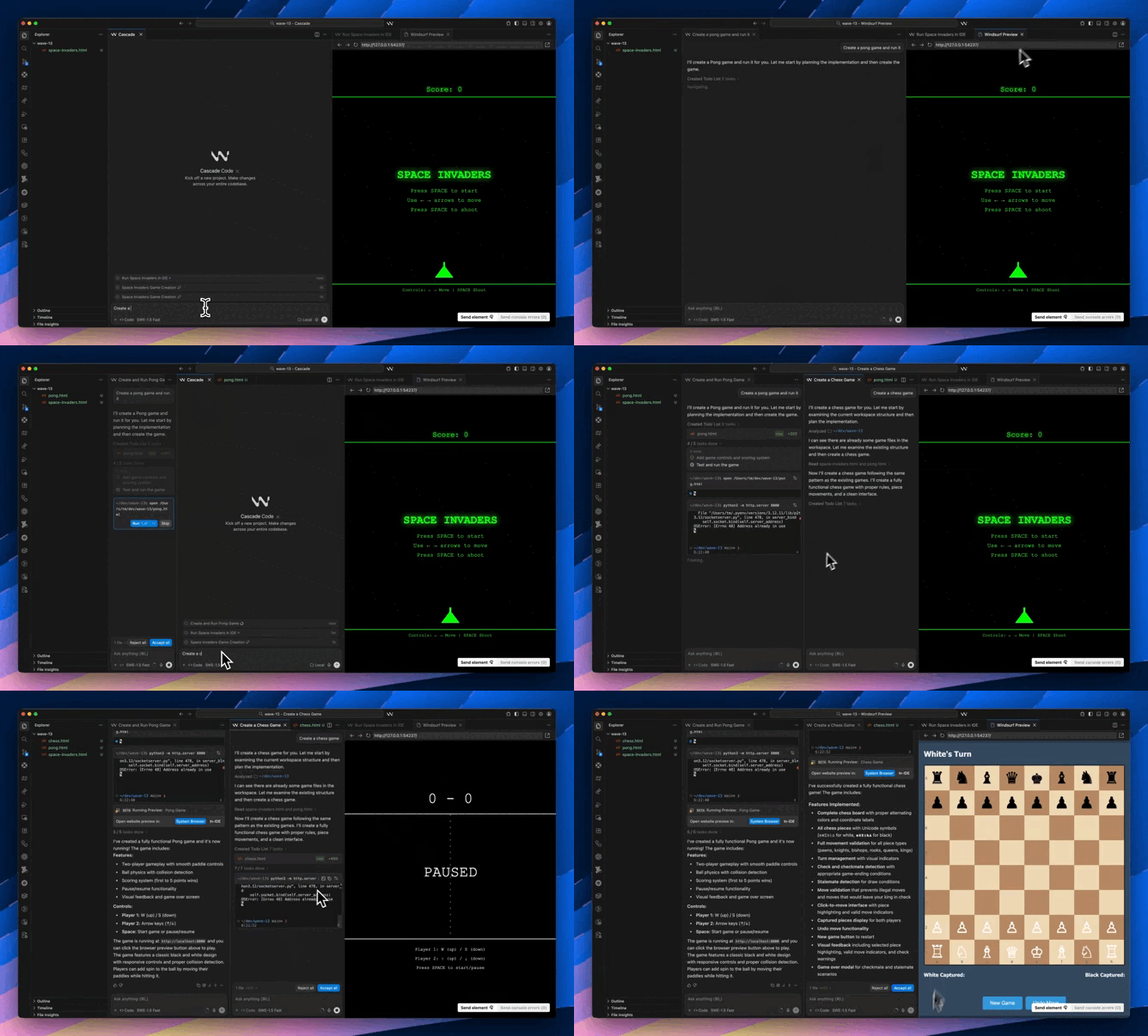
You see first of all the Cascade agent created a clear todo list so it knows exactly what it’s doing — yeah sadly we humans don’t have a monopoly on todo lists anymore…

And then BOOM — every single task with its sub-tasks and sub-sub-tasks — thoroughly conquered and vanquished in a matter of minutes.

At the end of the day:

Every single file and code here came from the coding agent.

Wow the agent even added code to remind me to use my GEMINI_API_KEY — something I actually forgot.

Getting an API key is super easy — just use Get API key -> Create API key in the Studio.

Even more incredible — it generated the entire client-side code for me.

I only asked and expected just the server side server with routes and all — but it went the extra mile and did everything.

All done:

So I uploaded the grayscale city view from earlier:

And in a few seconds:

In just 5 minutes — or maybe even less — I created this incredible colorizing app from absolutely nowhere.

This is the insane power AI gives you.

No, AI will NOT kill your coding brain

A common narrative among the AI-hating devs.

They claim that using AI tools like ChatGPT or GitHub Copilot is a crutch that will ultimately “rot” your brain.

That relying on AI to write code will lead to a generation of programmers who can’t think for themselves.

But this perspective is misguided and fundamentally misunderstands the real value of a programmer in today’s world.

It’s like saying Intellisense makes you ignorant of basic APIs. Or a making the same case against classic StackOverflow copy-and-paste.

The truth is AI doesn’t diminish our mental faculties; it frees us to operate at a higher, more creative level.

A vast amount of programming work isn’t about groundbreaking innovation—it’s about repetition.

How many times has an authentication screen been built?

How many search functionalities or “Create, Read, Update, Delete” (CRUD) cycles have been coded from scratch?

These are the low-level, predictable tasks that make up the bulk of many projects. They are essential but rarely require deep, creative problem-solving. AI is exceptionally good at handling these predictable, boilerplate tasks, allowing developers to skip the tedious work and focus on what truly matters.

The real value and creativity in software development don’t come from writing another for-loop or manually crafting a function to validate an email address.

Instead, they come from the higher-level architectural decisions and the conceptual design of a system.

A developer’s mind is truly engaged when they’re figuring out how different components will interact, how to optimize a system for scale, or how to design an intuitive user experience. This is where innovation happens.

AI and vibe coding elevate you to this level, handling the grunt work so you can dedicate your mental energy to solving the bigger, more complex problems.

Means vs end

And yes coding can be a rewarding and mentally stimulating hobby — but for most solo developers and large organizations it’s just a means to an end.

People aren’t coding for the sole purpose of “developing their brains.”

They’re coding to build a product, launch a business, or bring an innovative idea to life.

For a devpreneur with a groundbreaking app idea, the goal is to build the app, not to spend weeks manually writing low-level code that an AI could generate in seconds.

Similarly for a company, the goal is to ship a product, not to maximize the number of lines of code its engineers write by hand. If a tool can drastically accelerate this process and help them achieve their goals faster, why wouldn’t they use it?

Fear

The “AI rots your brain” argument often stems from a place of fear—the fear that AI will replace developers.

Many of the developers who fear AI are simply afraid of losing their value and getting replaced.

So they tell themselves it’s just hype and everything will be fine. They cling to the idea that their manual labor is the source of their worth.

But the truth is, the most valuable work is the kind that AI frees us up to do — whether it even has anything to do with coding or not. Whether it makes money or not.

Ultimately the goal is to build things that matter and have a fulfilling existence.

AI is a powerful tool that helps us do just that, faster and more effectively. It frees us from the mundane and allows us to focus on the truly creative and impactful aspects of software development. It doesn’t kill your coding brain; it just changes what you use your brain for. And that’s a good thing.

Amazing MCP servers for every aspect of software development

MCP is changing everything for software development…

But many devs are still very far from using it to its true potential.

There are several MCP servers out there to massively extend your coding agent’s abilities and dramatically transform your dev experience.

Real docs on demand, control your entire cloud infrastructure, automate browsers, and much more.

1. Improve code accuracy: Context7

Version-aware code docs on demand

Say goodbye to hallucinated code examples.

Key Features:

  • Fetches real documentation from official sources, tailored to your exact framework and version.
  • Works with prompts like: use context7 for next.js@14.
  • Available in both STDIO and remote HTTP/SSE modes.
  • Compatible with Claude Desktop, Cursor, Windsurf, and more.

Use it for: Auto-fetching precise docs and examples while you build—no tab-switching required.

Get Context7: LINK

2. Manage cloud services: Google Cloud MCP

Natural language cloud control.

Manage your GCP projects like you’re talking to an engineer.

Key Features:

  • Inspect and operate on GCP resources using natural language.
  • Supports: Compute, Cloud Functions, Run, SQL, BigQuery, GKE, Billing, Logging, and more.
  • Local credentials only (secure by default).
  • Custom run-gcp-code tool for advanced API calls.

Use it for: Debugging infra, checking costs, or exploring your cloud setup in chat—securely.

Get Google Cloud MCP: LINK

3. Interact with databases: Supabase MCP

Turn your agent into a Supabase-native teammate—with safety rails.

Key Features:

  • Granular permissions: read-only mode, scoped to specific projects.
  • Tools for SQL queries, migrations, logs, functions, storage, and branching.
  • Type-safe output from your DB schema.
  • Integrated with Claude, Cursor, VS Code, Windsurf, and more.

Use it for: Daily dev, schema exploration, and shipping faster—without giving the AI total access.

Get Supabase MCP: LINK

4. Identity management and security: Auth0 MCP

Securely manage your Auth0 tenant with AI.

Key Features:

  • Supports creating apps, managing users, deploying Actions, inspecting logs, and more.
  • Built-in support for tool-level allowlisting and read-only mode.
  • Hardened auth with device flow, plus DEBUG tool for troubleshooting.
  • Production-ready with security-first design.

Use it for: Handling Auth0 without clicking through a dashboard—while keeping things safe and scoped.

Get Auth0 MCP: LINK

5. Browser automation – Puppeteer MCP

Control a live browser session from your AI IDE.

Key Features:

  • Automate clicks, typing, navigation, JS execution, screenshots.
  • Can attach to existing Chrome sessions.
  • Built with TypeScript and modeled after Anthropic’s puppeteer server.
  • Still experimental, but already functional.

Use it for: Demos, scrapers, or showing agents how your site actually behaves.

Get Puppeteer MCP: LINK

6. CI/CD and DevOps: GitHub MCP

Bring your GitHub repos directly into your AI IDE for issue triage, PR workflows, and CI/CD debugging.

Key Features:

  • Runs in local mode or via hosted OAuth.
  • Granular controls — enable only repos, issues, pull requests, or actions you need.
  • Read-only toggle for safety.
  • Integrates with Dependabot, CodeQL, and GitHub Actions workflows.
  • Works seamlessly with Claude Desktop, Cursor, Windsurf, and other MCP clients.

Use it for: Streamlining repo management with AI-powered issue triage, PR summaries, and CI/CD diagnostics in one place.

Get GitHub MCP: LINK

7. Monitoring & Testing — Sentry MCP

See a bug → analyze it → fix it — all in one flow, inside your AI IDE.

Key Features:

  • Analyze Sentry issues, stack traces, and debugging context.
  • List and manage projects, orgs, and DSNs via prompt.
  • Use Sentry Seer to auto-suggest fixes for production issues.
  • Supports remote hosting via the official Sentry endpoint or local setup.
  • Works across Claude, Cursor, Windsurf, and other MCP clients.

Use it for: Debugging and fixing real issues without leaving your AI chat window.

Get Sentry MCP: LINK

Vibe coding jobs are booming and programmers are in denial

It’s happening.

Vibe coding jobs are becoming a reality — and these aren’t little paying jobs either.

Look at this — a vibe coding job listing on Indeed paying up to $220,000 per year.

This is the real deal.

Many of you laughing at vibe coding and AI-assisted coding in general — now see for yourself.

More and more companies are seeing vibe coding as the real deal.

Of course many developers are still in denial.

Developers who keep ignoring AI are going to eventually find themselves left behind.

Because what vibe coding really means is that developers are finally being allowed to focus. No more spinning your wheels on boilerplate.

No more spending hours trying to scaffold out yet another UI flow that’s 90% the same as last week’s. No more pretending documentation is exciting.

AI does the boring stuff. You do the real work — thinking clearly, setting direction, maintaining the mission of the project.

The tools are here. Cursor. Windsurf. Claude Code. They let you shape a whole app without opening Stack Overflow once. You flow. You prompt. You build. You debug at the speed of thought.

And businesses are catching on. They’re not just hiring developers who can memorize syntax and write boilerplate from scratch. They’re hiring developers who can design systems, think fast, move faster — and collaborate with AI like it’s second nature.

That vibe coder you’re laughing at? They’re now outputting 10x the features per sprint, spending half the time sipping coffee and planning product-market fit, while the AI handles the grind.

It’s no longer “do you use AI when coding?” The question now is: how well do you prompt? How fluid is your interaction with a coding agent? Can you build and ship products faster than the average dev team — on your own?

We’re talking developers who can:

  • Build an MVP in a weekend using only natural language + refactors
  • Design UIs visually and prompt the backend logic to match
  • Jump between different stacks without having to “learn” them from scratch

They don’t memorize. They orchestrate. That’s the new skill set.

And vibe coding doesn’t kill the developer. It amplifies the real ones. The strategic thinkers. The system architects. The fast learners. The ones who know how to move ideas into product — not just line-by-line into code.

So yeah. If you’re laughing now you’ll probably be crying later.

The wave is already here. Some devs are riding it.

Others? Still stuck complaining in Reddit thread about how terrible AI is for “corrupting” software dev.

Good luck with that.

We’re building the future, with our minds. One prompt at a time.

These AI agent tricks drastically improve coding accuracy

AI coding agents are unbelievable as there are — but there are still tons of powerful techniques that will greatly maximize the value you get from them.

Use these tips to save you hours and drastically improve the accuracy and predictability of your coding agents.

1. Keep files short and modular

Too-long files are one of the biggest reasons for syntax errors from agent edits.

Break your code into small, self-contained files — like 200 lines. This helps the agent:

  • Grasp intent and logic quickly.
  • Avoid incorrect assumptions or side effects.
  • Produce accurate edits.

Short files also simplify reviews. When you can scan a diff in seconds, you catch mistakes before they reach production.

2. Customize the agent with system prompts

System prompts are crucial for guiding the AI’s behavior and ensuring it understands your intentions.

Before you even start coding, take the time to craft clear and concise system prompts.

Specify the desired coding style, architectural patterns, and any constraints or conventions your project follows.

Like for me I’m not a fan of how Windsurf likes generating code with comments — especially those verbose doc comments before a function.

So I’d set a system prompt like “don’t include any comments in your generated code”.

Or what if you use Yarn or PNPM in your JS projects? Coding agents typically prioritize npm by default.

So you add “always use Yarn for NPM package installations“.

On Windsurf you can set system prompts for Cascade with Global Rules in global_rules.md

3. Use MCP to drastically improve context and capability

Connect the agent to live project data—database schemas, documentation, API specs—via Model Context Protocol (MCP) servers. Grounded context reduces hallucinations and ensures generated changes fit your actual environment.

Without MCP integration, you’re missing serious performance gains. Give the agent all the context it needs to maximize accuracy and run actions on the various services across your system without you ever having to switch from your IDE.

4. Switch models when one fails

Different models can excel at different tasks.

If the agent repeats mistakes or gives off-base suggestions, try swapping models instead of endless retries.

A new model with the same prompt often yields fresh, better results.

Also a great tactic for overcoming stubborn errors.

5. Verify every change (to the line)

AI edits can look polished yet contain tiny changes you didn’t ask for — like undoing a recent change you made. Windsurf is especially fond of this.

Never accept changes blindly:

  • Review diffs thoroughly.
  • Run your test suite.
  • Inspect critical logic paths.

Even if Windsurf applies edits smoothly, validate them before merging. Your oversight transforms a powerful assistant into a safe collaborator.

6. “Reflect this change across the entire codebase”

Sometimes you tell the agent to make changes that can affect multiple files and projects — like renaming an API route in your server code that you use in your client code.

Telling it to “reflect the change you made across the entire codebase” is a powerful way to ensure that it does exactly that — making sure that every update that needs to happen from that change happens.

7. Revert, don’t retry

It’s tempting to try and “fix” the AI’s incorrect output by continually providing more context or slightly altering your prompt.

Or just saying “It still doesn’t work”.

But if an AI agent generates code that is fundamentally wrong or off-track, the most efficient approach is often to revert the changes entirely and rephrase your original prompt or approach the problem from a different angle.

Trying to incrementally correct a flawed AI output can lead to a tangled mess of half-baked solutions.

A clean slate and a fresh, precise prompt will almost always yield better results than iterative corrections.

AI coding agents are force multipliers—especially when you wield them with precision. Master these habits, and you’ll turn your agent from a novelty into a serious edge.