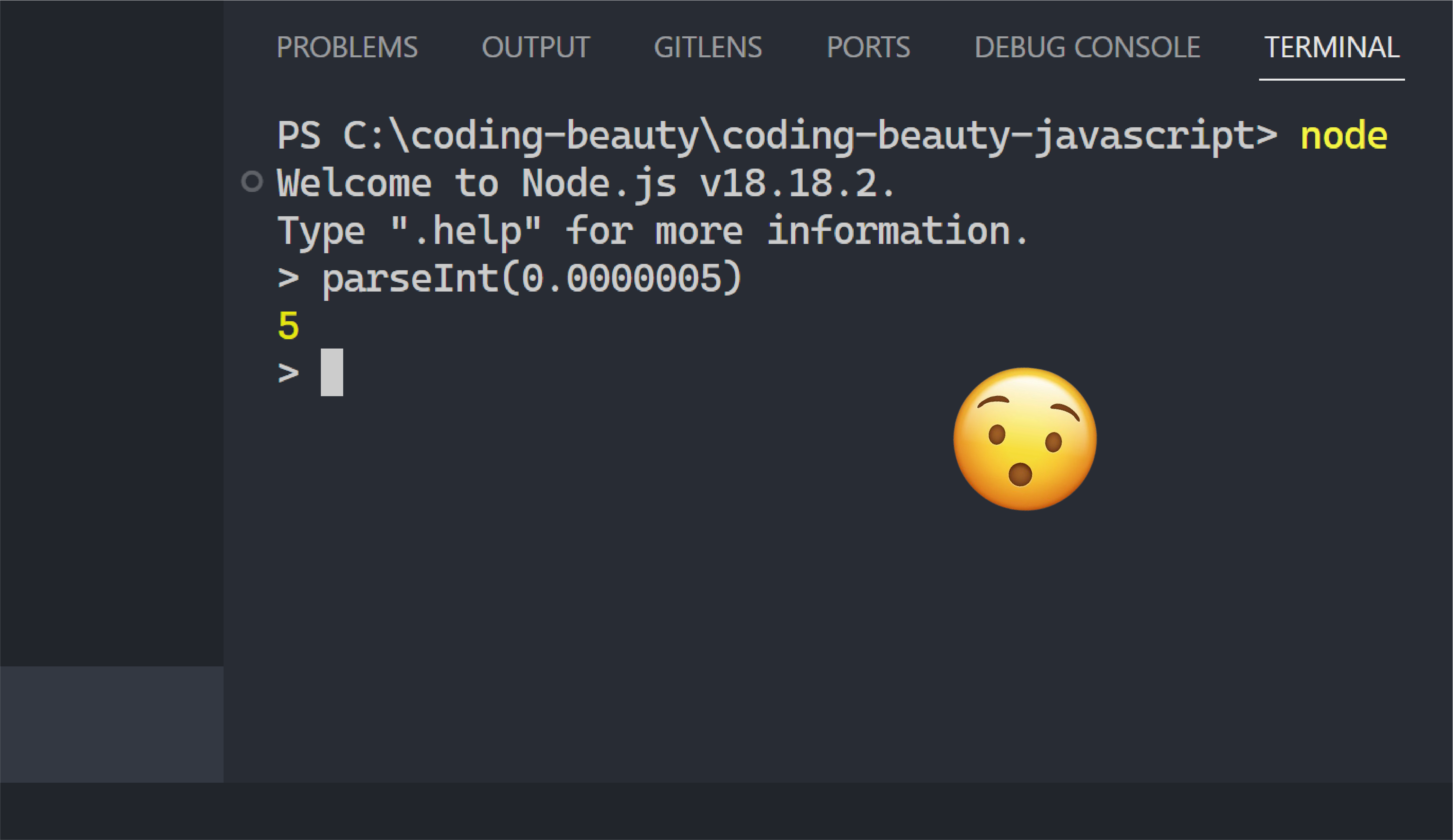
An interesting occurrence showing the sheer weirdness of JavaScript:
Just when you thought you knew everything about parseInt:
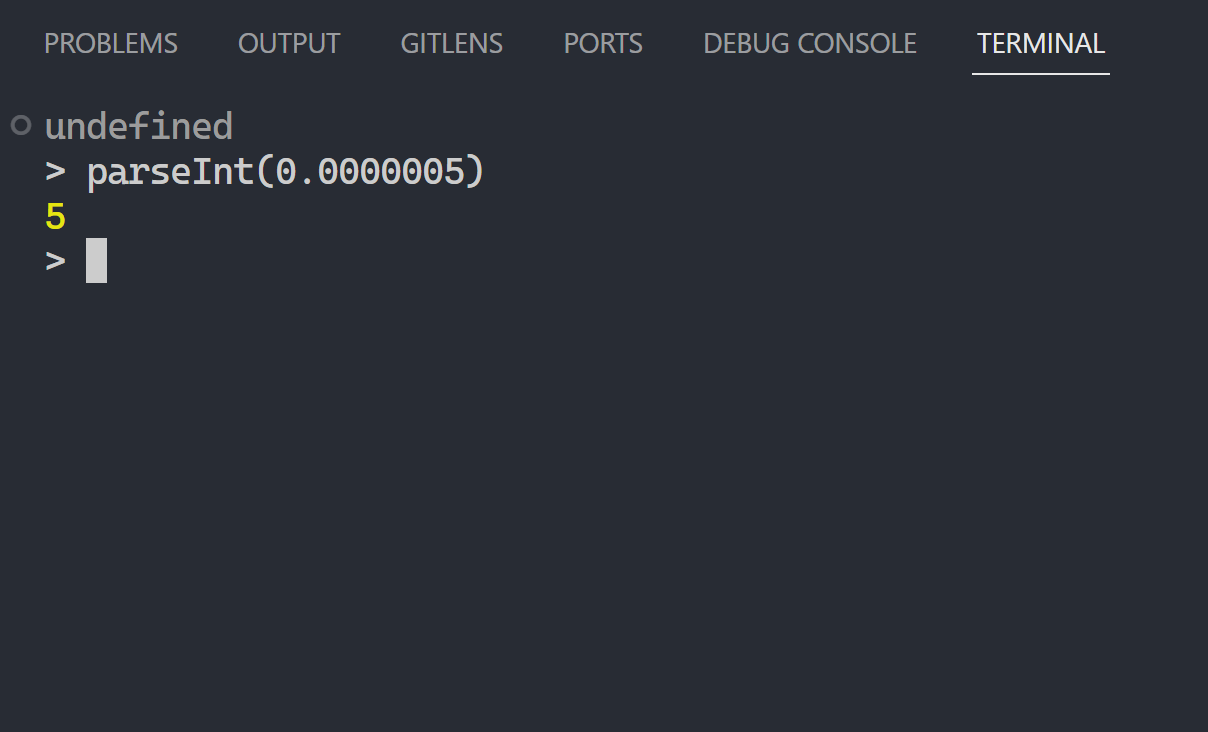
The funny thing is it returns 0 for four and five zeroes after the decimal point.
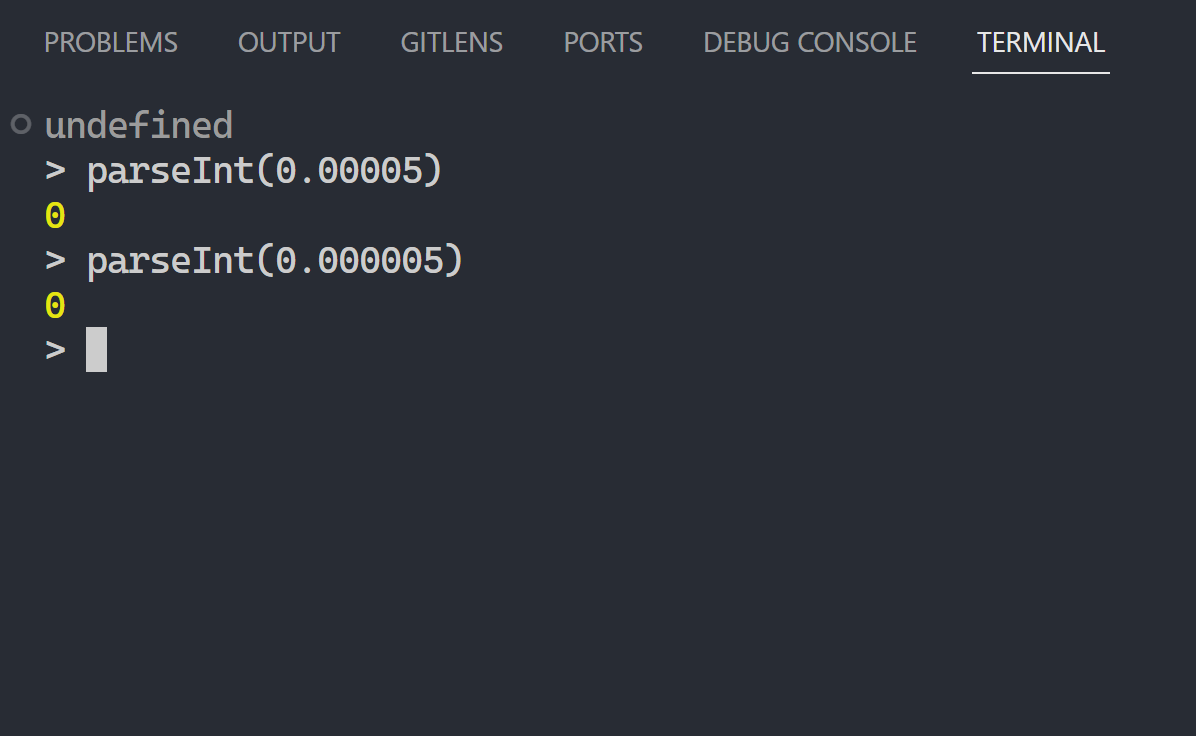
But just add one more zero and it starts acting crazy?
The difference from Number is even more stark.
✅ parseInt vs Number — four and five zeroes:
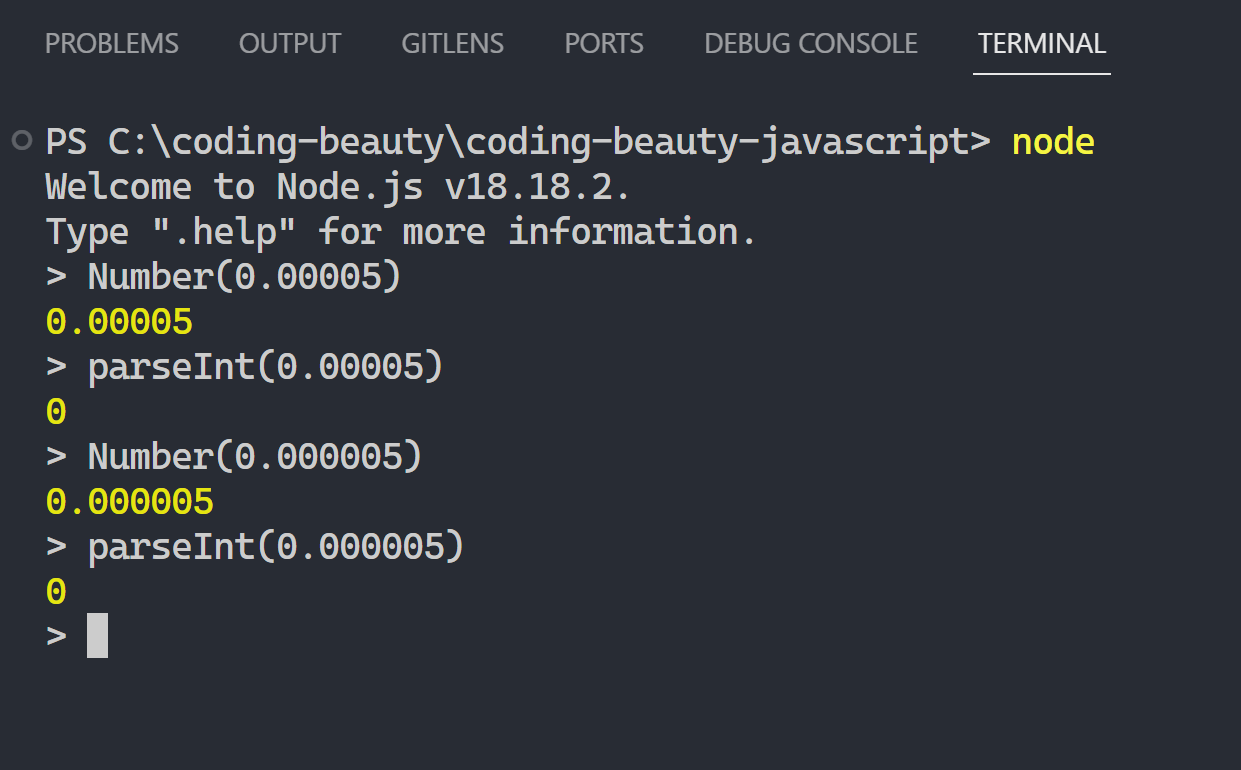
But:
❌ parseInt vs Number — six zeroes:
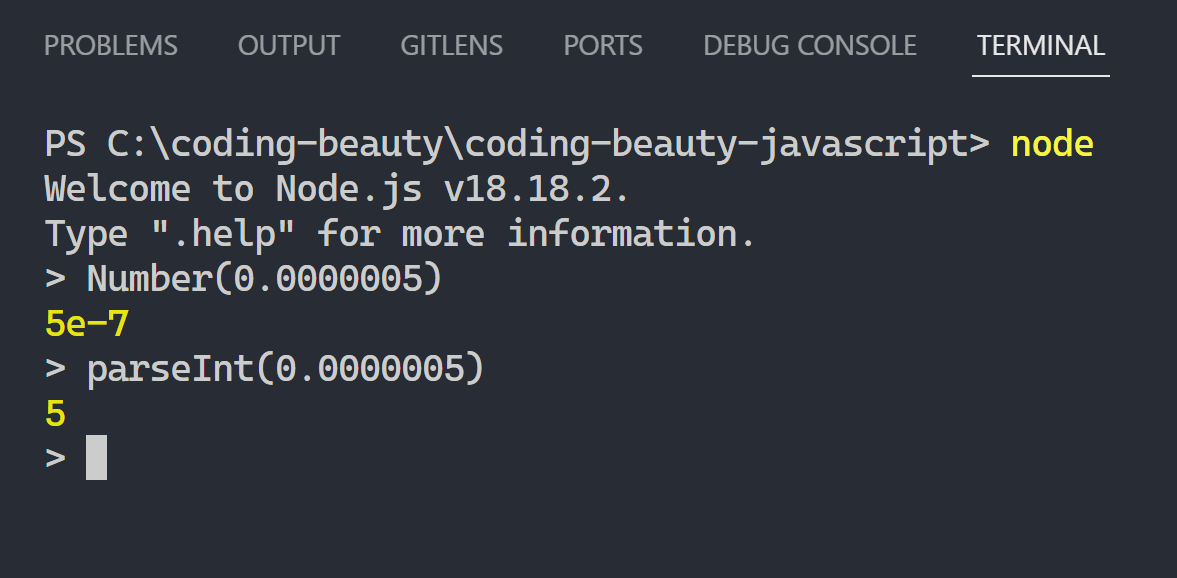
But we figure it out eventually.
parseInt: The missing parts
By understanding how the parseInt function work:
It takes two arguments: the string and the base or radix.
parseInt(string)

parseInt(string, radix)
Look what it does for 6 zeroes when it’s a string:
parseInt('0.5') // 0
parseInt('0.05') // 0
parseInt('0.005') // 0
parseInt('0.0005') // 0
parseInt('0.00005') // 0
parseInt('0.000005') // 0
// 6
parseInt('0.0000005') // 0
parseInt('015') // 15
parseInt('015', 8) // 13
But for Number:
Number('0.5') // 0.5
Number('0.05') // 0.05
Number('0.005') // 0.005
Number('0.0005') // 0.0005
Number('0.00005') // 0.00005
Number('0.000005') // 0.000005
// 6 !
Number('0.0000005') // 0.0000005
Number('015') // 15
But what happens when it’s a number?
A number like 0.0000005?
Step 1: Convert the number to a string
Number gets coerced to a string!
So look what parseInt does to 0.0000005:
String(0.5);      // => '0.5'
String(0.05);     // => '0.05'
String(0.005);    // => '0.005'
String(0.0005);   // => '0.0005'
String(0.00005);  // => '0.00005'
String(0.000005); // => '0.000005'

String(0.0000005); // => '5e-7' 👈 this is important
Step 2: Do the actual rounding
So:
parseInt(0.0000005) → parseInt('5e-7')
And now see what happens for '5e-7' for parseInt:
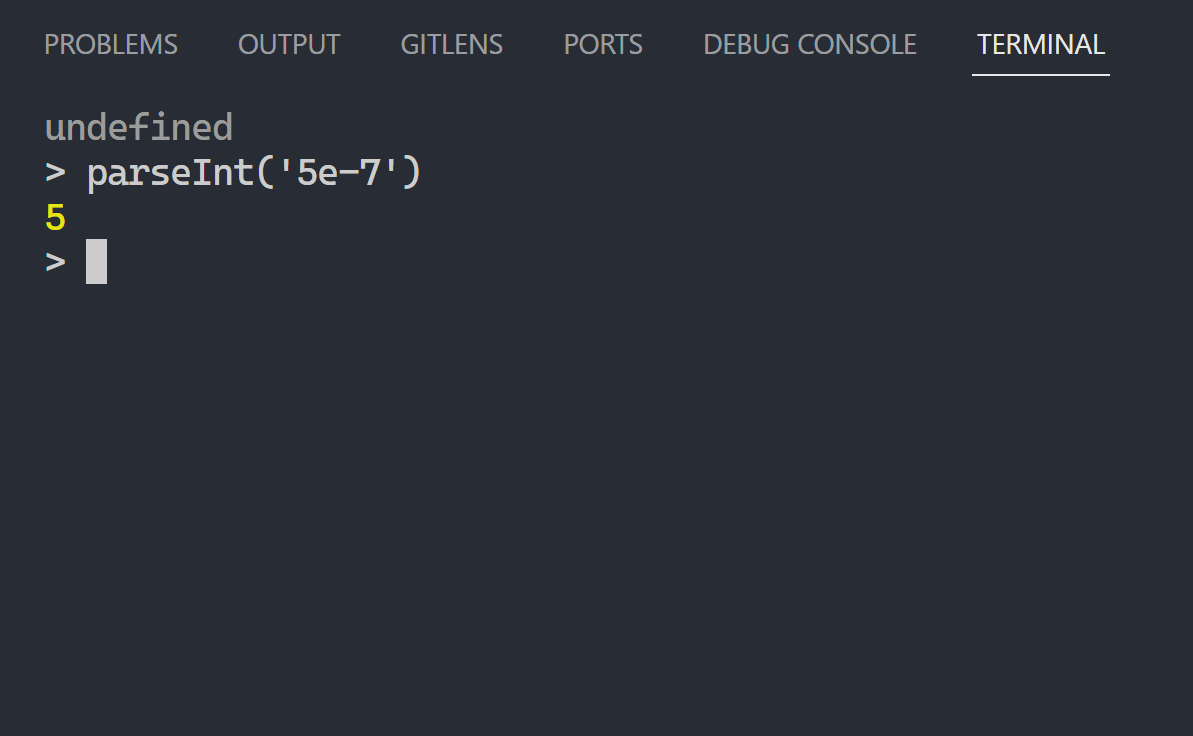
Why?
Because of how parseInt works: It interprets only the leading portion of the string as an integer value.
It doesn’t recognize e, so it ignores it and everything onwards.
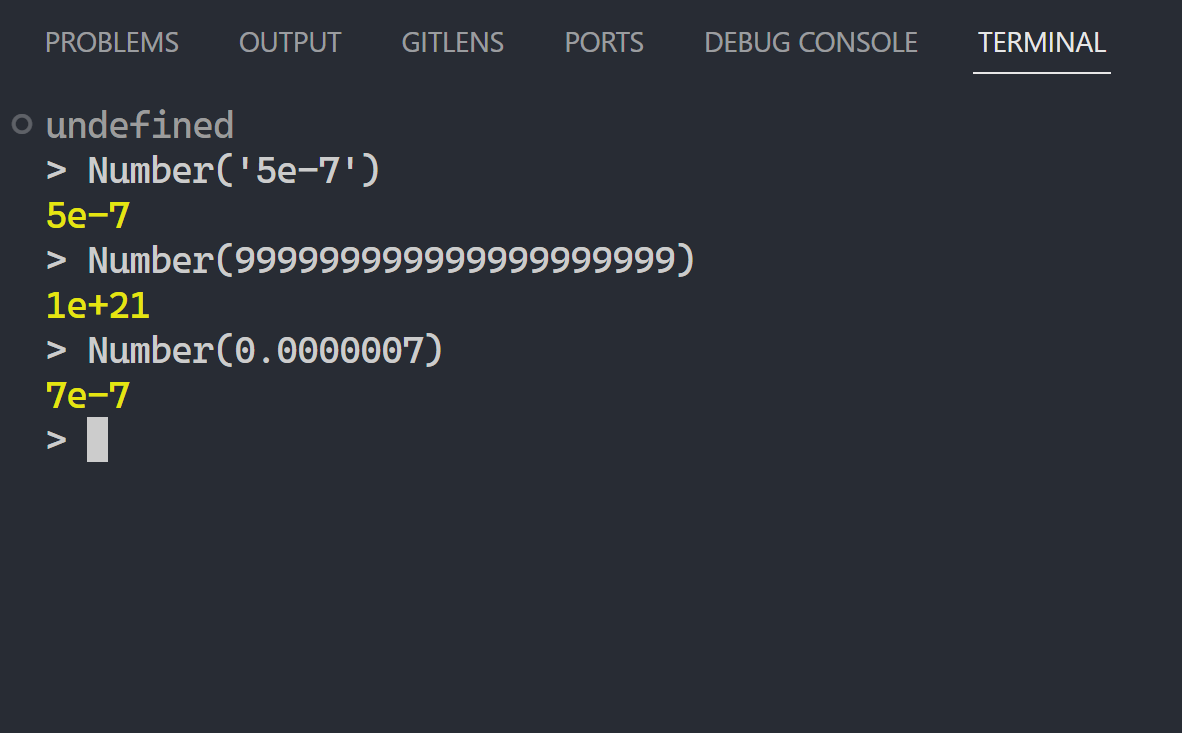
This is same reason why:
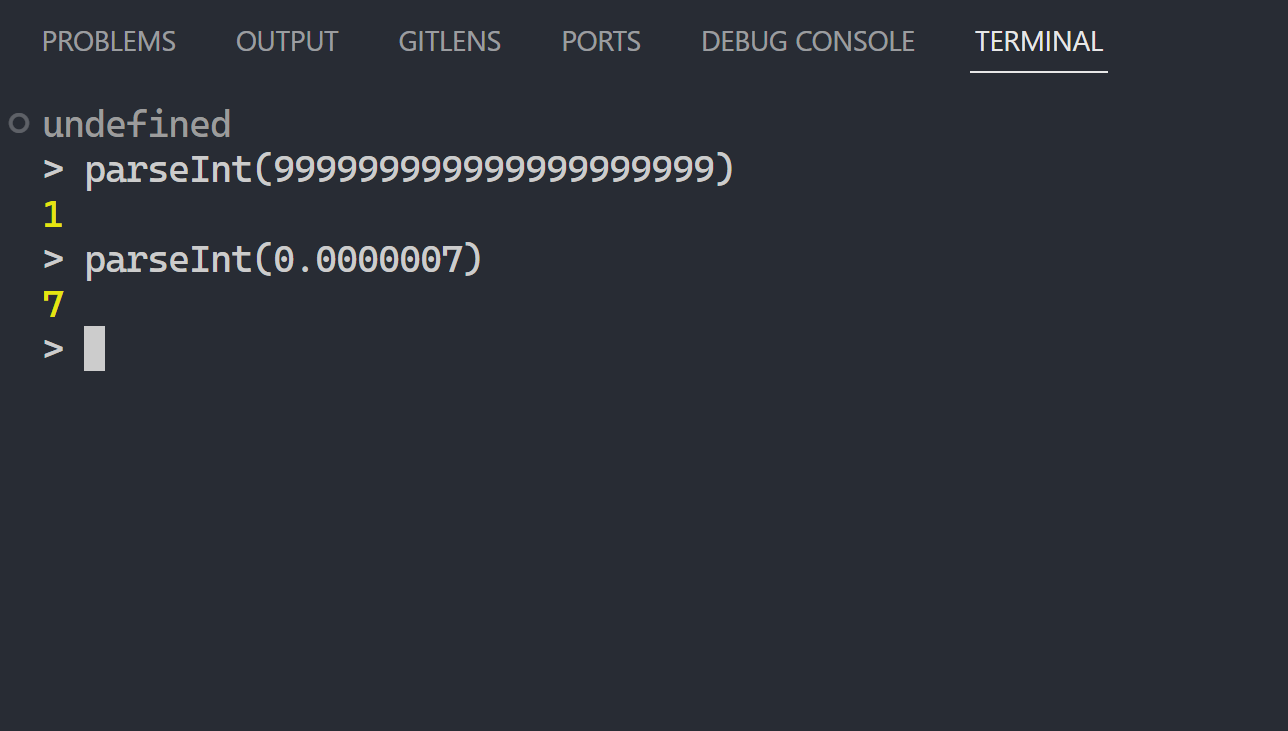
-
parseInt(999999999999999999999)→parseInt(1e+21)→1 -
parseInt(0.0000007)→parseInt(7)→7
So Number is your best bet if you wanna avoid surprises when converting a string to a number
And if you need just the integer part, Math.floor() is here for you:
Math.floor(0.5);      // 0
Math.floor(0.05);     // 0
Math.floor(0.005);    // 0
Math.floor(0.0005);   // 0
Math.floor(0.00005);  // 0
Math.floor(0.000005); // 0
Math.floor(0.0000005); // 0 ✅ perfect
Every Crazy Thing JavaScript Does
A captivating guide to the subtle caveats and lesser-known parts of JavaScript.