
You hear “Tasks” and you roll your eyes thinking this is just another boring task list feature.
Not realizing that this unlocks the full power of one of the most revolutionary Claude Code upgrades so far:
Sub-agents.
Claude Code can now spawn new agents running in parallel — to break down a long complex task into simpler sub-tasks.
This is way better than our typical agent reasoning mode — because each sub-agent now has a completely new session for itself.
No more complex bloat from previous tasks — which means more space to think and give accurate results.
Each sub-agent only has to focus on its own task — and report back when it’s done.
Claude Tasks is here to keep all the sub-agents coordinated and in line with the overall goal of what you’re trying to achieve.
Now you have a real task list that shows up in your terminal as progress is made:
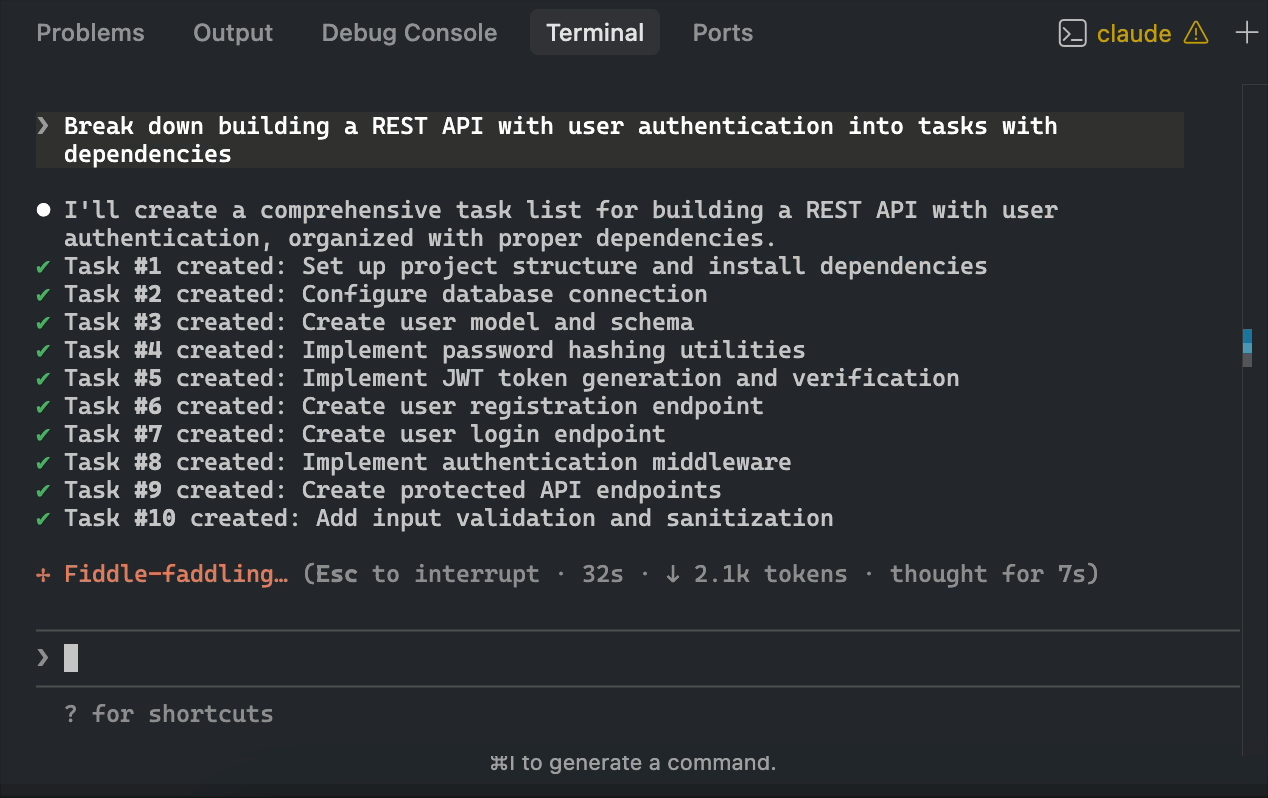
All the sub-tasks are coordinated intelligently — so for example you can see that Task B will be delayed if it depends on output from Task A:
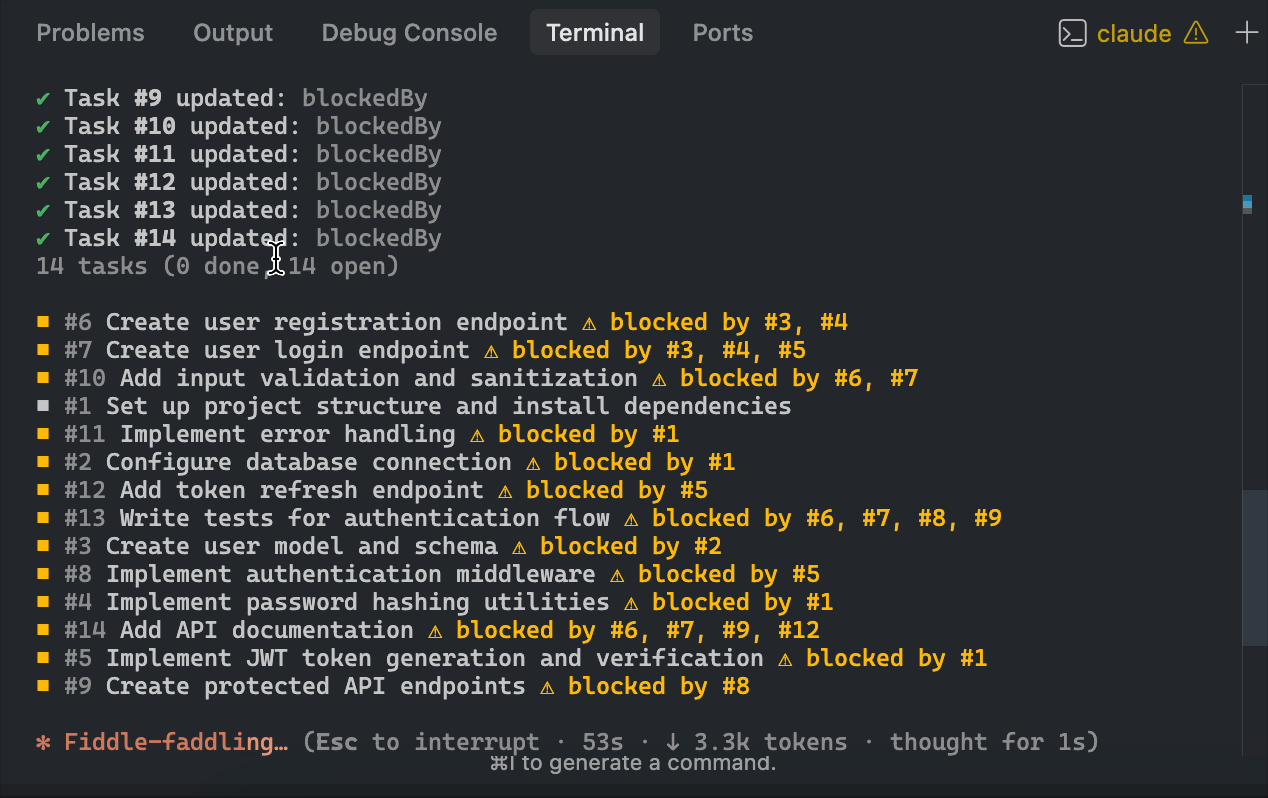
And something really important about this is that the task list isn’t fragile anymore.
It survives:
- long sessions
- context compaction
- jumping into side quests and back
So Claude doesn’t forget the overall plan just because the conversation moved around.
Effortlessly reuse tasks across sessions
This is the part most people are going to miss at first.
You can run multiple Claude Code sessions and point them at the same task list:
CLAUDE_CODE_TASK_LIST_ID=my-project claudeNow all those terminals share one checklist.
That means you can:
- have one session refactoring files
- another running tests or builds
- another hunting edge cases
…and they all coordinate against the same “what’s left to do” list.
It basically turns Claude Code into a lightweight multi-agent setup without any extra tools.
1. Long workflows are finally reliable
Before this, Claude’s planning lived inside the chat context.
That’s a terrible place for anything that needs to last more than a few turns.
Tasks gives Claude a stable memory for:
- what it already did
- what it still needs to do
- what order things should happen in
So you stop getting weird regressions like:
“Why are you re-doing step 3 again?”
2. Forget history, just share the list
Once you use the shared task list once, you feel the difference.
You stop treating Claude like:
“one fragile conversation that must never break”
and start treating it like:
“a expert dev that can pick tasks off a board.”
A powerful mental shift that makes a huge difference.
3. Lives where you already are
No dashboard.
No browser UI.
No extra tool to install.
It’s just… there in the terminal.
Hit Ctrl+T. See progress. Keep moving.
Frictionless.
Tasks vs /tasks — don’t confuse them
Claude Code already has a /tasks command.
That’s not this feature.
- Tasks (new feature): the planning/progress checklist
/taskscommand: background jobs (long-running commands)
They’re totally different things with the same name.
How to actually use it well
If you want Tasks to shine, do two small things:
1) Tell Claude what “done” looks like
For example:
“Create tasks for: reproduce bug, write failing test, fix bug, add regression test, run full suite.”
You’ll get much cleaner, more useful task breakdowns.
2) Use it for anything with branches
Tasks are perfect for work like:
- refactor + tests + docs
- migration + backfill + validation
- bug repro + fix + regression suite
Basically: anything where multiple threads exist at once.