
This is such an incredible web dev agent skill from Google.
The Modern Web Guidance (MWG) Skill massively upgrades the performance and code quality of all your web/web-based apps.
It automatically elevates every single aspect of your codebase to meet modern web guidelines — both existing code and any code your agent generates in the future.
You end up getting much cleaner and more efficient code.
Six core disciplines: Build richer, holistic web experiences with little effort
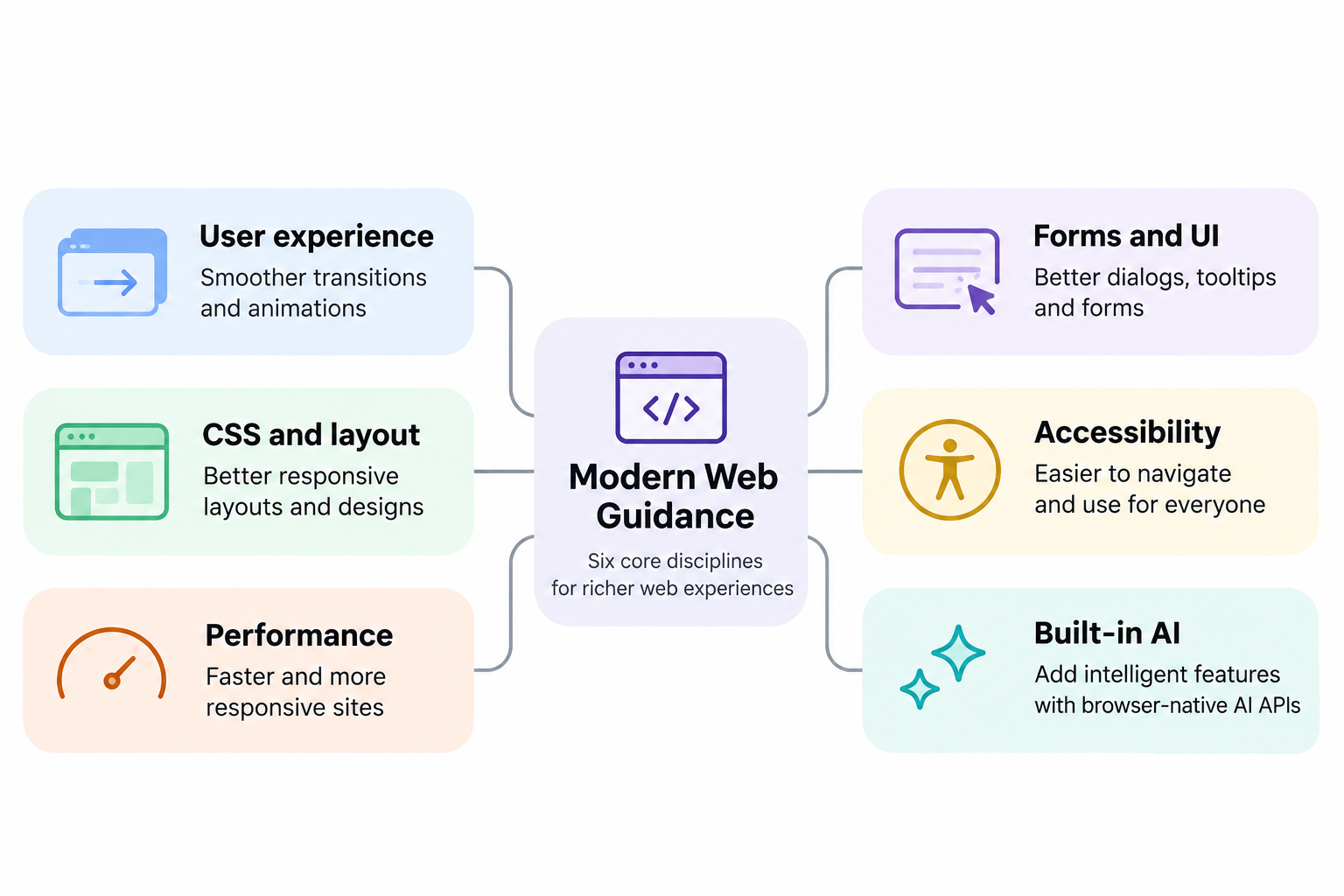
Modern Web Guidance helps coding agents improve the entire web experience across six core disciplines:
- User experience: Create smoother page transitions and animations using View Transitions and CSS scroll-driven animations.
- CSS and layout: Build better responsive layouts and visual designs using container queries, subgrid, oklch, text-wrap and line-height trimming.
- Performance: Enable near-instant page navigation with the Speculation Rules API and improve responsiveness with INP diagnostics and
scheduler.yield().. - Forms and UI: Build better tooltips and dialogs with CSS Anchor Positioning and the Popover API. Improve forms with native validation and auto-sizing fields.
- Accessibility: Make websites easier to navigate and use with keyboards and screen readers.
- Built-in AI: Add intelligent features using browser-native AI APIs.
This gives our coding agents a broader understanding of what makes a good web experience — and makes the upgrade process as comprehensive as possible.
Baseline compatibility: Stop guessing which browsers support what
Keeping up with browser support for modern web features can be tedious.
MWG integrates directly with Web Platform Baseline so you can simply define your browser support target in your AGENTS.md file.
For instance you could set your target to Baseline Widely available to prioritize features that have worked across major browsers for at least 30 months.
The agent then follows a fallback ladder. It uses native features whenever possible and applies progressive enhancement where safe. It also prefers lightweight fallbacks under 50 lines of code where practical.
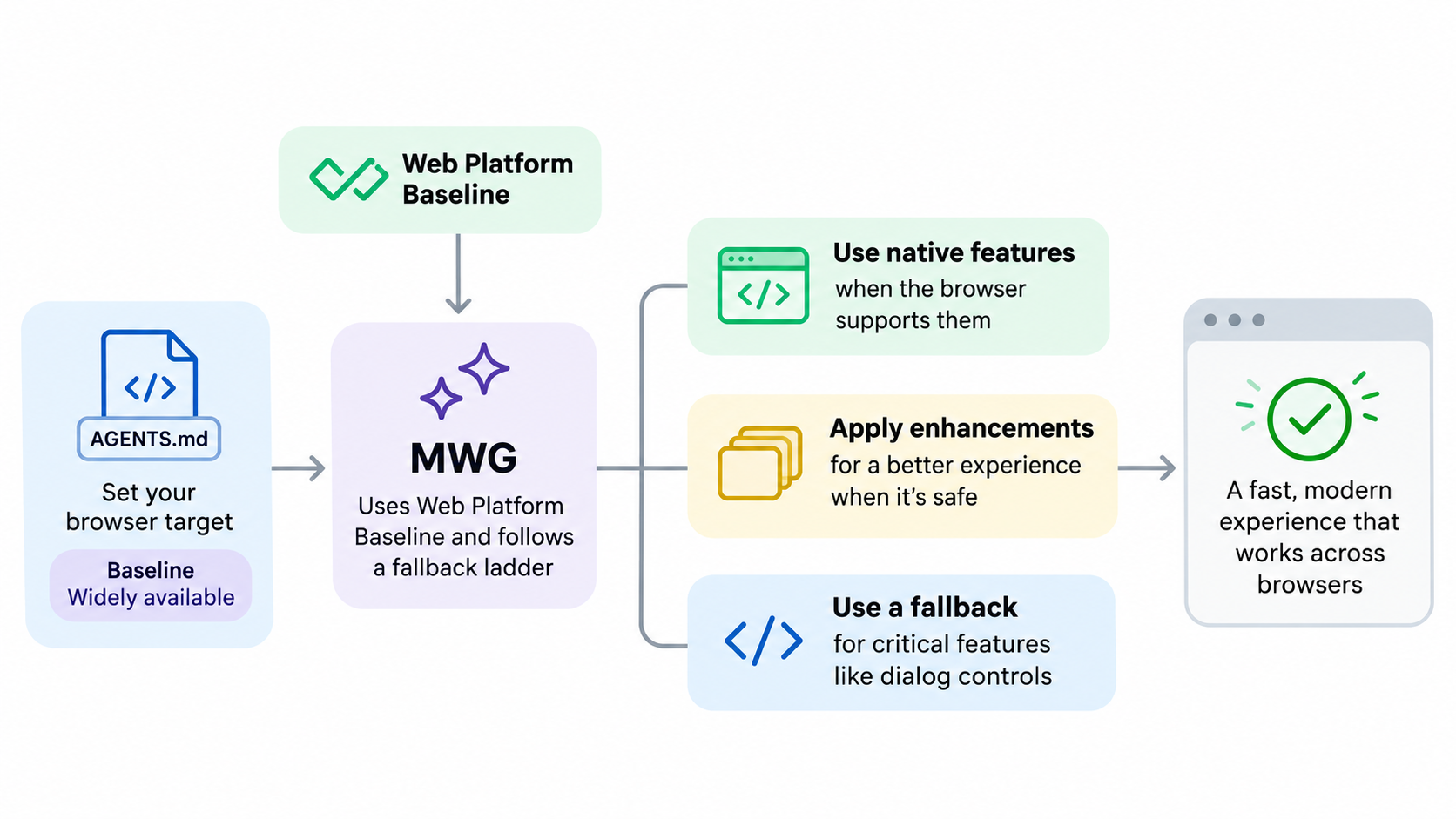
MWG can intelligently distinguish between optional enhancements and critical functionality.
For example browsers can safely ignore things like scroll-driven animations — but critical features like dialog controls need proper fallbacks.
As more web features gain wider browser support, updated guidance helps your agent make better implementation decisions.
You spend less time checking browser compatibility tables and writing fallbacks while still enjoying the benefits of modern web technologies.
Automated modernization: Reduce technical debt without rebuilding your app
MWG isn’t just useful for building new applications.
Version 1.0 gave us a modernization workflow that uses static analysis to find outdated coding patterns in existing codebases.
It scans your HTML and CSS alongside JavaScript files and dependency manifests to identify things like obsolete polyfills and outdated task scheduling patterns that rely on setTimeout().
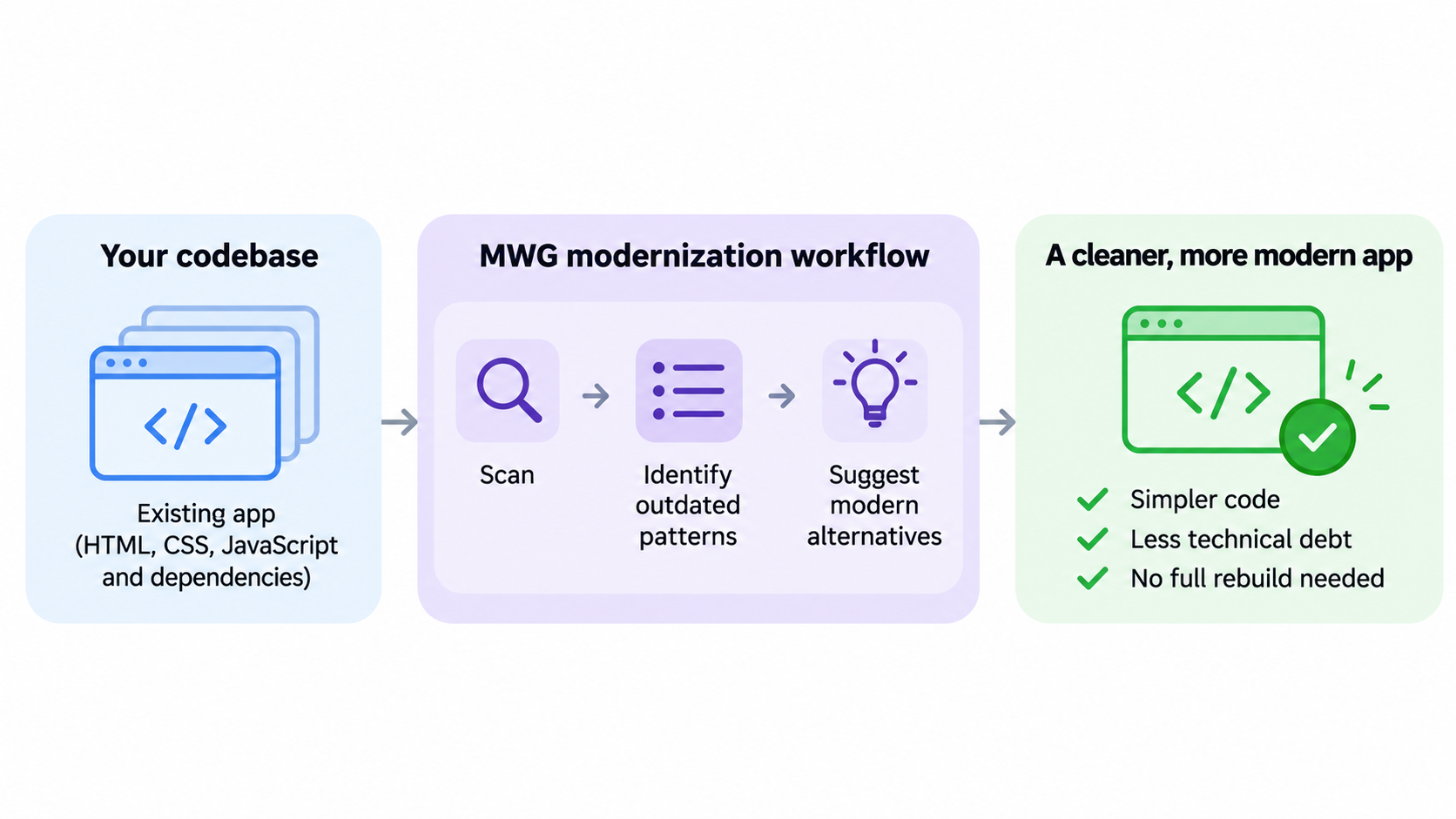
Your agent can then review the findings and suggest modern alternatives.
This saves you the trouble of manually searching through years of legacy code. You can gradually simplify your codebase and reduce technical debt without having to rebuild your entire application.
Native browser APIs: Ship less JavaScript and maintain fewer dependencies
Browsers can now do many things we previously needed third-party libraries for. MWG helps coding agents take advantage of these capabilities:
- Overlays and positioning: Replace many modal and tooltip libraries with native dialogs and the Popover API alongside CSS Anchor Positioning.
- Date and time: Use Temporal and Intl.DurationFormat to handle dates and timezones more reliably.
- On-device AI: Use the Prompt API and other browser-native AI APIs for features like summarization and translation.
- Agentic web: Use WebMCP to expose your website’s functionality as tools that compatible AI agents can use directly.
Where browser support permits, this means smaller JavaScript bundles and fewer dependencies to install and maintain. It also reduces your exposure to supply-chain security risks.
Cross-browser governance: Build for the web without vendor lock-in
Although Google started MWG, it isn’t exclusively a Google project.
Its governance structure has six designated seats:
- Two for Google Chrome
- One for Microsoft Edge
- One for Mozilla/MDN
- Two for independent web platform experts
Apple/Safari currently has no designated seat.
This shared governance helps keep the guidance focused on interoperable web standards rather than Chromium-specific technologies.
For us developers, that means greater confidence in the technologies our agents choose and less risk of building applications around a single browser ecosystem.
What makes Modern Web Guidance exciting is that it helps us get more out of both our AI coding agents and the web platform itself. We can build richer and more accessible web experiences with less code and fewer dependencies while spending less time dealing with browser compatibility issues.