

You’re not asking for code.
You’re asking for code that fits.
Fits the architecture, the conventions, the product intent, your team’s taste.
And this is the problem with chat-centric AI workflows. they make the most important information temporary. The constraints live in a scroll.
Each new session quietly resets the context, and you end up restating rules that already should exist somewhere. Not because the tools can’t follow direction—but because the direction itself has no permanent home.
And that’s what Conductor is here to solve.
Conductor’s bet is simple: pin the context and plan as standalone artifacts in the codebase, so the implementation keeps snapping back to the same center.
Instead of keeping your project’s “truth” trapped inside a chat thread, Conductor puts it where it naturally belongs: inside your repo, as living Markdown files—the kind you can read, edit, commit, and share with your team.
And once that’s in place, the workflow changes in a powerful way.
The idea: context-driven development
Conductor is a preview extension for Gemini CLI that introduces what Google calls context-driven development. The principle is simple:
If you want consistent output, stop treating context like a one-time prompt… and start treating it like a maintained asset.
So Conductor scaffolds a small “brain” inside your repository—documents that define things like:
- what you’re building (product intent)
- how you build here (workflow + conventions)
- what tools and frameworks matter (tech stack)
- what “good code” looks like in this project (style guides)
Think about the last time you joined a new codebase. The hardest part wasn’t typing code. It was absorbing the unwritten rules. Conductor’s goal is to make those rules written—and keep them close to where the work happens.
The workflow: three moves, no drama
Conductor is built around a short loop and you’ll feel it fast.
1) /conductor:setup — plant the roots
This command creates the baseline context docs in your repo. It’s basically Conductor saying: “Cool. Let’s make the project’s standards explicit.”
This is where you capture the stuff you normally repeat:
- architecture expectations
- repo conventions
- testing preferences
- coding style decisions
- product boundaries
Once it’s there, it’s there.
2) /conductor:newTrack — turn “we should build X” into a real artifact
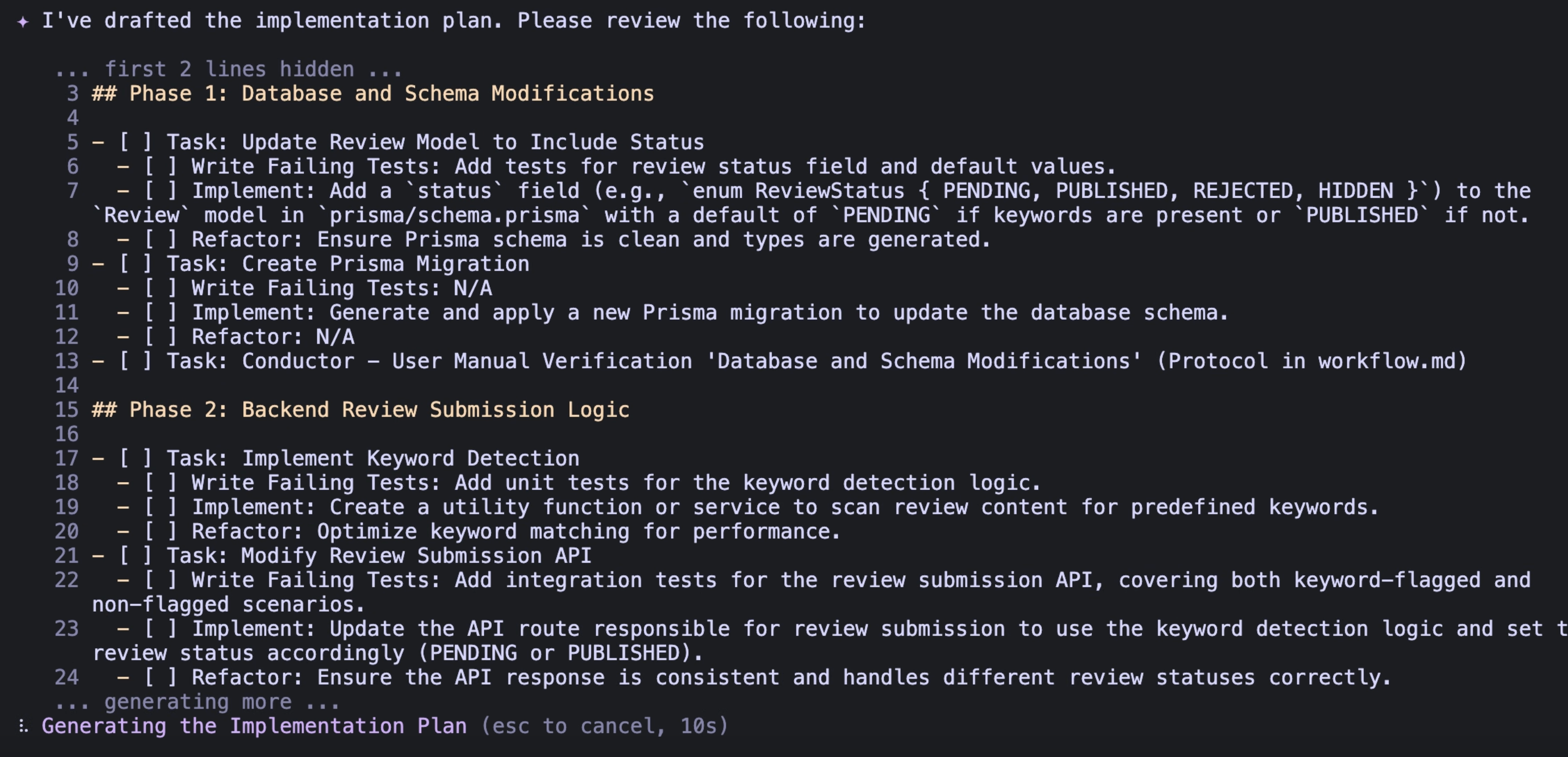
Conductor organizes work into tracks (features or bug fixes). When you create a new track, it generates two key files:
spec.md— what you want, and why it mattersplan.md— the step-by-step path to get there (phases, tasks, checklists)
This is the moment where things get interesting.
Because now you’re not just “asking for code.” You’re shaping intent in a way that’s reviewable. Editable. Shareable.
Quick micro-commitment: think about the last feature you built. Did you have a clear plan written down before you started? Or did the plan mostly live in your head?
3) /conductor:implement — build from the plan, task by task
Once the plan looks right, you run implement. The agent works through plan.md, checking items off as it goes, and updating progress so you can stop and resume without losing the thread.
That’s the real win: the plan isn’t just a prelude. It becomes the backbone of execution.
The extra pieces that make it feel “team-ready”
Two small commands add a lot of confidence to the flow:
/conductor:statusgives you a clear view of what’s in motion and what’s done./conductor:reverthelps roll back changes in a way that maps to the work itself (tracks/tasks), not just “some commits somewhere.”
If you’ve ever wanted AI-assisted work to feel more like a well-run project and less like a one-off session, those details matter.
Why this clicks, especially on real codebases
Conductor isn’t trying to replace your engineering judgment. It’s trying to encode it.
And once your standards live as files in the repo, something subtle happens: your codebase stops being a thing you explain… and starts being a thing you extend.
Next time you want to build something with AI —anything—don’t just start with code.
Start with one track. One spec. One plan.
Then watch how much calmer the build feels when the work has a spine.