
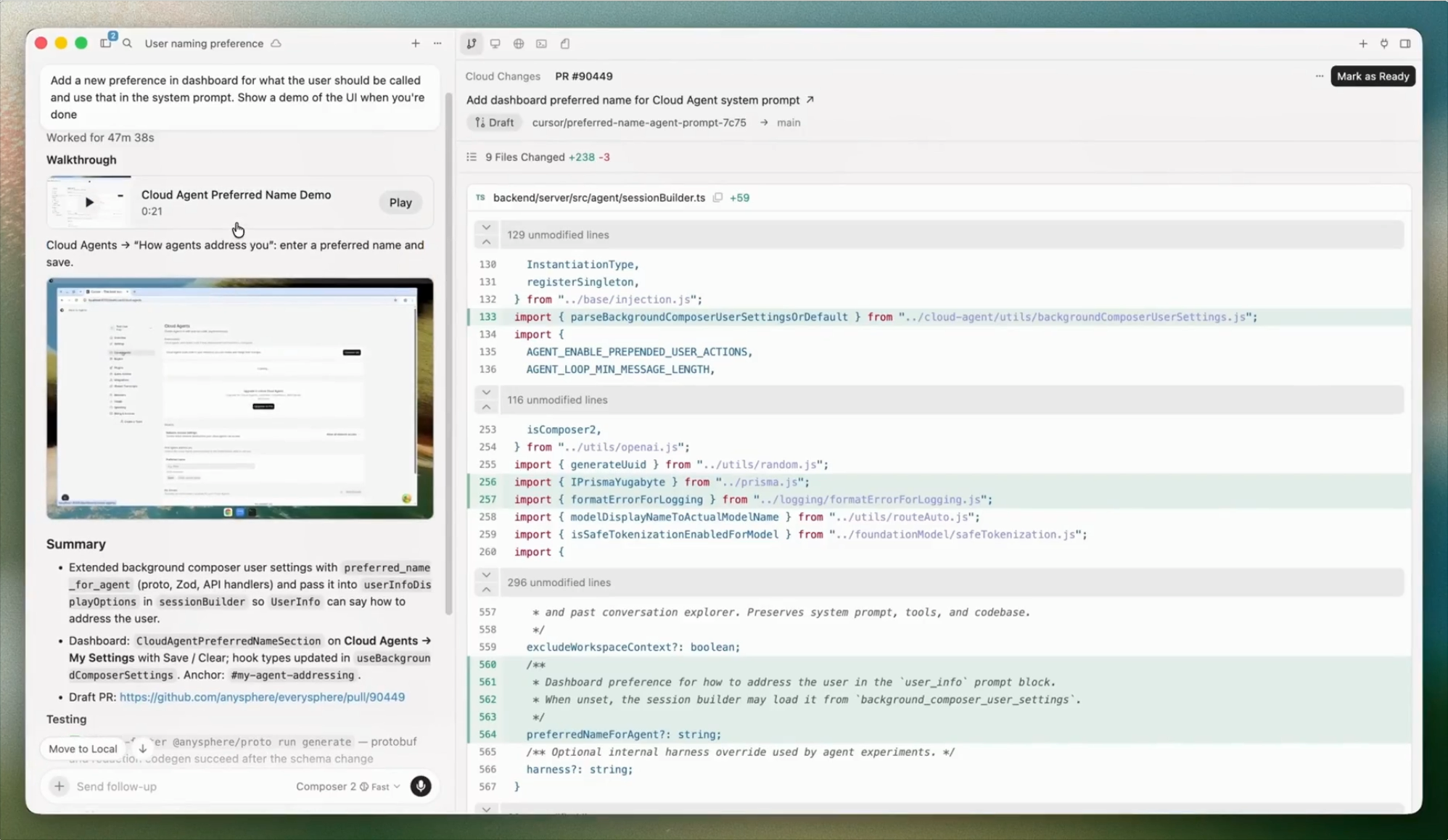
Wow this is amazing.
This new Cursor IDE version 3 is so much much more than just another IDE update — this completely transforms how Cursor works from start to finish.
We are long past the primitive AI coding era of one chat, one task, one editor…
Cursor 3 gives you absolutely everything. Zero stones left unturned.
Multiple agents running in parallel, across repos, environments, and even the cloud. Even working while you sleep!
The incredibly sophisticated agent manager of the new Cursor v3:
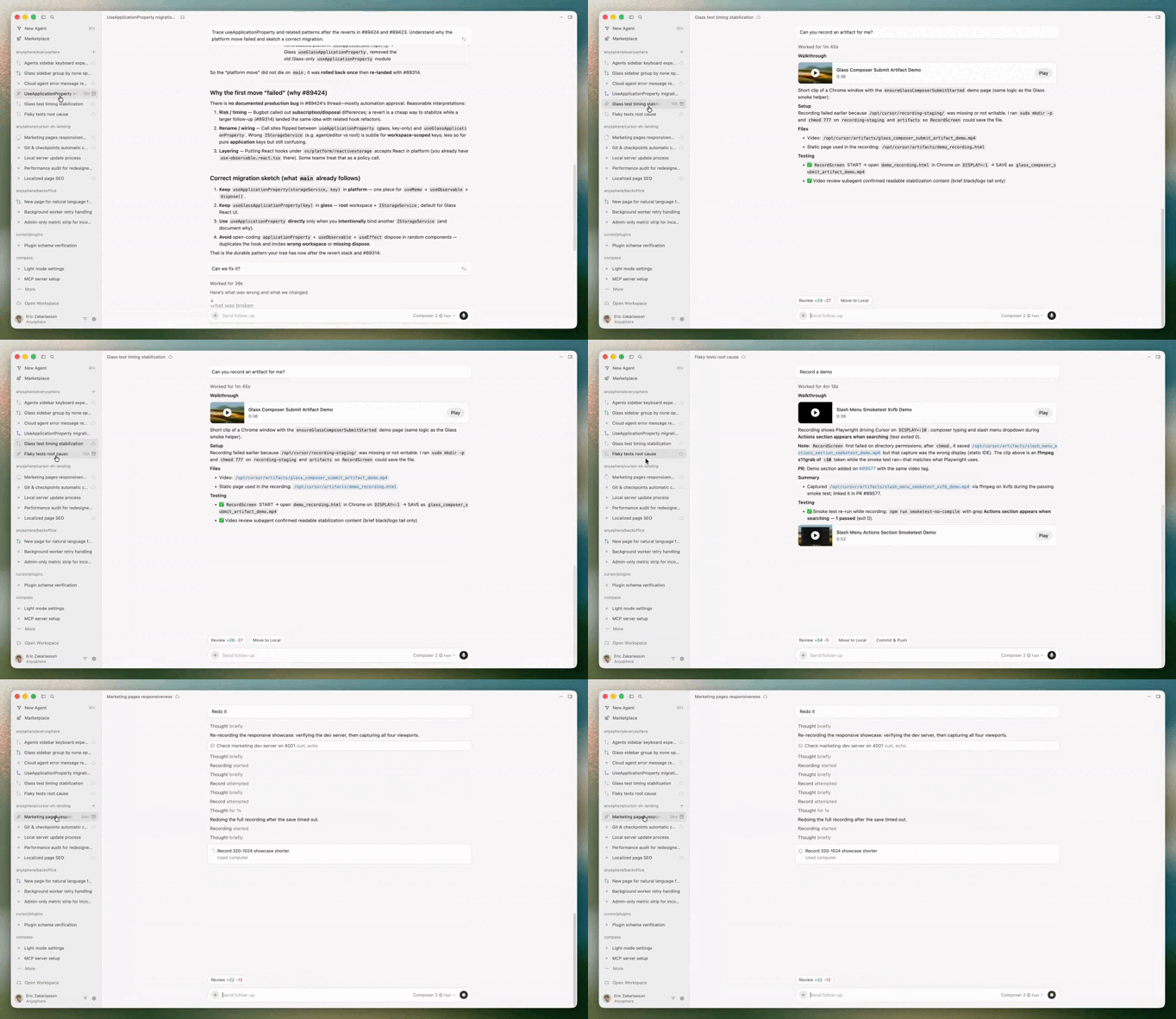
This is not an “AI coding assistant”. This is a full-blown team of developers — here to rapidly build all your projects faster than ever.
The focus here is much less on just “coding” and more on the entire software engineering process.
The Agents Window (absolutely huge)
Cursor v3 introduces a dedicated Agents Window. This is where everything now happens.
You can run multiple agents at once across multiple repos in different environments.
Running a cloud agent in Cursor v3:
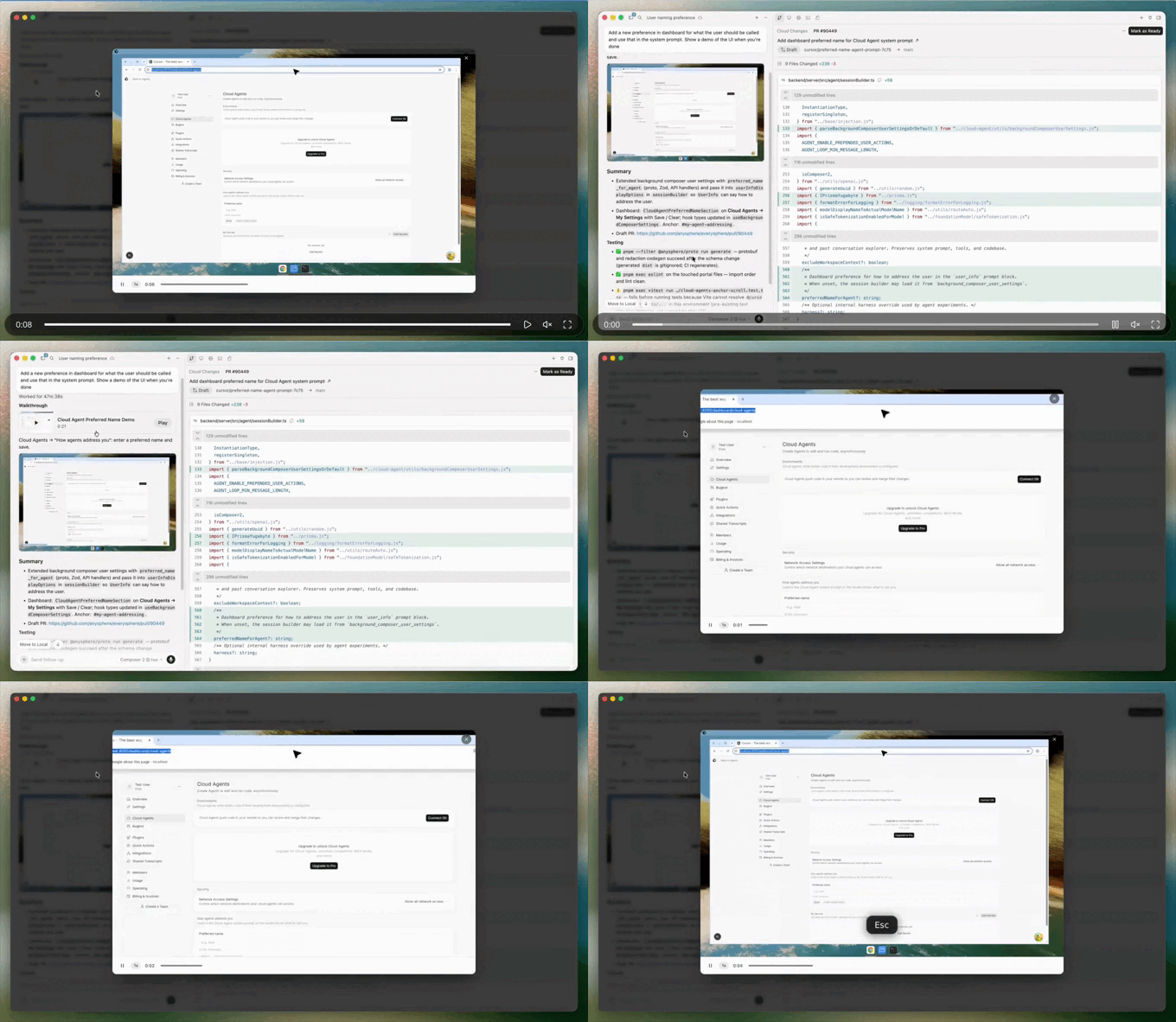
Examples:
- One agent refactoring your backend
- Another updating CSS
- Another writing tests
- All running at the same time
No more serial prompting.
Parallel execution
You can launch several agents simultaneously and monitor them like background jobs. This is the core workflow shift in v3.
Instead of:
- prompt
- wait
- review
- repeat
You now:
- assign tasks
- let them run
- review outcomes
Much closer to supervising and high-level engineering than pair-programming.
Agent tabs
Cursor also added Agent Tabs.
You can:
- View agents side-by-side
- Put them in a grid
- Compare outputs visually
- Keep multiple tasks active
It’s basically browser tabs — but for coding agents.
Environment handoff
Moving an a running agent from running locally on PC to cloud:
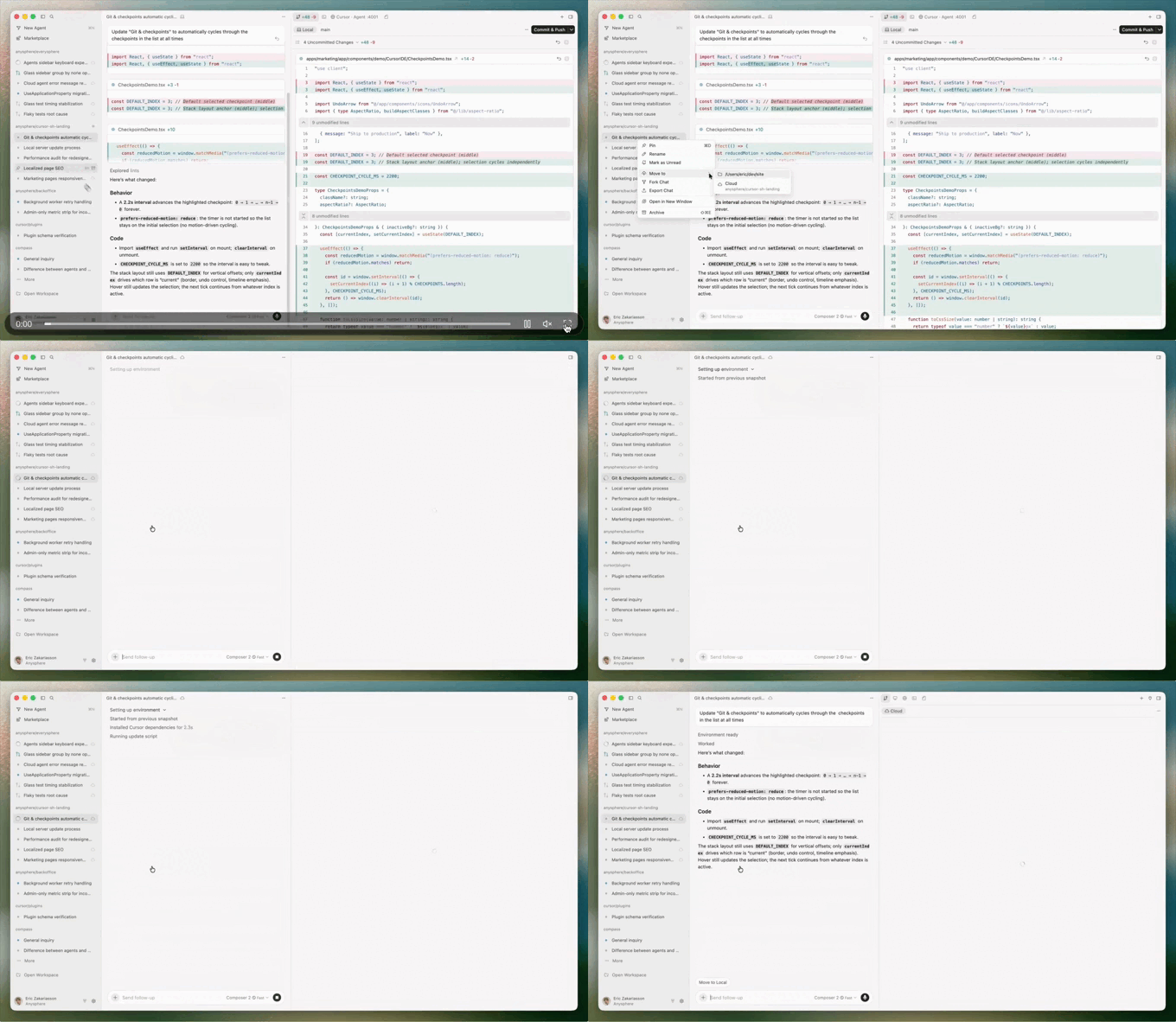
This one is huge.
You can:
- Start a task locally
- Push it to the cloud
- Close your laptop
- Come back later
The agent keeps running.
This means long refactors, test runs, or migrations no longer die when you shut your machine.
Design Mode & visual feedback
Frontend work gets a major upgrade in v3.
Cursor now includes a built-in browser that can load your local app. Then you can interact with the UI directly.
Using design mode in Cursor v3:
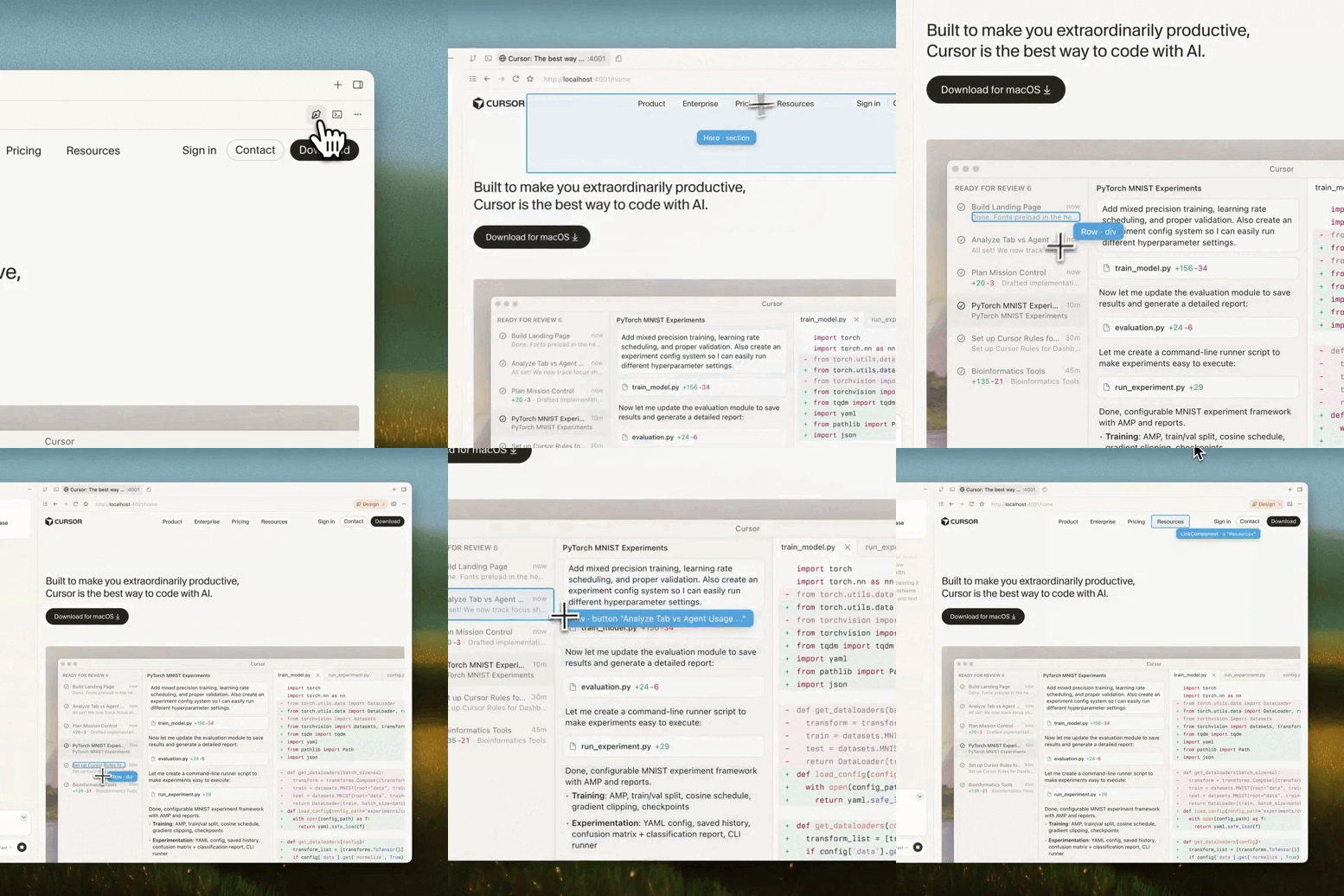
Not describe it.
Not screenshot it.
Actually point at it.
Annotate the UI
You can:
- Click a button
- Drag over a div
- Highlight spacing
- Select a component
Then tell the agent:
- “Fix padding here”
- “Make this look like Stripe”
- “Align this with the header”
- “Reduce spacing between these”
The agent sees the exact UI context.
No more vague descriptions like:
“The second card in the hero looks slightly off”
You just point.
Faster UI iteration
This changes frontend workflows a lot:
- No guessing which element you meant
- No copying DOM snippets
- No describing layout in text
- Just visually select and instruct
It’s one of the most practical upgrades in v3.
Composer 2 and /best-of-n
Cursor is also doubling down on its own model: Composer 2.
They report major benchmark improvements:
Composer 2:
- CursorBench: 61.3
- Terminal-Bench 2.0: 61.7
- SWE-bench Multilingual: 73.7
Composer 1.5:
- CursorBench: 44.2
- Terminal-Bench: 47.9
- SWE-bench: 65.9
Composer 1:
- CursorBench: 38.0
- Terminal-Bench: 40.0
- SWE-bench: 56.9
That’s a big jump.
Cursor also says Composer 2 is priced at:
- $0.50 / million input tokens
- $2.50 / million output tokens
Fast variant:
- $1.50 / million input
- $7.50 / million output
/best-of-n
This is one of the smartest additions.
You can now run the same prompt across multiple models simultaneously.
Cursor:
- Runs them in parallel
- Isolates each result
- Shows outputs side-by-side
- Lets you pick the best one
It’s basically:
model voting for code generation
Extremely useful for:
- complex refactors
- architecture decisions
- ambiguous prompts
- UI implementations
Massive context windows (whole-codebase workflows)
Cursor v3 also leans heavily into long context models.
Depending on model:
- ~1 million token context (Gemini-class)
- up to 2 million tokens (Grok-class)
That’s enough to:
- load entire repos
- analyze monorepos
- understand full architectures
- reduce RAG / embeddings reliance
In practice:
You can drop huge codebases into context and just ask:
“Refactor auth across everything”
And the model actually sees it all.
Claude handoff & automations
Cursor v3 also pushes toward always-running agents.
Agents no longer need to be tied to your session.
They can:
- run tests in cloud sandboxes
- refactor code in background
- generate PRs
- continue after you close your laptop
This is the “handoff” model.
Start locally → push to cloud → return later.
Event-driven automations
This is where Cursor gets interesting.
Agents can now trigger automatically from events like:
- Slack messages
- GitHub PRs
- timers
- Linear issues
- PagerDuty alerts
- webhooks
Example workflows:
- PR opened → agent writes review
- Slack message → agent updates docs
- Nightly timer → agent runs refactor
- Issue created → agent scaffolds feature
This moves Cursor from just active AI assistance to background engineering automation.
This big picture
Cursor v3 shifts the workflow from:
One prompt
One response
One edit
To:
Multiple agents
Parallel tasks
Cloud execution
Visual feedback
Model comparison
Event automation
You’re no longer just coding with AI.
You’re managing AI workers.
And Cursor v3 is the first version where that actually feels real.