
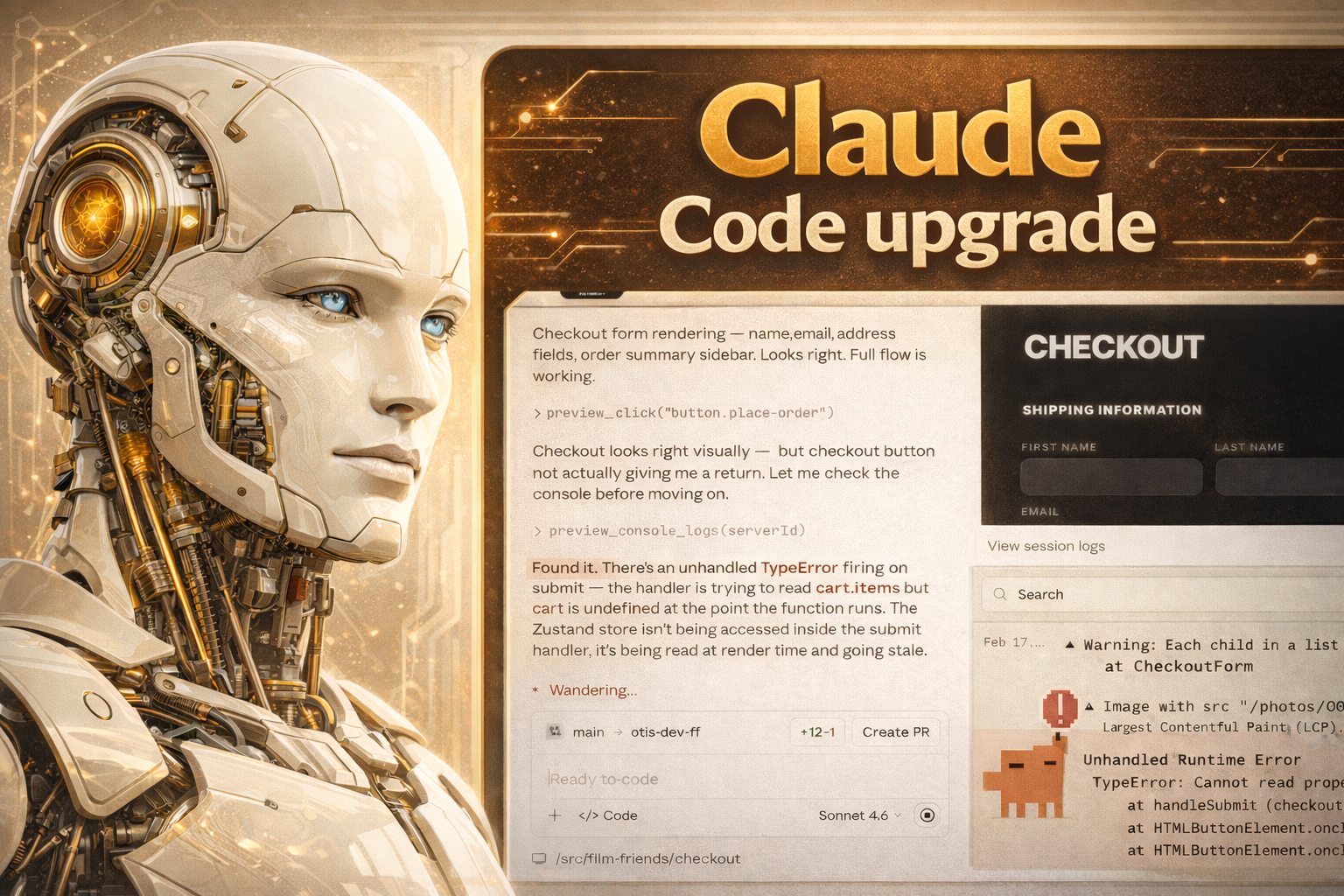
Wow I’ve never seen Windsurf or Copilot do something this incredible.
But Claude Code is going way way beyond just code generation for us now. This is on a whole different level. This is total and complete software engineering. It’s all coming together.
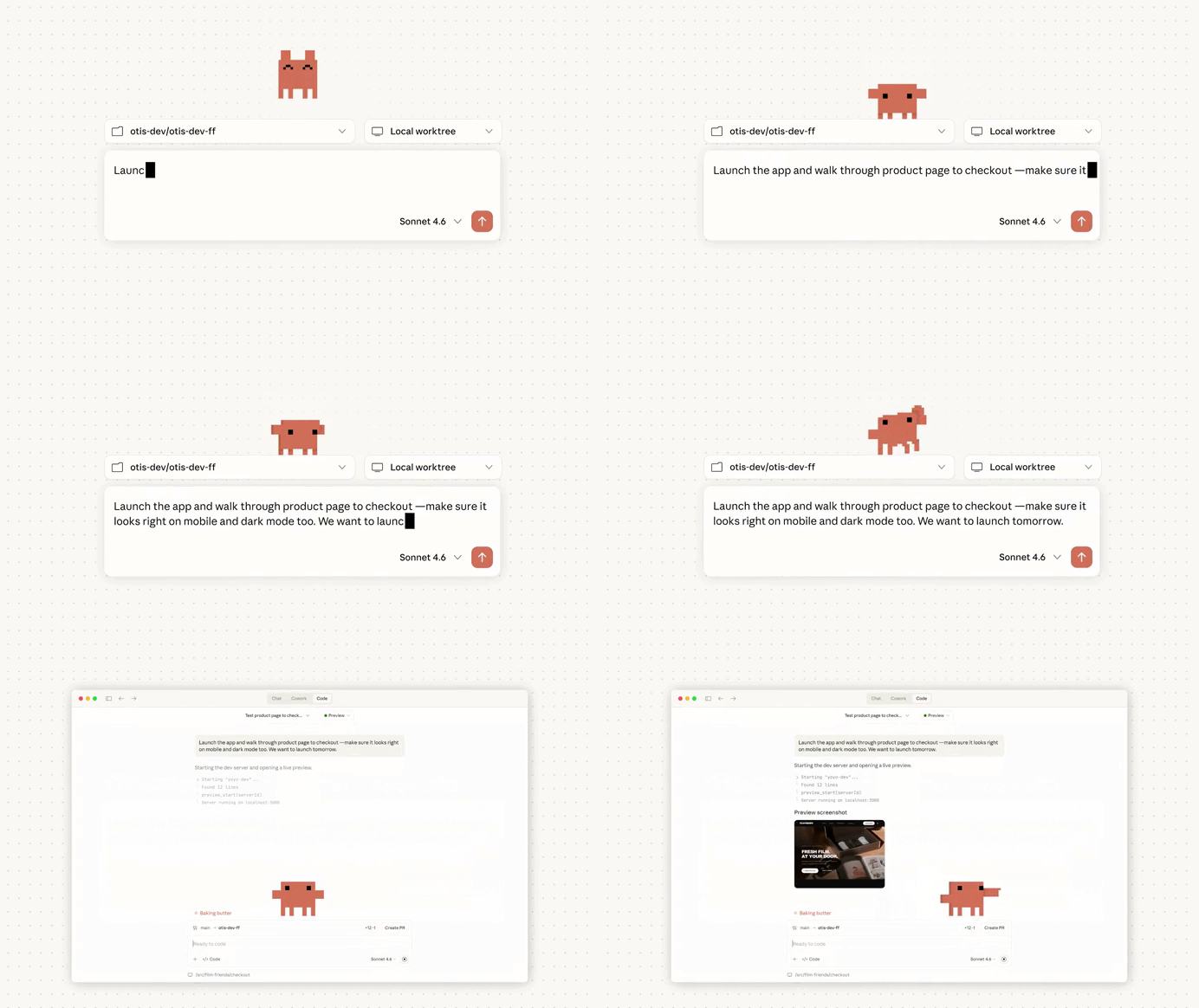
Not just writing code based on your desires — but doing everything to intelligently make sure every single line of code ever written by you or itself or anyone actually matches those desires.
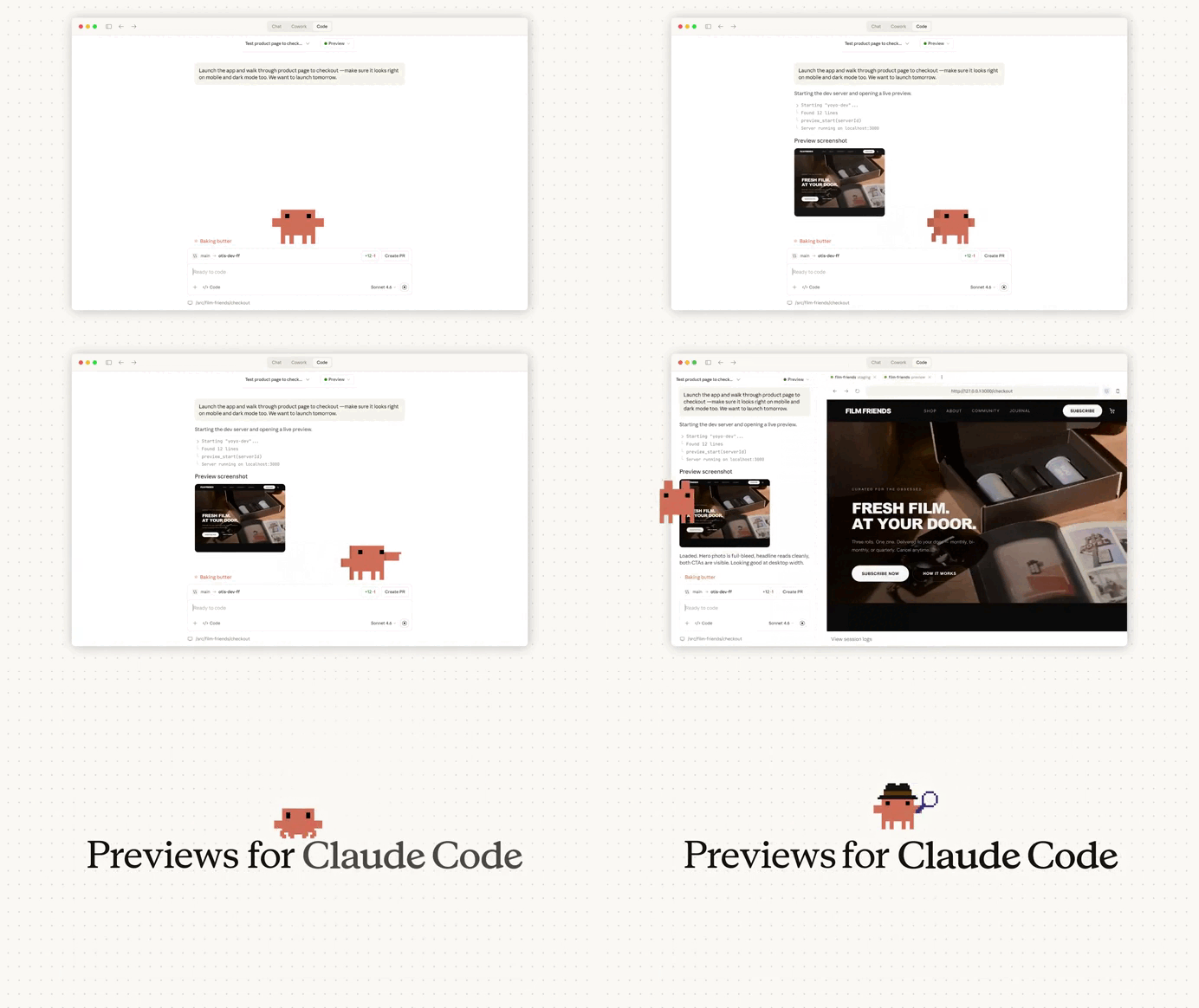
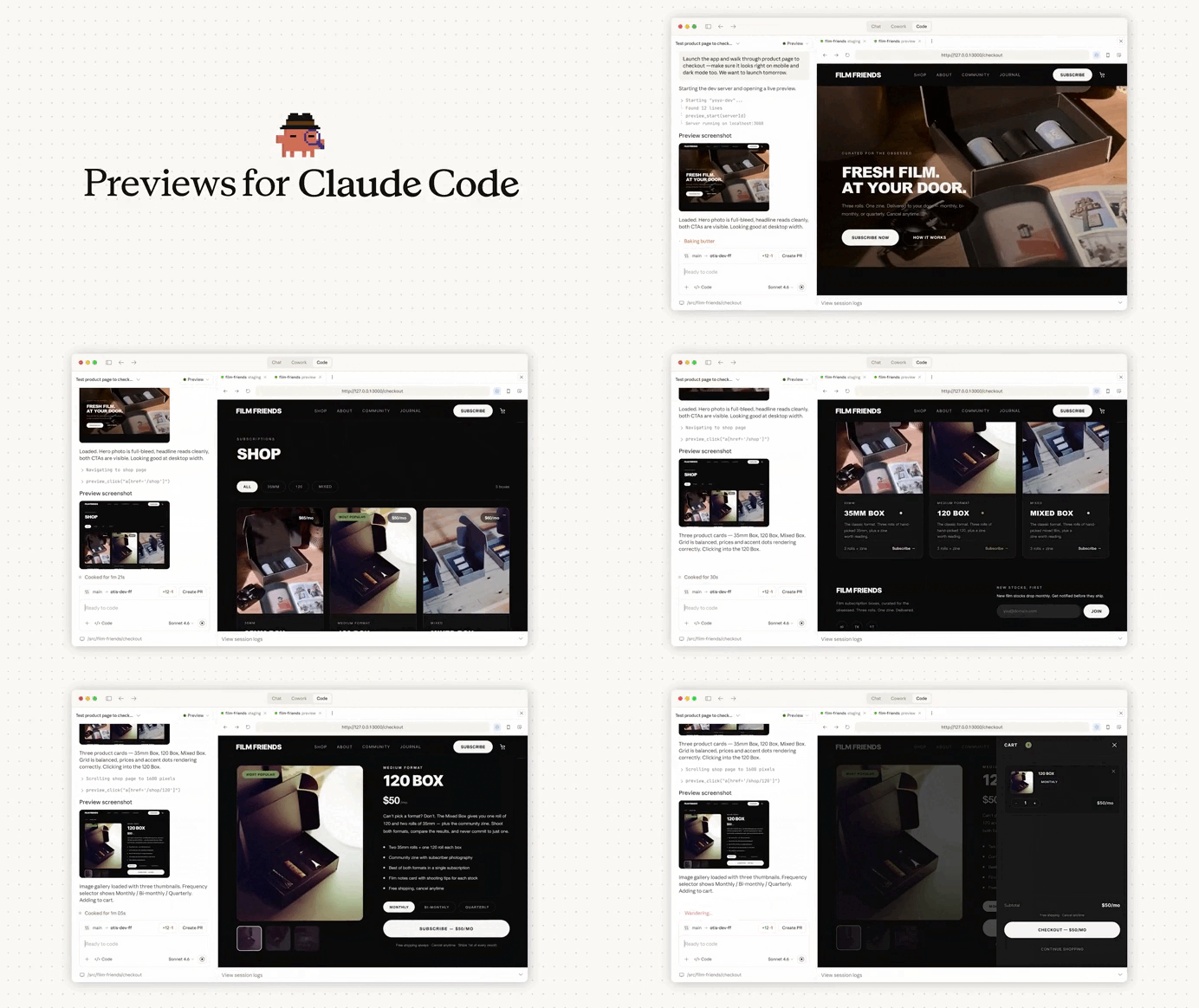
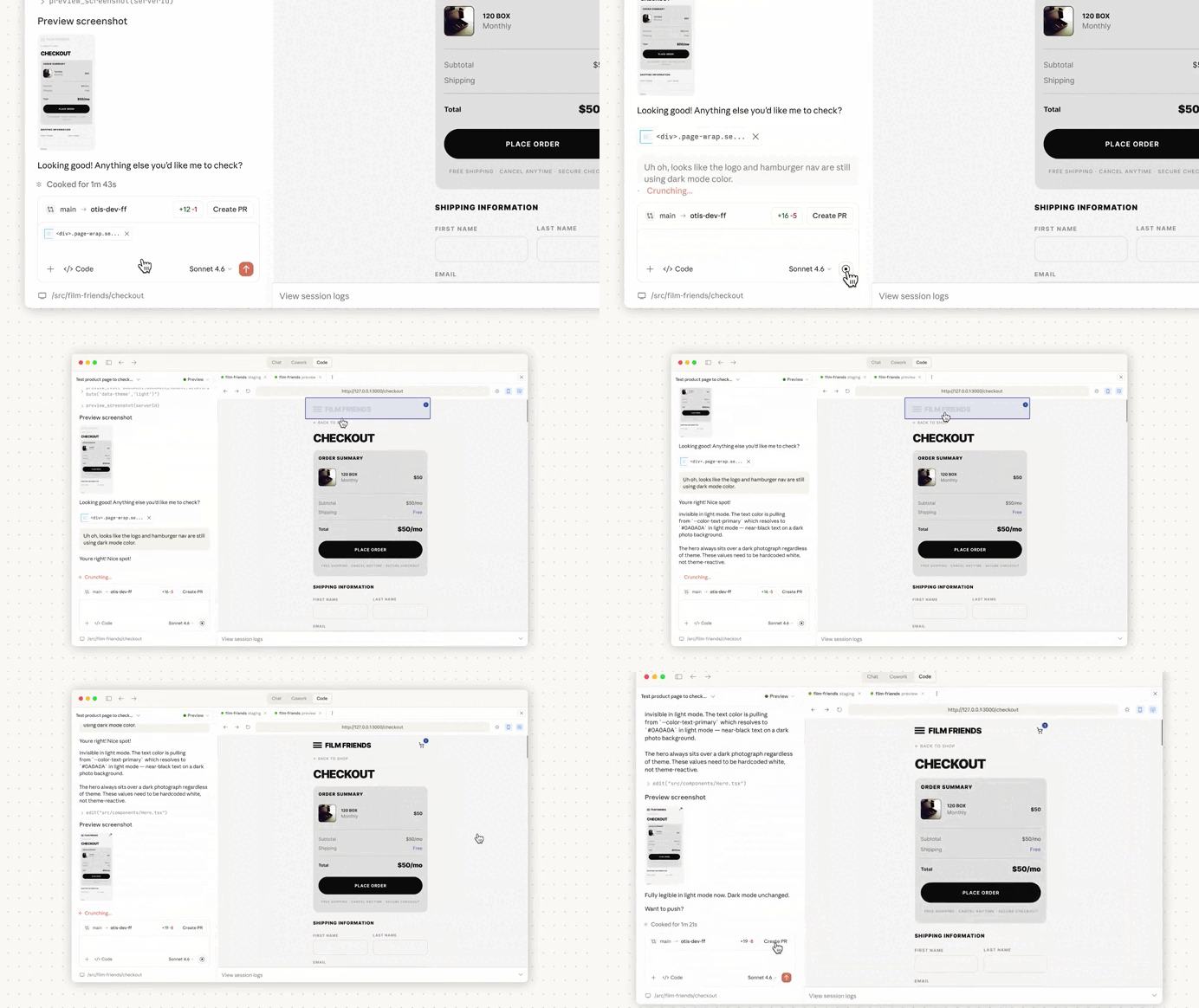
Just look at what it did here with Claude Code Desktop — we told it to launch the app and make sure everything is right — the checkout flow, the mobile responsiveness the dark mode…
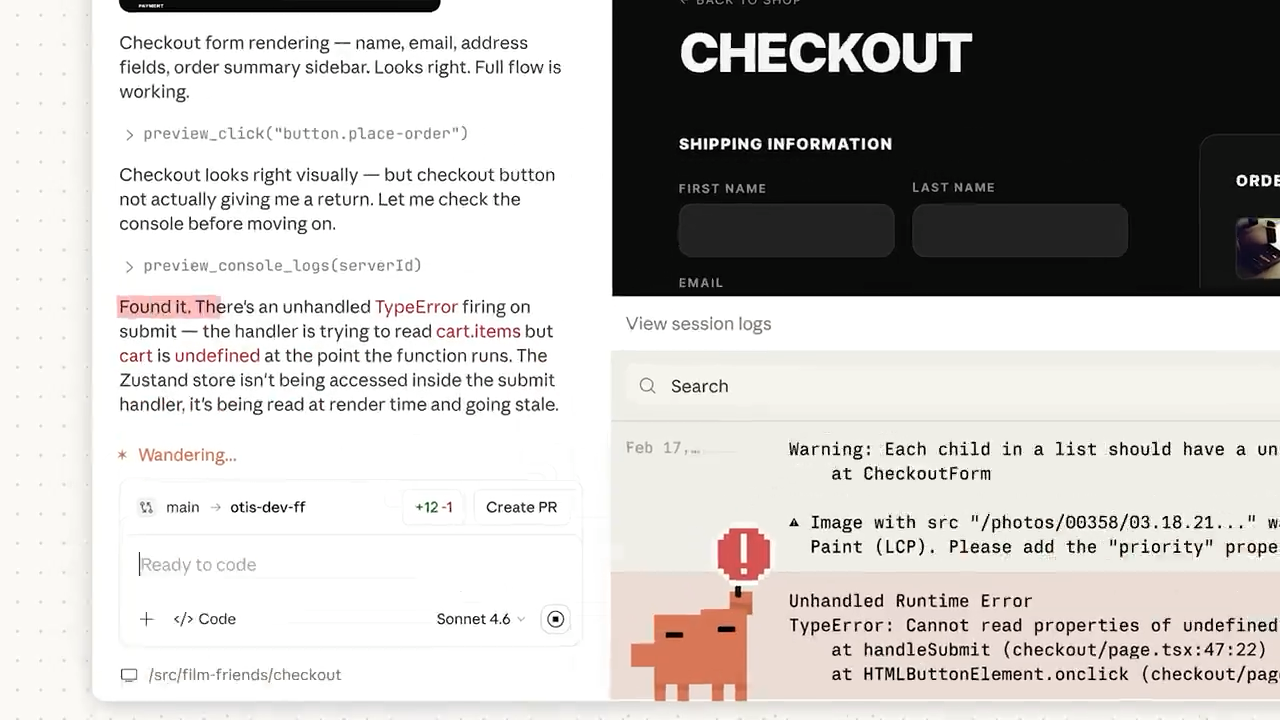
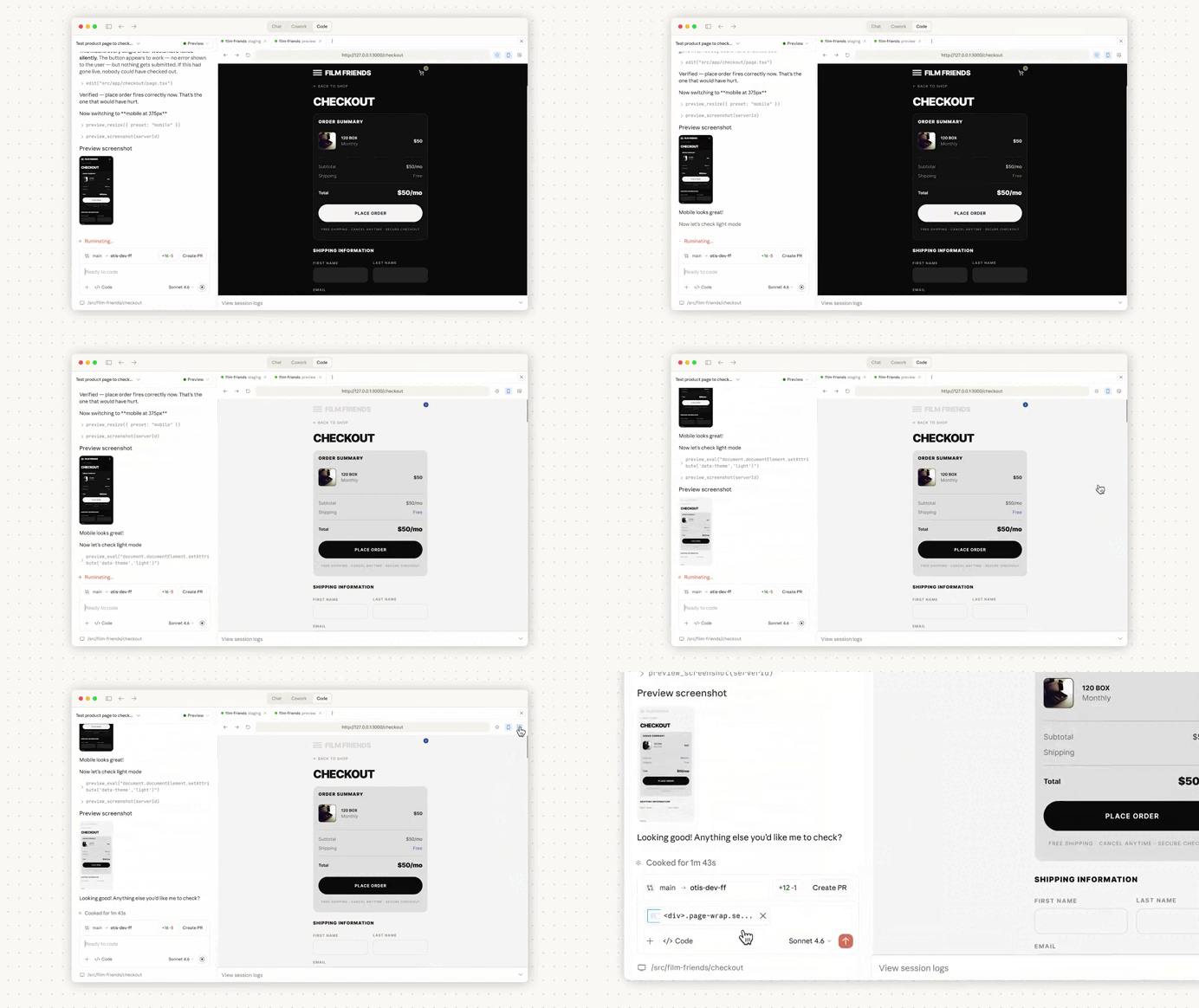
Not only did Claude Code autonomously run all the flows — it caught critical runtime errors along the way and fixed them all.
The best most other coding tools can do is to fix the syntax errors they make while generating code — but what Claude Code is doing here is light years more sophisticated and advanced.
And you know, these time of runtime errors can be so tricky — because a lot of them only occur in very specific flows and usage patterns. The app runs successfully and you think everything is fine — not realizing the serious flaws on their way to production.
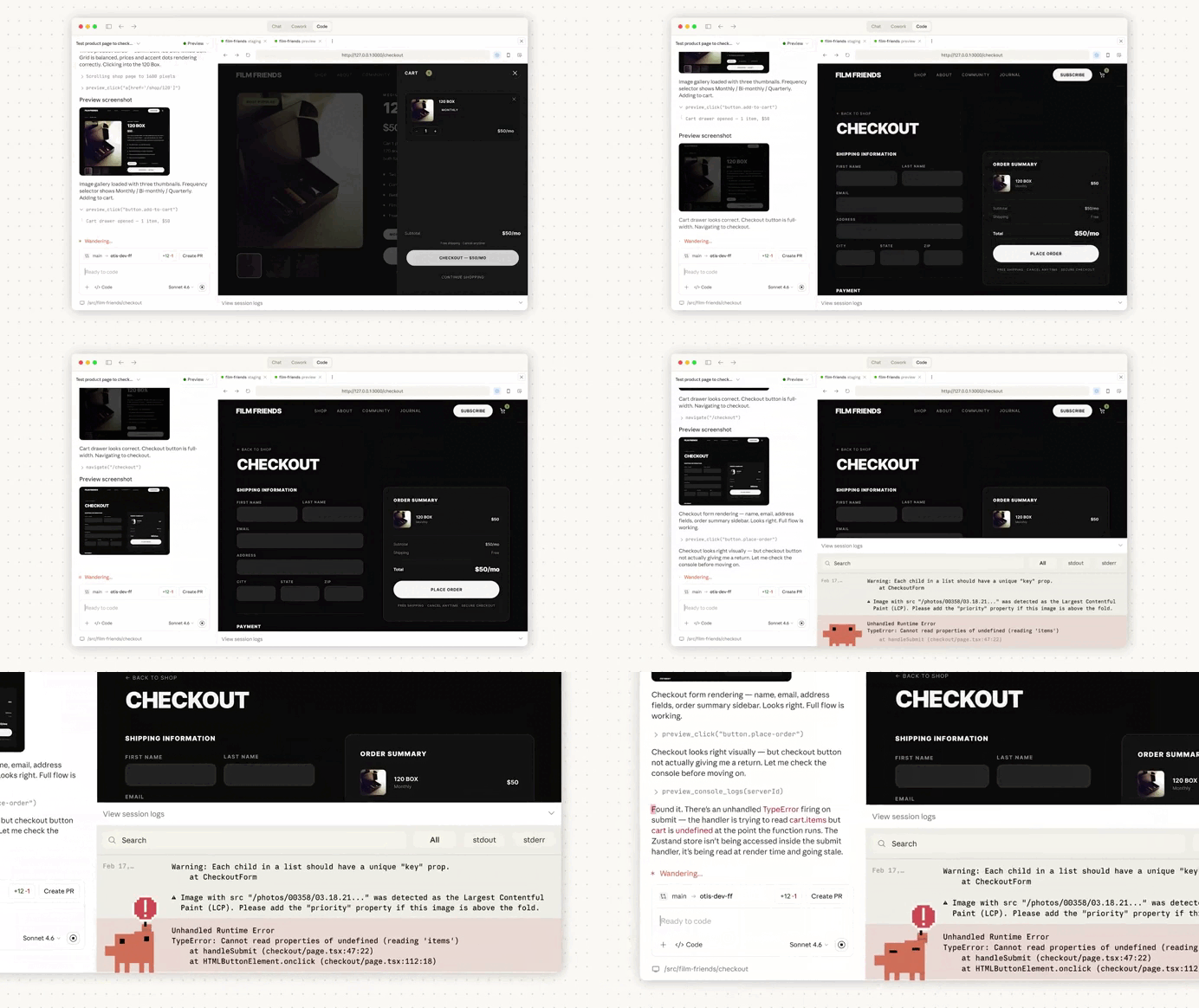
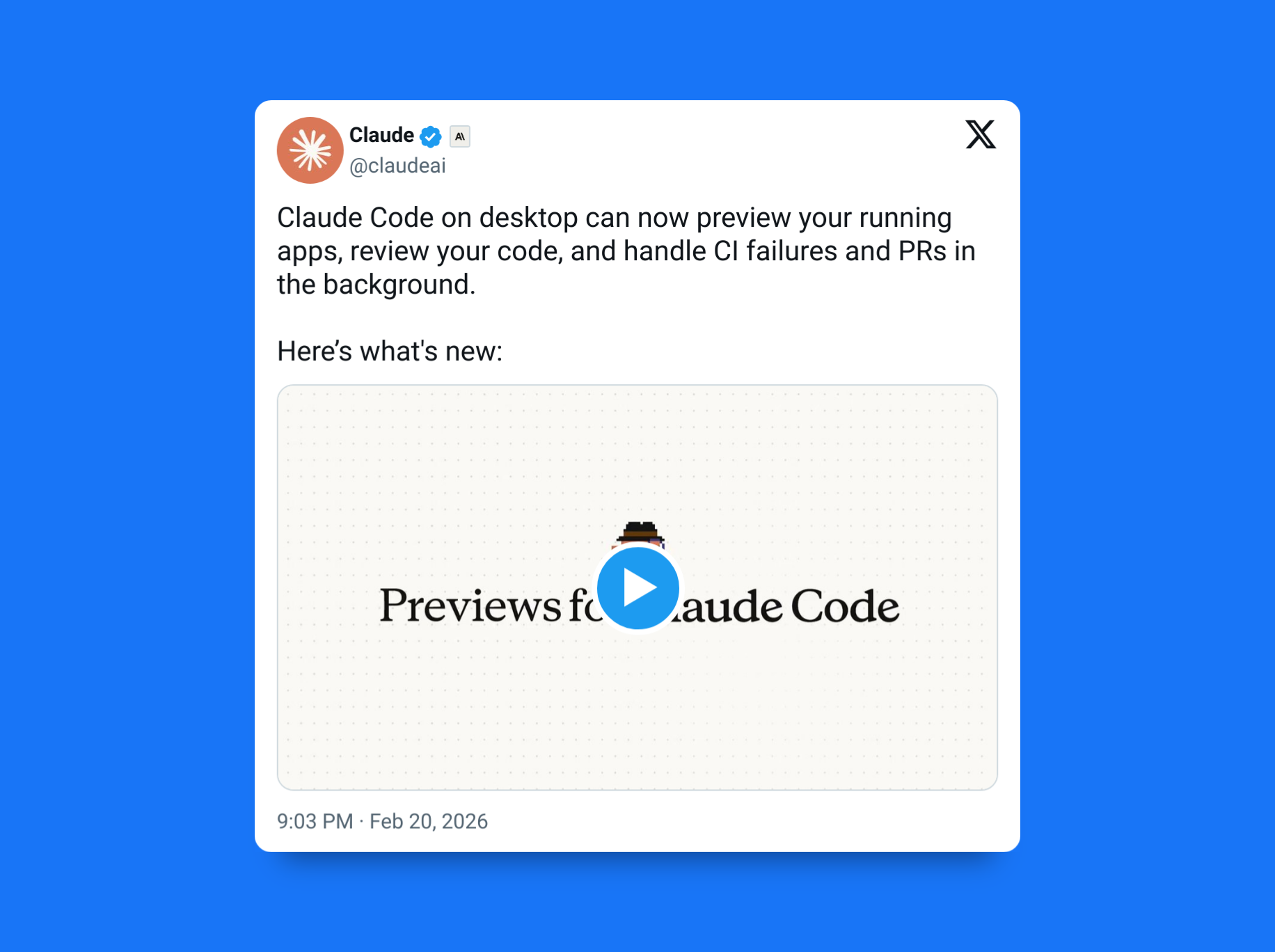
And this is just 1 of all the latest upgrades Claude Code just received within the past few days.
We just got Opus and Sonnet 4.6 for higher quality code and superior intelligence — now we are getting even more amazing new features to level up the entire software development process with that intelligence.
1. Built-in local code review
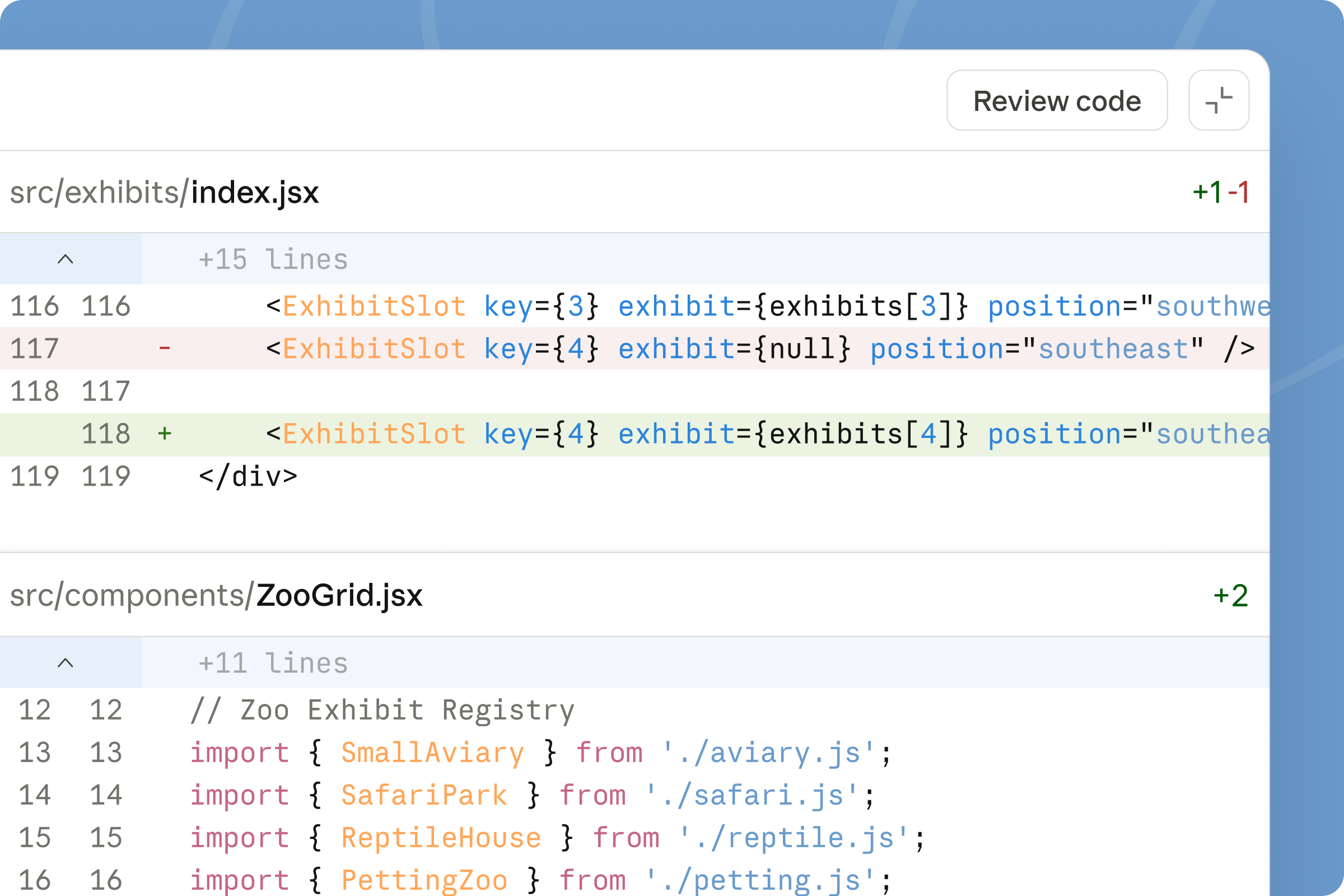
You can now run a “Review code” action on your local changes before pushing anything.
Claude analyzes your diff and leaves comments directly in the desktop diff view. It flags risky changes, missing edge cases, inconsistent patterns, or potential regressions.
Think of it as a pre-PR quality pass.
It’s not replacing human review, but it’s extremely useful for catching the “obvious in hindsight” mistakes before they ever reach your team.
2. Visual debugging — with autonomous self-correction
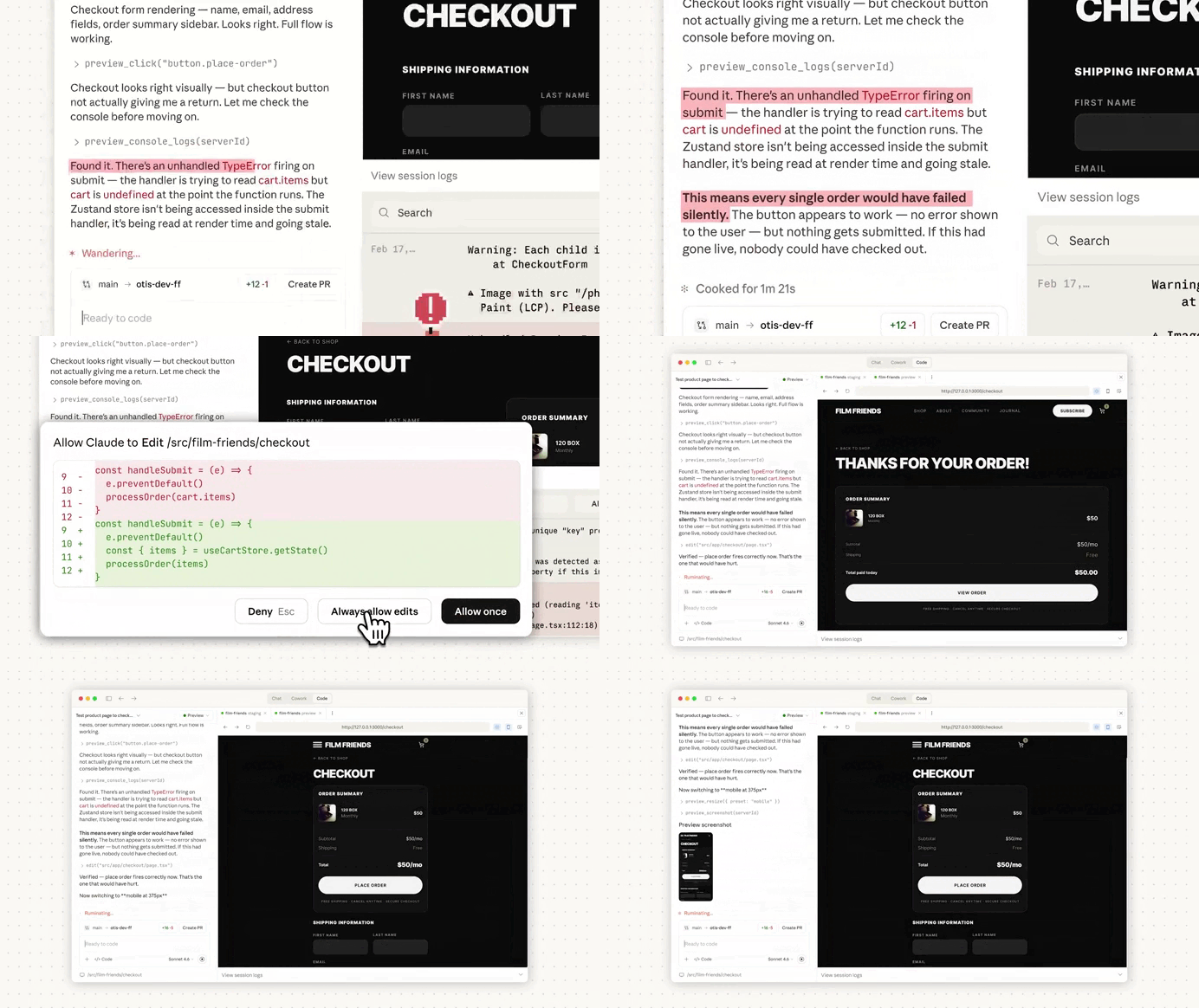
Claude can now spin up your local development server and see your running app directly in the desktop interface.
It doesn’t just read logs — it uses its vision capabilities to look at what’s actually rendered.
That means it can:
- Identify layout issues
- Notice broken spacing or alignment
- Catch visual regressions
- Flag components that don’t behave correctly in dark mode
You can literally say something like, “Make sure the dark mode works well,” and Claude can visually inspect the UI, identify contrast issues, spacing inconsistencies, or styling mistakes — and then fix them.
That’s a big step up from traditional AI coding workflows, where you had to describe what the UI looked like and what was wrong with it. Now Claude can see the output itself and self-correct.
It feels much closer to working with a human who can glance at your screen and say, “Yeah, that modal padding is off.”
3. Catching runtime errors — not just syntax mistakes
Syntax errors are the easy part.
What about:
- Runtime errors that only appear after a button click?
- State bugs that show up after a specific user flow?
- Crashes triggered by edge-case inputs?
- Logic errors that technically run but produce wrong results?
This is where Claude Code Desktop’s preview loop becomes powerful.
Because it can run your app, monitor logs, and interact with it, Claude can catch runtime errors — not just compilation issues. Even more importantly, it can test usage flows that surface bugs you wouldn’t catch from static analysis alone.
Instead of just fixing what won’t compile, Claude can:
- Trigger flows
- Observe failures
- Trace stack errors
- Patch logic
- Re-run and verify the fix
That’s a much more comprehensive testing-and-repair loop than simply cleaning up red squiggly lines in an editor.
4. PR monitoring and optional auto-merge
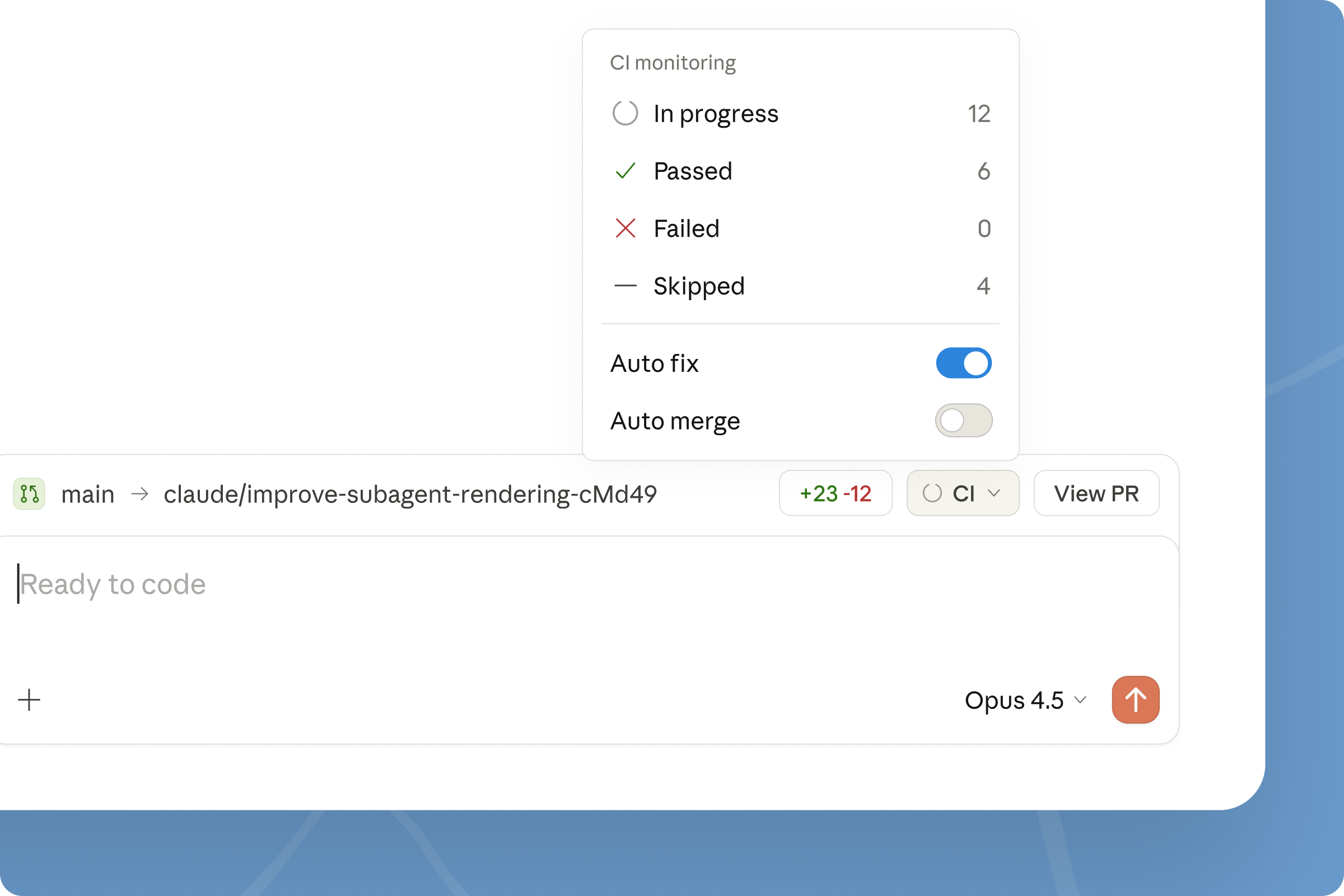
Once your changes are pushed to GitHub, Claude can monitor the PR lifecycle inside the desktop app.
You can:
- Track CI status
- Let Claude attempt fixes if CI fails
- Enable optional auto-merge once checks pass
This is where Claude starts handling workflow glue. Instead of babysitting a PR and refreshing checks, you can move on to something else while Claude watches it.
If CI breaks, it can try to fix the issue. If everything passes and you’ve enabled it, it can merge automatically.
That’s not just coding assistance — that’s delivery assistance.
5. Sessions that move with you
Claude Code sessions can now flow between CLI, desktop, and web. Start in one environment, continue in another, without losing context.
It sounds small, but not having to re-explain your project every time you switch surfaces removes friction fast.
We’re moving beyond “AI that helps you type code” toward “AI that helps you validate and ship working software.”
The real question isn’t whether Claude can generate a component anymore.
It’s whether you’re ready to let it run your app, test your flows, fix your runtime bugs, and quietly merge your PR while you work on the next thing.