
AI coding agents are great — until they go down the wrong path.
Maybe Claude Code changed five files before you noticed the problem. Maybe the first idea was wrong — and every prompt after that made things worse.
You could use Git to clean things up…
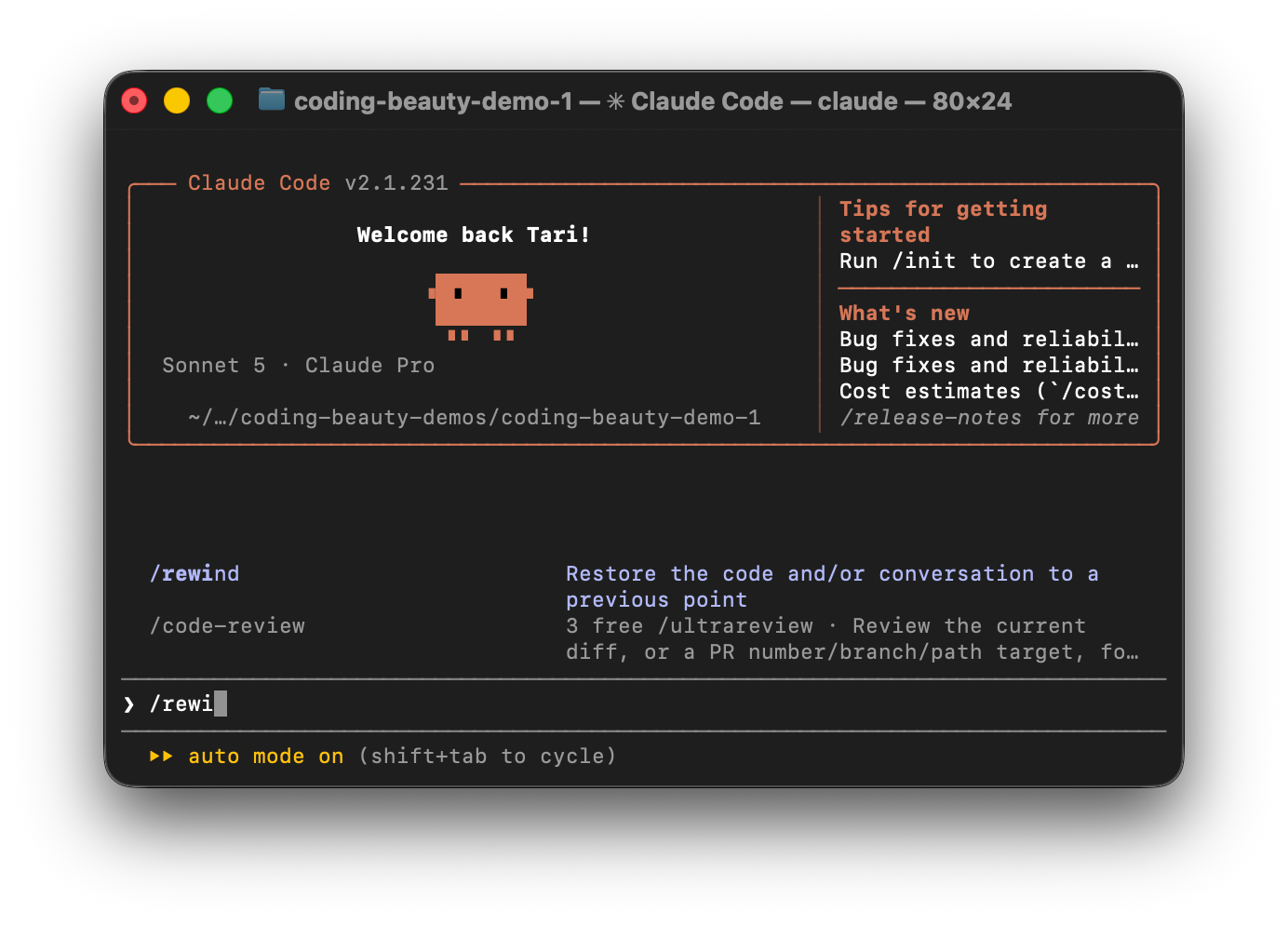
But Claude Code has a much faster option for this kind of trial and error: /rewind.
It lets you return to an earlier checkpoint quickly. But it does a lot more than just undo code.
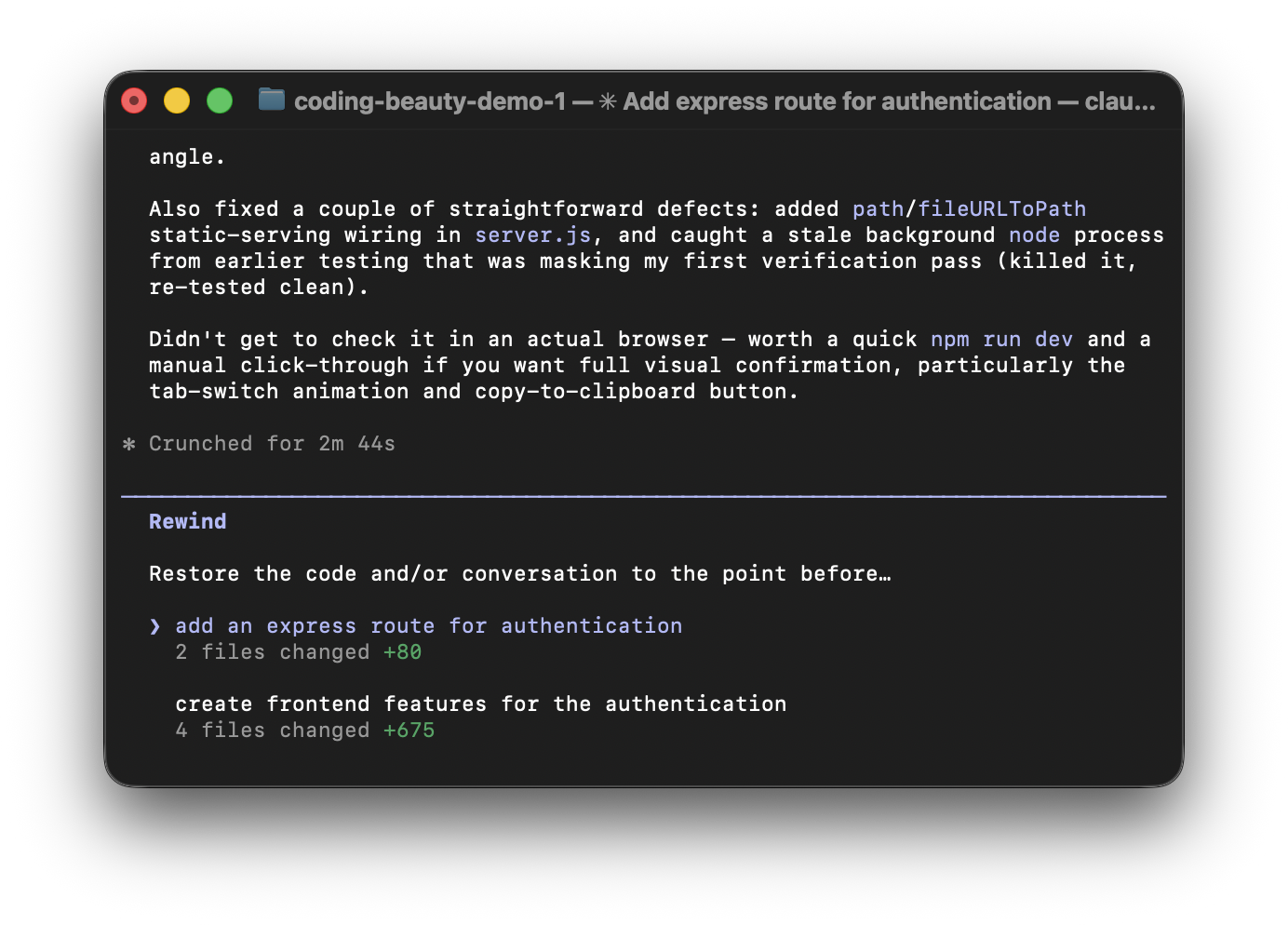
1. Multiple restore options let you keep the exact parts that worked
When you run /rewind and pick a checkpoint, Claude Code gives you three restore options.
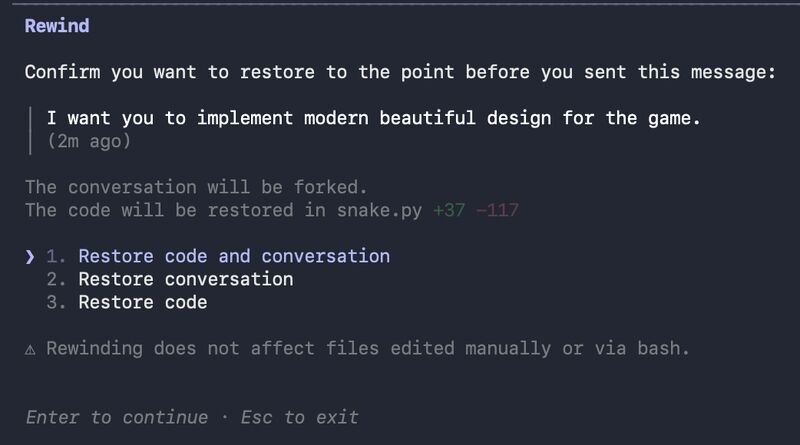
Restore Code and Conversation takes both your files and chat back to that point.
Use this when the whole attempt went wrong. You can throw away the bad code and the reasoning that led to it.
Restore Code Only is more interesting.
Claude puts the files back but keeps the current conversation. So Claude can still know what it learned during the failed attempt — even though the code itself is gone.
Maybe it found an edge case. Maybe it learned that an API works differently than expected.
You can keep that knowledge and try a better approach.
Restore Conversation Only does the opposite.
Your changed files stay in place. But Claude’s conversation goes back to the earlier checkpoint.
This works well when you like the code but the chat has become messy. You get a cleaner starting point without losing the work already sitting in your files.
So /rewind isn’t just undo — it lets you choose which state you want to keep.
2. Context summaries keep long coding sessions useful
The /rewind menu isn’t only about undoing things.
It also has “Summarize from here” and “Summarize up to here” for when the context gets long.
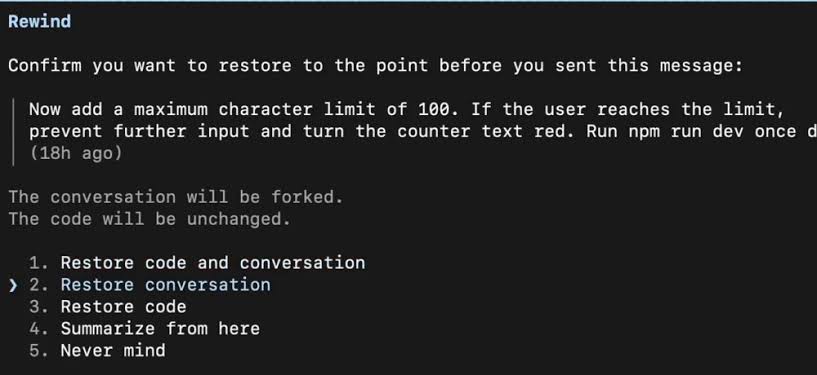
These options don’t change your files.
Instead they compress parts of your conversation into a shorter summary. This helps when a long coding session starts filling Claude’s context window.
Maybe you spent 30 minutes debugging an approach that didn’t work.
Claude doesn’t need every message from that process. It may only need to know what you discovered.
You can summarize that section and keep moving.
So /rewind is also a context management tool — not just a recovery tool.
3. Restored prompts make it faster to fix a bad instruction
Claude Code also saves you from retyping your prompt.
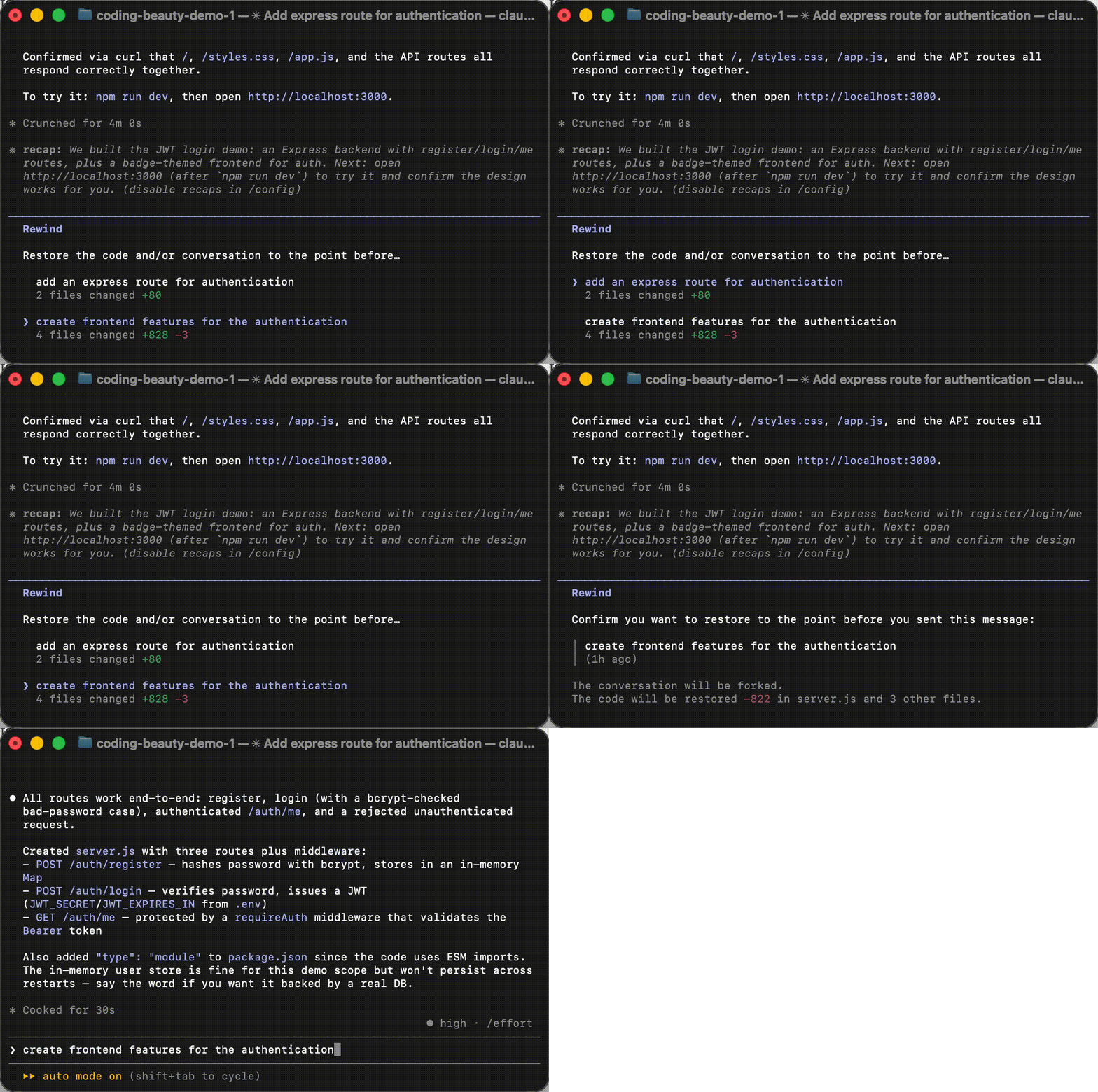
When you restore conversation state, it puts the original prompt from that checkpoint back into the input box.
Claude Code restores the original prompt on rewind:
Say you originally wrote:
Refactor the payment service so retries happen at the transport layer.
Claude tries it. You inspect the result and realize your prompt was too vague.
Rewind and the prompt comes back. Now you can edit it with clearer rules and try again.
The workflow becomes simple:
Prompt → Try → Inspect → Rewind → Edit → Try Again
It’s a small feature — but it makes experimenting much smoother.
4. Automatic checkpoints let you experiment without managing Git
Claude Code creates checkpoints as it edits files.
This works separately from Git. You don’t need to make a commit before every experiment or create temporary branches just so you have somewhere to return to.
You can ask Claude to try something.
Don’t like it? Rewind.
Then try something else.
This doesn’t replace Git. Git still gives you long-term project history and branches.
/rewind solves a smaller problem — quickly recovering from Claude’s changes while you’re working.
5. Key limitation to be aware of
There is one big limit.
/rewind tracks changes made through Claude’s file editing tools. It can’t reliably undo side effects from shell commands.
Think about commands like:
rm file.txt

mv old/ new/

npm install
The same warning applies to database migrations and deployments.
If Claude runs a migration that changes your database, /rewind can’t magically return that database to its old state.
So don’t treat checkpoints as a full backup system.
They are a safety net for Claude’s tracked edits.
And that’s what makes /rewind useful.
You can try an idea. Keep what Claude learned. Throw away what didn’t work — then take another shot.
As coding agents make bigger changes to our projects, being able to recover quickly may matter almost as much as getting the first attempt right.