
The biggest limitation of every AI coding assistant isn’t intelligence.
It’s not how much code it can right or how fast it responds.
It’s context.
What happens as software projects grow?
Conversations become longer, repositories become larger, and the amount of information the model needs to juggle explodes.
Architecture decisions, coding conventions, debugging discoveries, terminal output, documentation, and previous discussions all compete for the same finite context window.
That’s why Claude Code attacks this problem from multiple directions to generate the highest quality code possible.
It doesn’t just give you a larger context window — it provides wide of range of tools that intelligently manage what the model knows, remembers, and carries forward between sessions.
Let’s look at five of most powerful context management features, from quick context branching, to automatic features that most developers take for granted.
1. Your context shouldn’t increase with every new message
I made this mistake a lot in the past.
I would ask Claude Code a lot of small, unrelated questions in the middle of a long coding session.
Questions that would become a permanent part of the context — despite having no long-term value beyond the moment I asked them.
I didn’t realize how much context I was wasting.
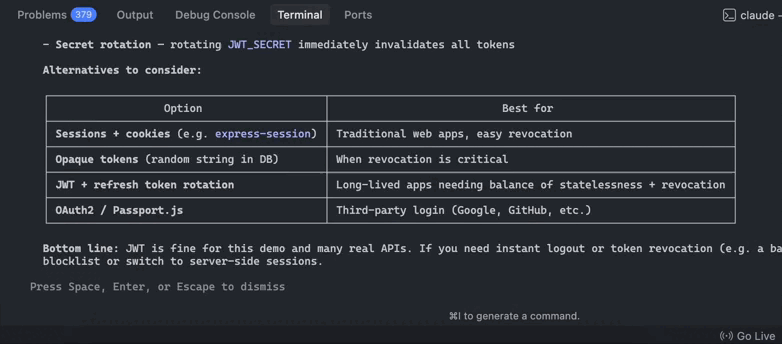
But thankfully we have now have the /btw command to fix this exact problem in Claude Code.
It lets you ask a quick side question that has full visibility into your current conversation without adding the question or answer to your chat history. Instead, Claude shows the response in a temporary overlay that disappears when you’re done.
Asking questions on our changes with /btw:
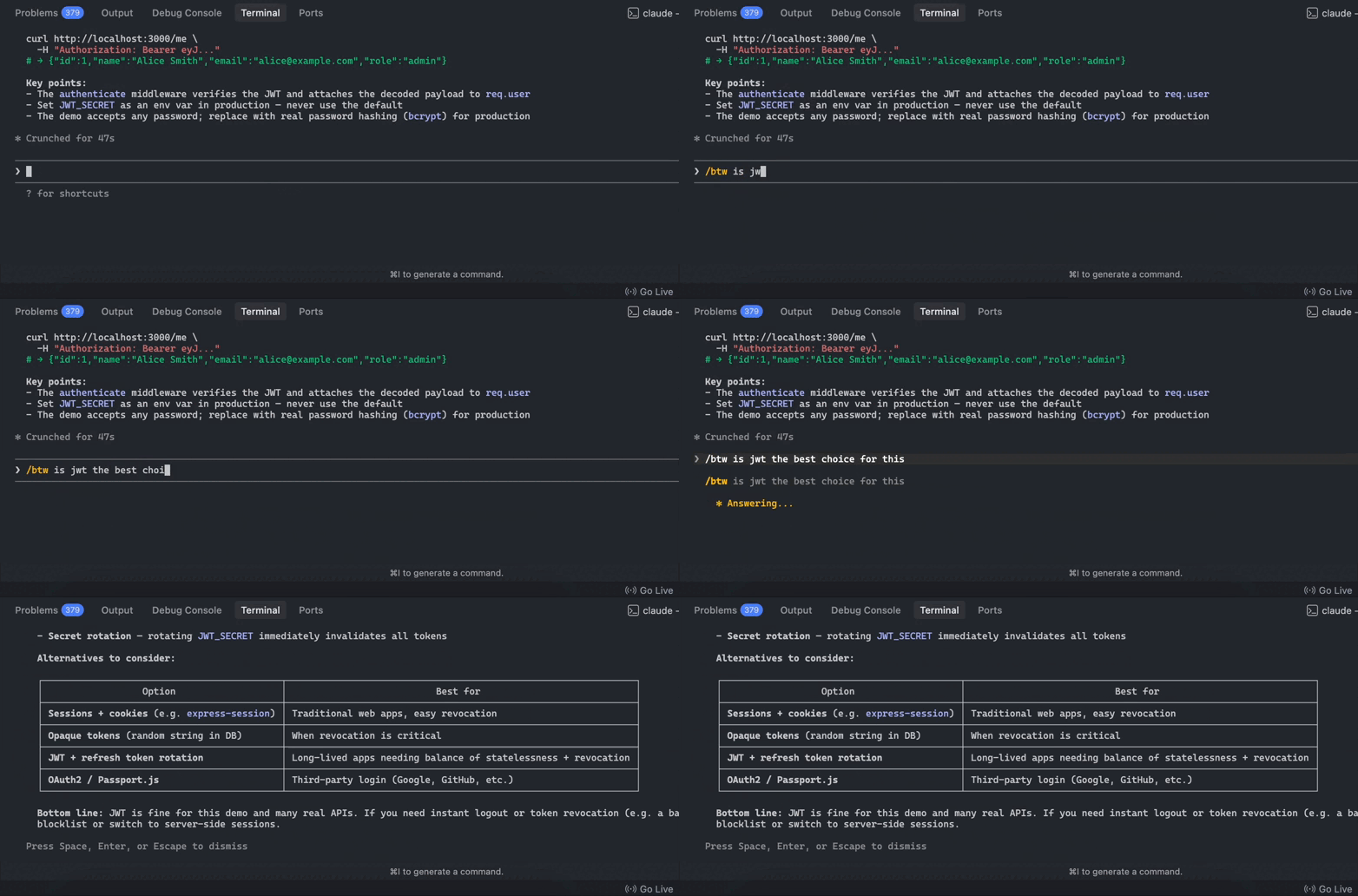
That means you can ask things like:
- “What was that config file called?”
- “Why did we choose this approach?”
- “Which function handles authentication?”
…without cluttering your main conversation.
When we press Enter, the btw message disappears and we’re back to our normal conversation:
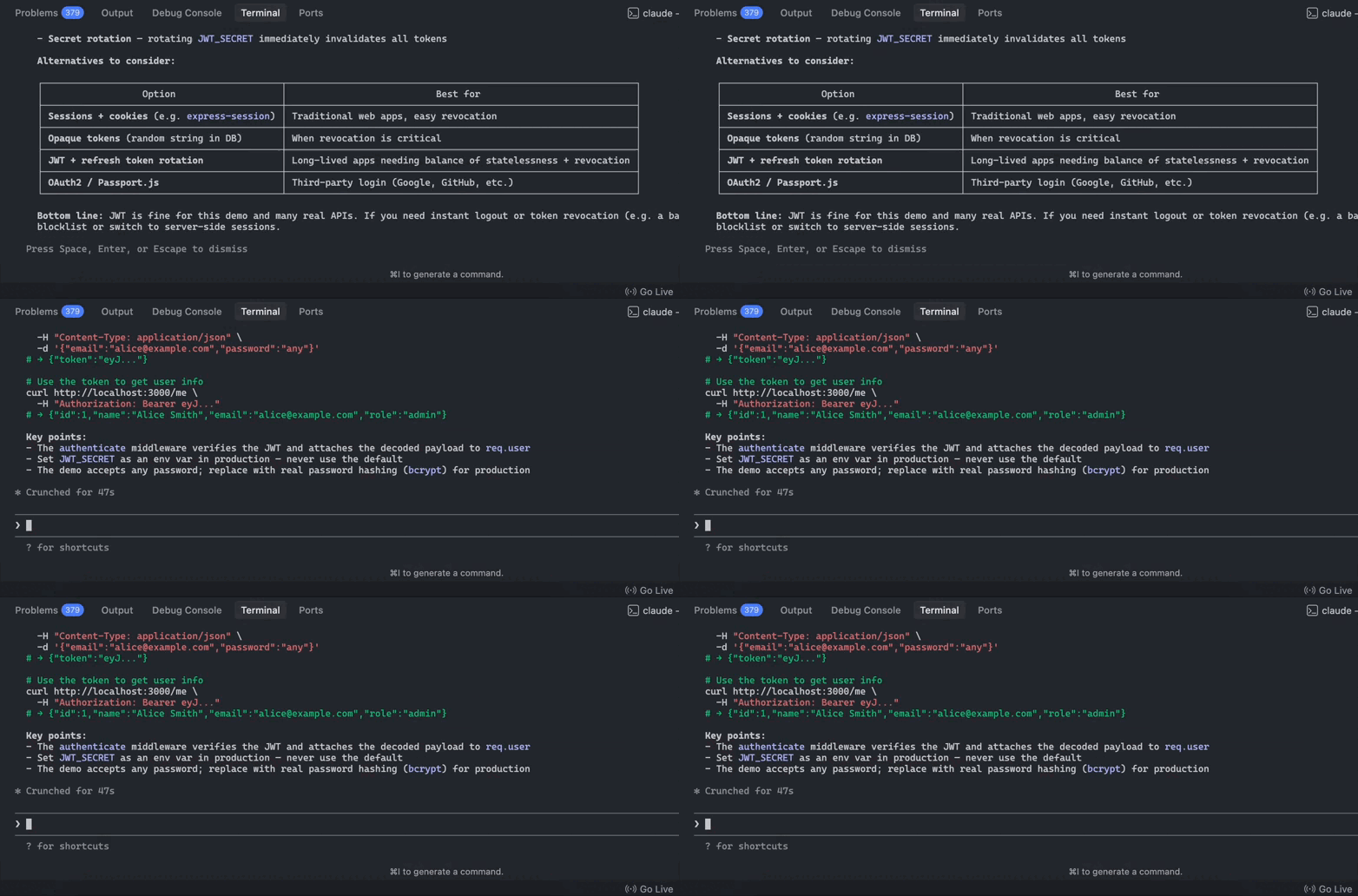
For long-running coding sessions, /btw helps keep your context focused on the implementation while still giving you instant access to everything Claude already knows about your project
2. Your Claude Code sessions don’t have to start from zero
You don’t have to being every new conversation with Claude Code from scratch.
Its Auto Memory system allows Claude to accumulate useful project knowledge over time.
As you correct mistakes, establish workflows, or repeatedly teach it project-specific conventions, Claude can save those learnings automatically and reload them in future sessions.
Instead of repeatedly explaining things like:
- build commands
- debugging workflows
- environment quirks
- preferred implementation patterns
Claude gradually learns them itself.
Over time, the assistant becomes increasingly tailored to your project with almost no manual effort.
3. Claude can’t figure everything out by itself
You can teach Claude Code how it’s done.
If Auto Memory learns automatically, CLAUDE.md is where you teach Claude deliberately.
It’s like permanent briefing document for your project.
Rather than re-explaining your coding standards, testing strategy, deployment workflow, or naming conventions every session, you simply write them once inside a CLAUDE.md file.
A sample CLAUDE.md file for Claude Code:
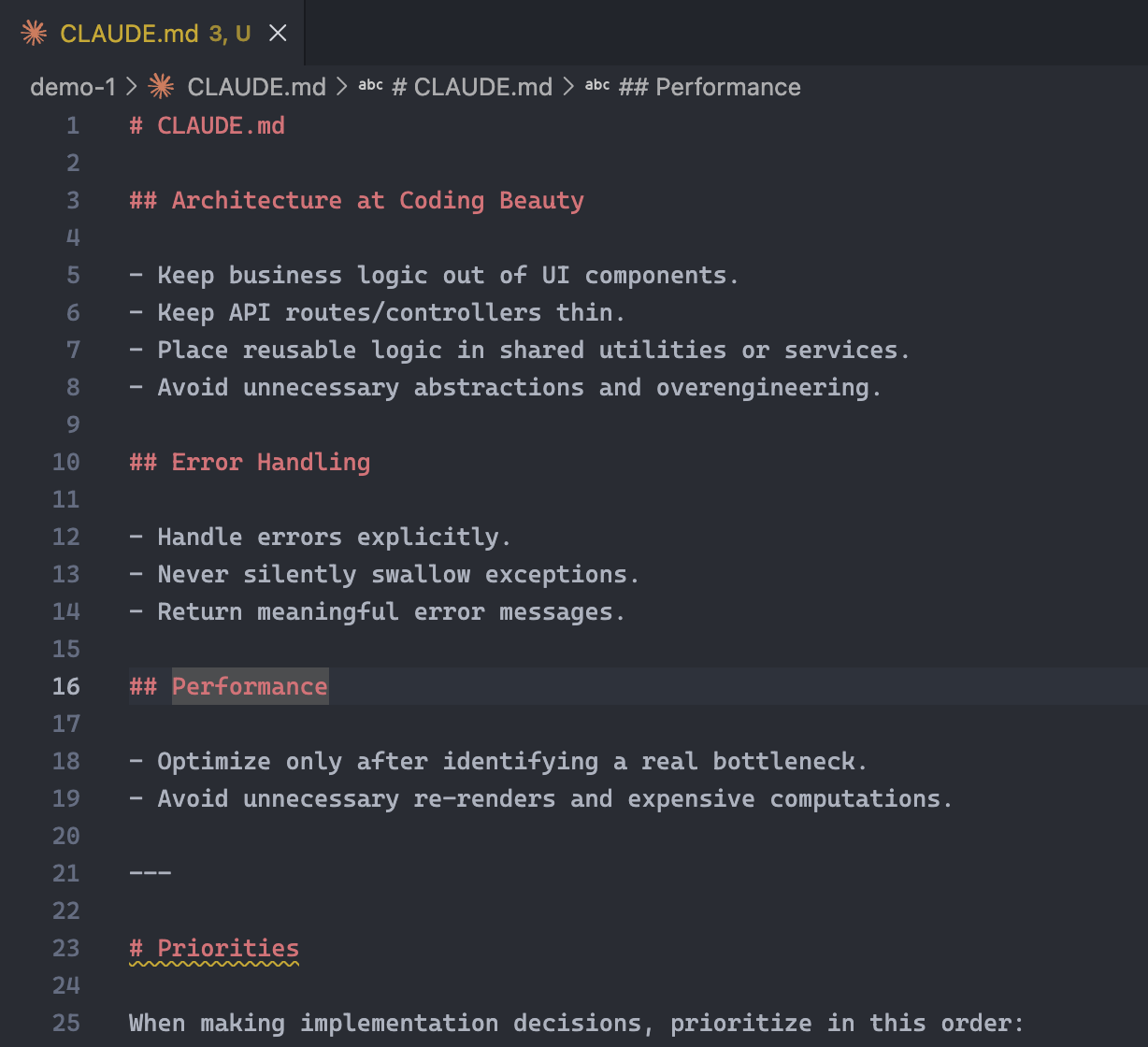
Every new conversation begins with that context already loaded.
A good CLAUDE.md might include:
- coding conventions
- important design decisions
- common team-specific workflows
- “always” and “never” rules
The more mature a project becomes, the more valuable this file gets.
4. What does Claude Code do when context gets out of hand?
Most AI tools simply start forgetting earlier parts of the discussion as context approaches the limit.
Claude Code does something much smarter — automatic context compaction.
As the context window fills up, it automatically compresses older portions of the conversation into a concise summary while preserving the important decisions, discoveries, and reasoning that led there.
Instead of carrying hundreds of thousands of tokens forever, Claude keeps the essential information while freeing space for new work.
This allows coding sessions to continue far longer without suffering the dramatic quality drop that often occurs when context windows become overloaded.
5. What can *you* do when context gets out of hand?
Claude doesn’t have sole control — you can also take manual control of your context — with multiple commands.
The /compact command tells Claude to summarize the current conversation immediately.
It’s perfect after finishing a large feature or debugging session. You preserve everything important while dramatically reducing context usage before moving on to the next task.
But somethings you don’t even want any previous conversation at all.
That’s where /clear comes in.
It starts a fresh conversation with an empty context window while still keeping your persistent project knowledge—such as CLAUDE.md instructions and Auto Memory—intact.
Think of it as wiping the whiteboard clean without forgetting everything you’ve learned about the project.
Claude Code’s approach isn’t just about having more context — it’s about using context intelligently.
Together all these features let Claude spend its attention on what matters most, making long-running development sessions feel remarkably consistent even as your projects grow in size and complexity.