
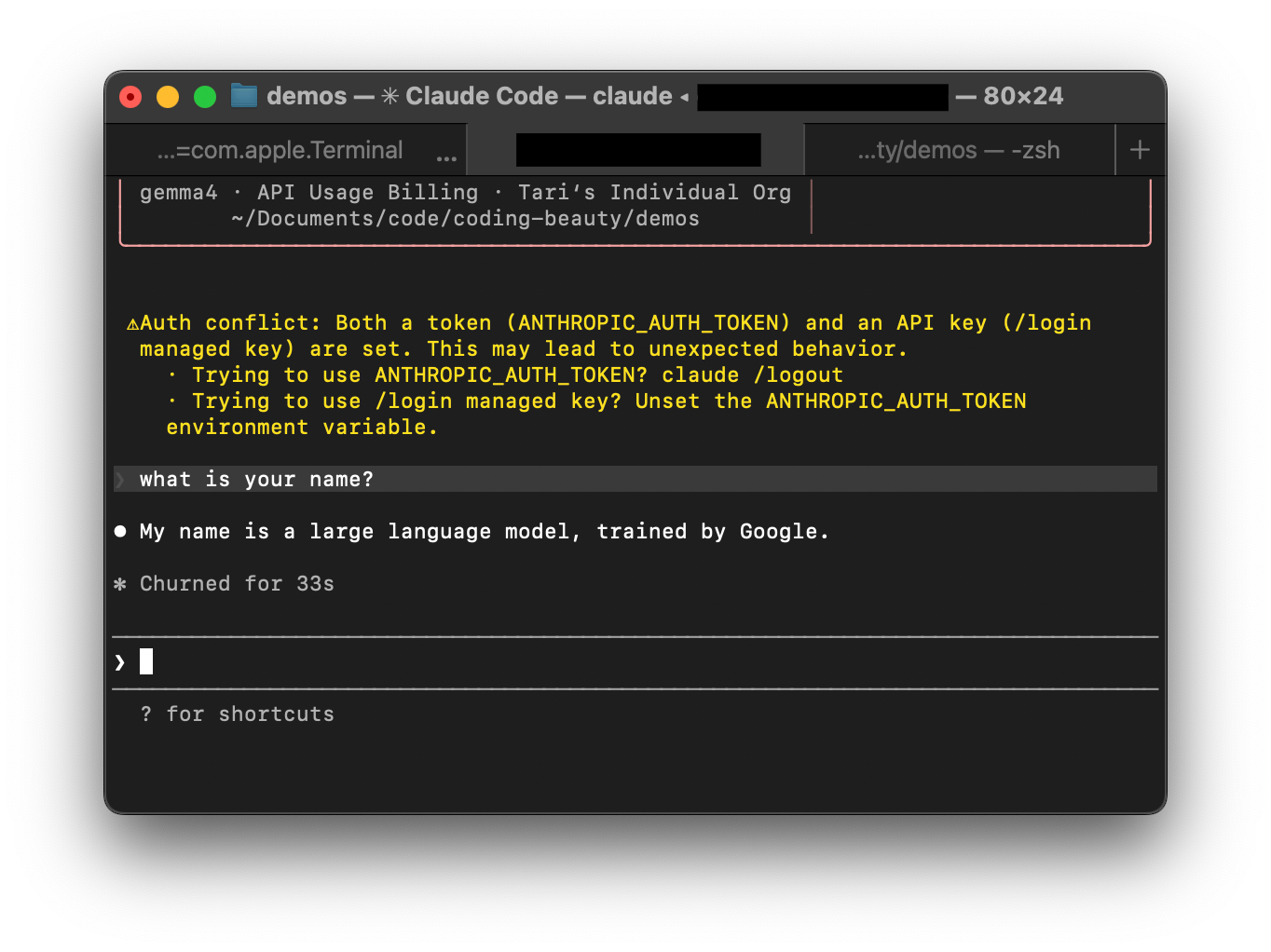
The past few days have had so many devs going crazy over Google’s new open-source Gemma 4.
And for very good reason — suddenly so many AI-powered tools like Claude Code have now become FREE and accessible to everyone — without any compromises in intelligence.
And the best part is it’s so ridiculously easy to set up locally — thanks to ingenious connector tools like Ollama.
Gemma 4 + Ollama + Claude Code.
Ollama exposes an Anthropic-compatible API — which allows Claude Code to talk to a local model instead of a hosted endpoint.
With Gemma 4 running locally, you get a Claude-style coding workflow without relying on remote inference.
This gives you:
- local coding model
- Claude Code terminal workflow
- no hosted inference calls
- fast iteration
- full repo privacy
- easy model swapping
What more could you even ask for?
1. Get started: Install and Run Gemma 4 with Ollama
Installing or updating Ollama is just too easy:
curl -fsSL https://ollama.com/install.sh | sh
Then pull a Gemma 4 model based on your hardware:
Model sizes to pick from
E2B
- 2.3B effective (~5.1B w/ embeddings)
- ~1.7GB download
- ~1.5–2GB RAM
ollama pull gemma4:e2b
E4B
- 4.5B effective (~8B w/ embeddings)
- ~3.2GB download
- ~3–4GB RAM
ollama pull gemma4:e4b
26B A4B
- 26B total (4B active)
- ~17GB download
- ~18–20GB RAM
ollama pull gemma4:26b
31B Dense
- 31B
- ~19GB download
- ~20-24GB RAM
ollama pull gemma4:31b
Verify the model works:
ollama run gemma4:26b "Hello, can you help me with Python?"
Exit with:
/bye
2. Install Claude Code
Install Claude Code:
curl -fsSL https://claude.ai/install.sh | bash
Initialize:
claude
The first run completes setup.
3. Connect Claude Code to Ollama
Point Claude Code to your local Ollama server.
Add these environment variables:
export ANTHROPIC_BASE_URL=http://localhost:11434
export ANTHROPIC_AUTH_TOKEN=ollama
export ANTHROPIC_API_KEY=""
Make them persistent.
zsh
echo 'export ANTHROPIC_BASE_URL=http://localhost:11434' >> ~/.zshrc
echo 'export ANTHROPIC_AUTH_TOKEN=ollama' >> ~/.zshrc
echo 'export ANTHROPIC_API_KEY=""' >> ~/.zshrc
source ~/.zshrc
bash
echo 'export ANTHROPIC_BASE_URL=http://localhost:11434' >> ~/.bashrc
echo 'export ANTHROPIC_AUTH_TOKEN=ollama' >> ~/.bashrc
echo 'export ANTHROPIC_API_KEY=""' >> ~/.bashrc
source ~/.bashrc
4. Launch Claude Code with Gemma 4
Navigate to your project:
cd your-project
Start Claude Code:
claude --model gemma4:26b
Claude Code now runs through your local Ollama instance:
Claude Code → Ollama → Gemma 4 → response
You now have:
- Claude Code interface
- Gemma 4 local model
- Ollama inference server
- local coding assistant
- zero hosted inference
- private repo analysis
This gives you a no-cost, fully local Claude-style developer workflow powered by Gemma 4.