
AI coding agents are about to get a lot more reliable for web automation & development — thanks to this new tool from Vercel.
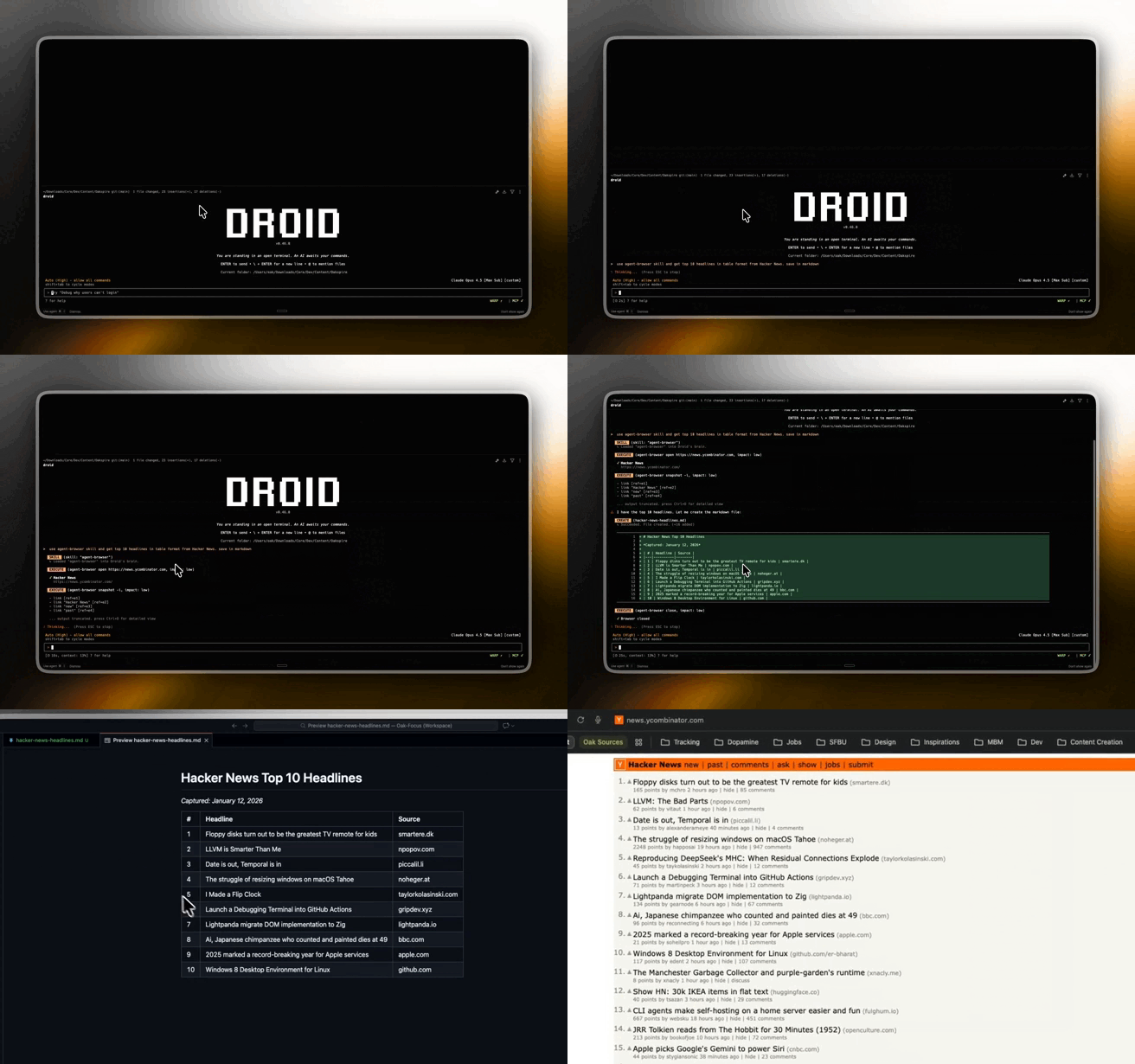
These agents do excel at code generation — but what happens when it’s time to actually test the code in a real browser, like a human or like Pupeeteer?
They’ve always struggled with being able to autonomously navigate the browser– and identify/manipulate elements in a quick and reliable way.
Flaky selectors. Bloated DOM code. Screenshots that can’t really be understood in the context of your prompts.
And this is exactly what the agent-browser tool from Vercel is here to fix.
It’s a tiny CLI on top of Playwright, but with one genuinely clever idea that makes browser control way more reliable for AI.
The killer feature: “snapshot + refs”
Instead of asking an agent to guess CSS selectors or XPath, agent-browser does this:
- It takes a snapshot of the page’s accessibility tree
- It assigns stable references like
@e1,@e2,@e3to elements - Your agent clicks and types using those refs
So instead of having to guess the element you mean on its own from a simple prompt like:
“Find the blue submit button and click it”
you get:
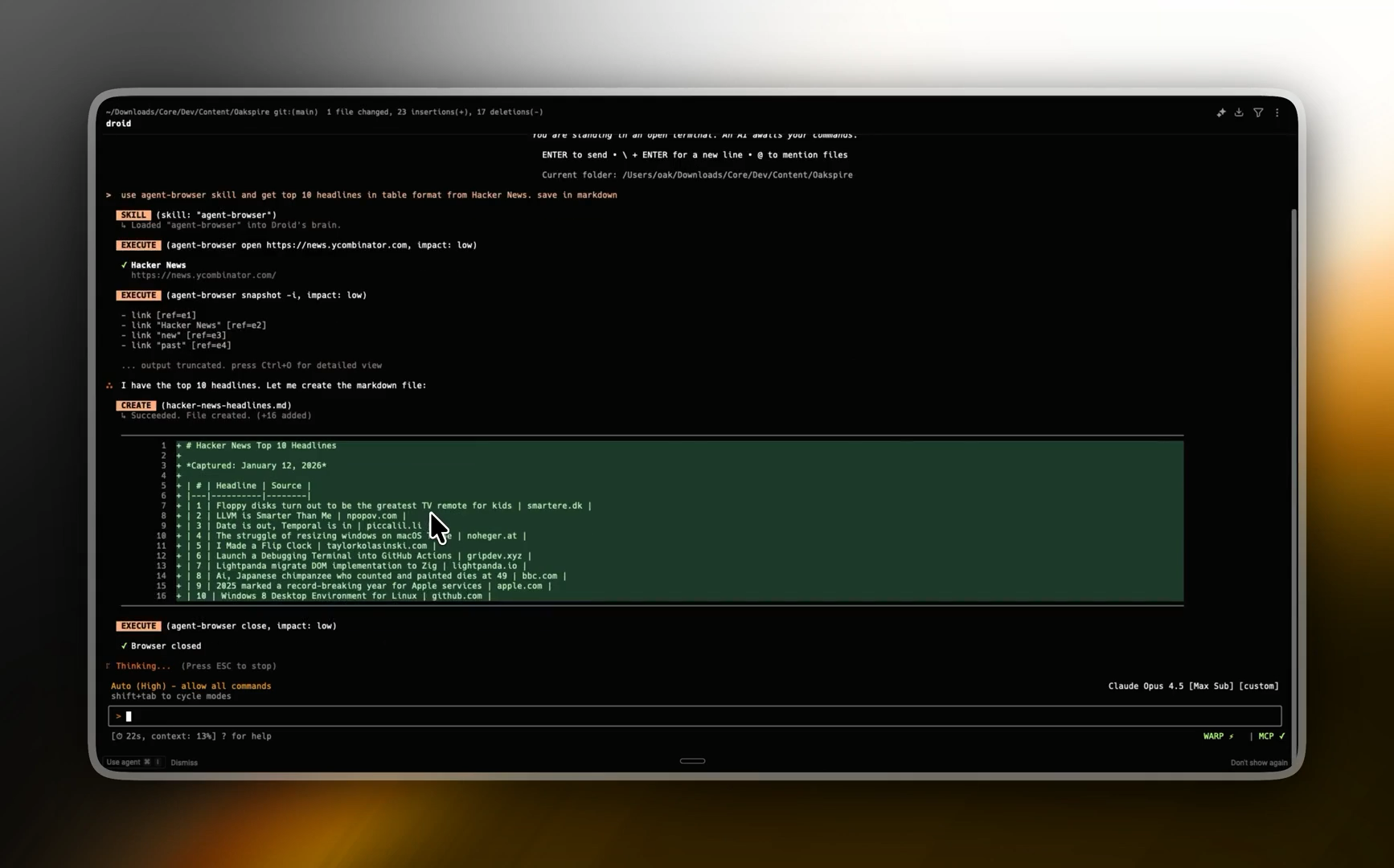
agent-browser snapshot -i
# - button "Sign up" [ref=e7]

agent-browser click @e7
No selector guessing or brittle DOM queries.
This one design choice makes browser automation way more deterministic for agents.
Why this is actually a big deal for AI agents
1. Way less flakiness
Traditional automation breaks all the time because selectors depend on DOM structure or class names.
Refs don’t care about layout shifts or renamed CSS classes.
They point to the exact element from the snapshot the agent just saw.
That alone eliminates a huge amount of “it worked yesterday” failures.
2. Much cleaner “page understanding” for the model
Instead of dumping a massive DOM or a raw screenshot into the model context, you give it a compact, structured snapshot:
- headings
- inputs
- buttons
- links
- roles
- labels
- refs
That’s a way more usable mental model for an LLM.
The agent just picks refs and issues actions.
No token explosion or weird parsing hacks.
3. It’s built for fast agent loops
agent-browser runs as a CLI + background daemon.
The first command starts a browser.
Every command after that reuses it.
So your agent can do:
act → observe → act → observe → act → observe
…without paying a cold-start tax every time.
That matters a lot once you’re running 20–100 small browser steps per task.
Great power features
These are the things that make it feel agent-native — not just another wrapper around Playwright.
Skip login flows with origin-scoped headers
You can attach headers to a specific domain:
agent-browser open api.example.com \
  --headers '{"Authorization":"Bearer TOKEN"}'
So your agent is already authenticated when the page loads.
Even better: those headers don’t leak to other sites.
So you can safely jump between domains in one session.
This is perfect for:
- dashboards
- admin panels
- internal tools
- staging environments
Live “watch the agent browse” mode
You can stream what the browser is doing over WebSocket.
So you can literally watch your agent click around a real website in real time.
It’s incredibly useful for:
- debugging weird agent behavior
- demos
- sanity-checking what the model thinks it’s doing
Where it shines the most
agent-browser is especially good for:
- self-testing agents
(“build the app → open it → click around → see if it broke → fix → repeat”) - onboarding and signup flows
- dashboard sanity checks
- form automation
- E2E smoke tests driven by LLMs
It feels like it was designed for the exact “agentic dev loop” everyone’s building right now.